Find the symptom, then the cause and the fix. For short answers to common questions, see the Setlists FAQ.
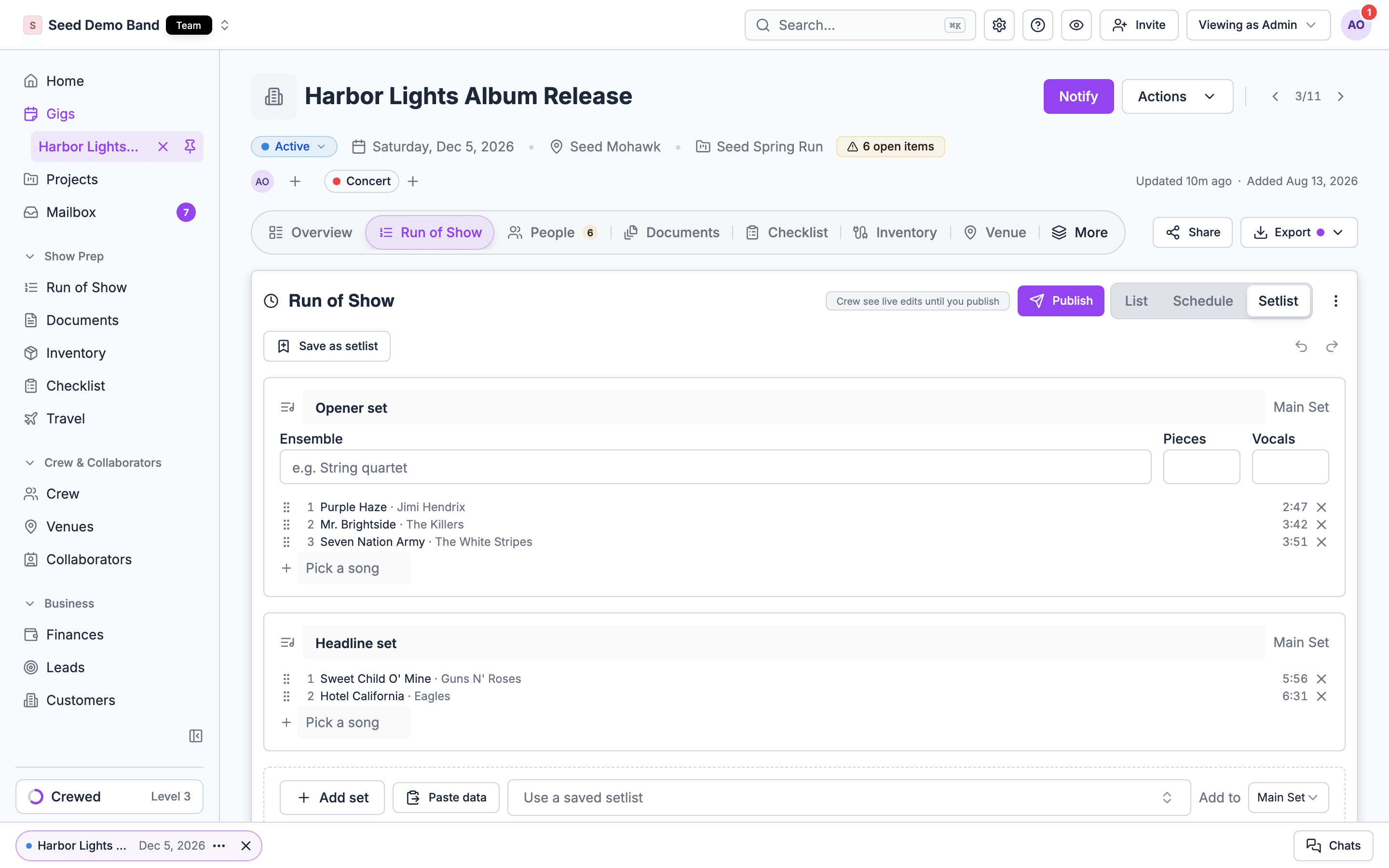
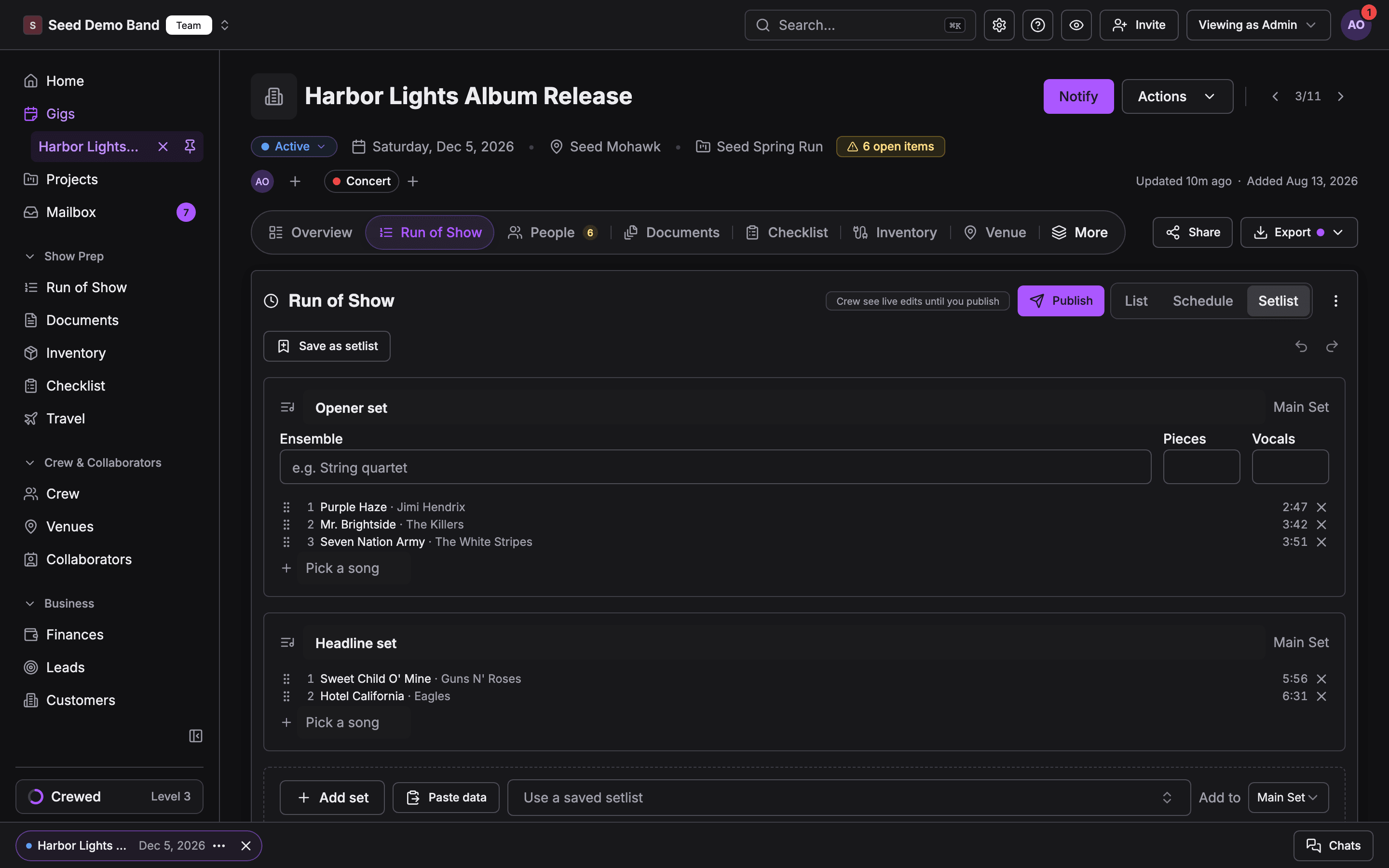
Setlist view with each set, the section it plays in and its songsSetlist view with each set, the section it plays in and its songs

Finding things

Cause: your organization moved setlists into Run of Show.Fix: each gig setlist is now a section of that gig’s run of show, with one song item per set. Edit sets in the gig’s run of show List or Setlist view. Library setlists became run of show templates, and setlists not tied to a gig are on the Setlists tab of Show prep → Run of Show. Songs stay in Documents → Songs. The original setlists are kept as a backup. See After your organization switches to Run of Show.
Cause: the Setlists page leaves the sidebar once your organization brings its setlists into Run of Show.Fix: open Show prep → Run of Show and choose the Setlists tab. Old links to the Setlists page go there too.
Cause: saved setlists and the song library are for owners, admins and gig coordinators. Others see “Access Restricted”.Fix: ask an owner or admin. You can still read a gig’s sets in its run of show if you’re on the gig.
Cause: the Setlists tab lists setlists that aren’t tied to a gig.Fix: use Save as setlist on the gig’s Setlist view. That saves a reusable copy to the tab. See The Setlist view.
Cause: the song isn’t in your library, it’s spelled differently, or a filter is on.Fix: in Documents → Songs, choose Clear filters and search by title, artist or key. If it’s not there, add it with New song. In a set that names an act, the picker shows only that act’s songs; choose Show all songs.

Building sets

Click the row’s What cell, choose Add setlist, and pick a setlist from the top of the list. Its songs fill the row, and extra sets become rows below it. Single songs are listed under the setlists. See Adding a setlist to an item.
Cause: empty sets are skipped. Soundcheck shows a message naming them.Fix: add songs to those sets in the setlist, then add it again.
Cause: the setlist has no songs, so nothing changes. A message says so.Fix: open the setlist on the Setlists tab and add songs.
Cause: picking a setlist replaces the item’s songs with the setlist’s songs.Fix: add the songs you need again. To add songs on top of a set, tick single songs instead of picking a setlist.
There’s one control for songs in the What panel now: Add setlist, which lists setlists first and single songs below. To create a brand-new song while you build, open the item with Open full details.
Cause: Re-sync replaces a linked set’s songs with the library setlist’s current songs.Fix: add the changed songs back on the gig. Next time, change the saved setlist first, then Re-sync, or don’t Re-sync a set you’ve tailored for this gig.
Cause: after the switch to Run of Show, gig setlists are read-only.Fix: edit the sets in the gig’s run of show instead.

Lengths and details

Cause: a set’s length is the sum of its songs. A song with no duration adds nothing.Fix: add the missing durations in Documents → Songs. Use minutes:seconds, such as 4:30.
Cause: the value doesn’t fit the column, such as fast in BPM. Tempo is a whole number from 1 to 999, and duration runs from 0:01 to 24:00:00.Fix: type a value in range. The cell says “That value is not valid for this column.”
Cause: that’s by design. Song details save to the song in your library, and every setlist and set uses the same song.Fix: to keep two versions, add a second song with a different title, such as Wonderwall (acoustic).
Cause: a change didn’t reach the server.Fix: your next edit tries again. Check your connection if it keeps happening.
Cause: a new setlist isn’t saved until you choose Save Setlist.Fix: the builder keeps your unsaved draft in the same browser tab, so reloading brings it back. Closing the tab or choosing Discard changes loses it.
Cause: the song was deleted from the library. Deleting a song removes it from every setlist that has it, and can’t be undone.Fix: add the song again and put it back in the setlists. The delete confirmation names the setlists that use a song, so check it before you confirm.

Music requests

Warnings never block a save. Keep the song if you’ve agreed it with the client, or remove the request with Remove request.
Cause: library matching is unavailable when the song library holds over 5,000 songs, and genre requests can’t be checked against the library.Fix: check those requests by hand.
Cause: the form’s edit window has passed. The panel shows Locked. Client can no longer edit.Fix: choose Edit answers and save on the client’s behalf, or change Editable until on the form on the gig’s Documents tab.

Mobile

The organization-level Setlists and Songs screens are on the web only. A gig’s sets are in its run of show Setlist view in the app. See Setlists on mobile.
Cause: your organization brought its setlists into Run of Show.Fix: open the gig’s run of show and choose Setlist.

Setlists FAQ

Short answers.

Run of Show troubleshooting

Everything else in the run of show.

Setlists

Start here.