

Forwarded confirmations
Forward a booking confirmation email to your organization’s forwarding address. Soundcheck reads it, and it waits in the Inbox for you to review. Nothing touches a gig until you choose Approve and import. The forwarding address, the Inbox, and the review steps are covered in Forwarded confirmations. This section covers what happens to the travel in an email.What each confirmation becomes
A flight’s passenger must match exactly one active member of your organization by email. If the traveler isn’t a member, or the email matches more than one, the import stops and asks you to fix it.
Matching what’s already there
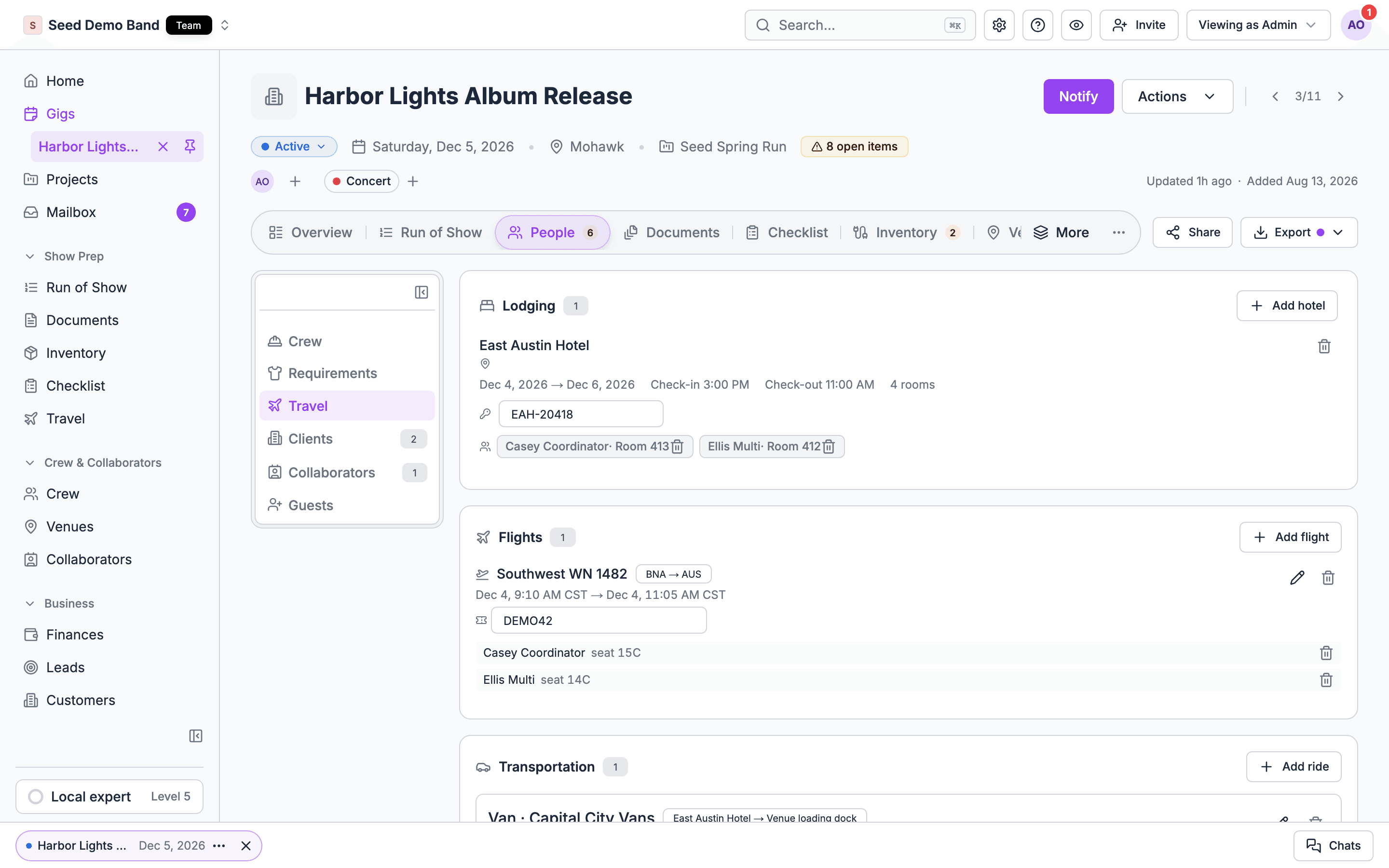
Soundcheck avoids duplicates when it imports:- Flights. A flight already on the gig with the same airline, flight number, departure time and airports gets the passenger added, rather than a second copy.
- Hotels. A saved hotel with the same name and address is reused. A stay at the same hotel with the same check-in day is updated, as long as its confirmation number agrees.
- Updated confirmations. Forward a changed confirmation, such as a new departure time, and approving it updates the flight, stay or run of show row you imported before. Notes you edited on the gig are kept.
When an import stops
Approving stops, and says why, when the gig no longer matches what was imported before. Fix it on the gig, then approve again. Common messages:
See also Troubleshooting.
Brex Travel
If your team books on Brex Travel, an owner or admin connects Brex once, and then anyone who edits travel can choose Import from Brex on a gig’s Flights card. Soundcheck lists the Brex flights around the gig’s dates, and you pick the ones to import. Travelers are matched to members by email. Setup and the matching rules are on Flights. Brex brings in flights only. Hotels and cars booked on Brex aren’t imported; add them on the gig or forward their confirmations. Brex is the only travel booking tool Soundcheck imports from today. TripIt, Concur, Navan and Egencia aren’t connected; forward their confirmation emails instead. When your Brex account has more trips than one check reads, the import sheet says Your Brex account has more trips than one check reads, so some flights may be missing. Connected AI tools can also link a Brex trip to a Soundcheck trip, so imported flights land on the right trip in a project.Connected AI tools
AI assistants connected to Soundcheck through the MCP server can read and record travel. They can list a project’s or a gig’s flights and hotel stays, search and add hotels, record flights and stays with their times, put people on them, add rides to a gig, and set up trips, trip buyouts and guest nights. Each change goes through the same permissions as the app, and removals ask for confirmation first. Nobody is notified of what they record. Connected AI tools can’t edit a person’s traveler details. Passports and frequent flyer numbers stay on the person’s profile. Ask your assistant something like “Who is flying into Chicago for Saturday’s show, and where are they staying?”. Every tool is listed in the MCP catalog.Related
Forwarded confirmations
The forwarding address, the Inbox and review.
Run of Show
Where forwarded ground transport lands.
Integrations
Brex and the other tools Soundcheck connects to.
Travel FAQ
Travel agents, TripIt, Concur and other import questions.
Travel glossary
PNR, confirmation code and other booking terms.