

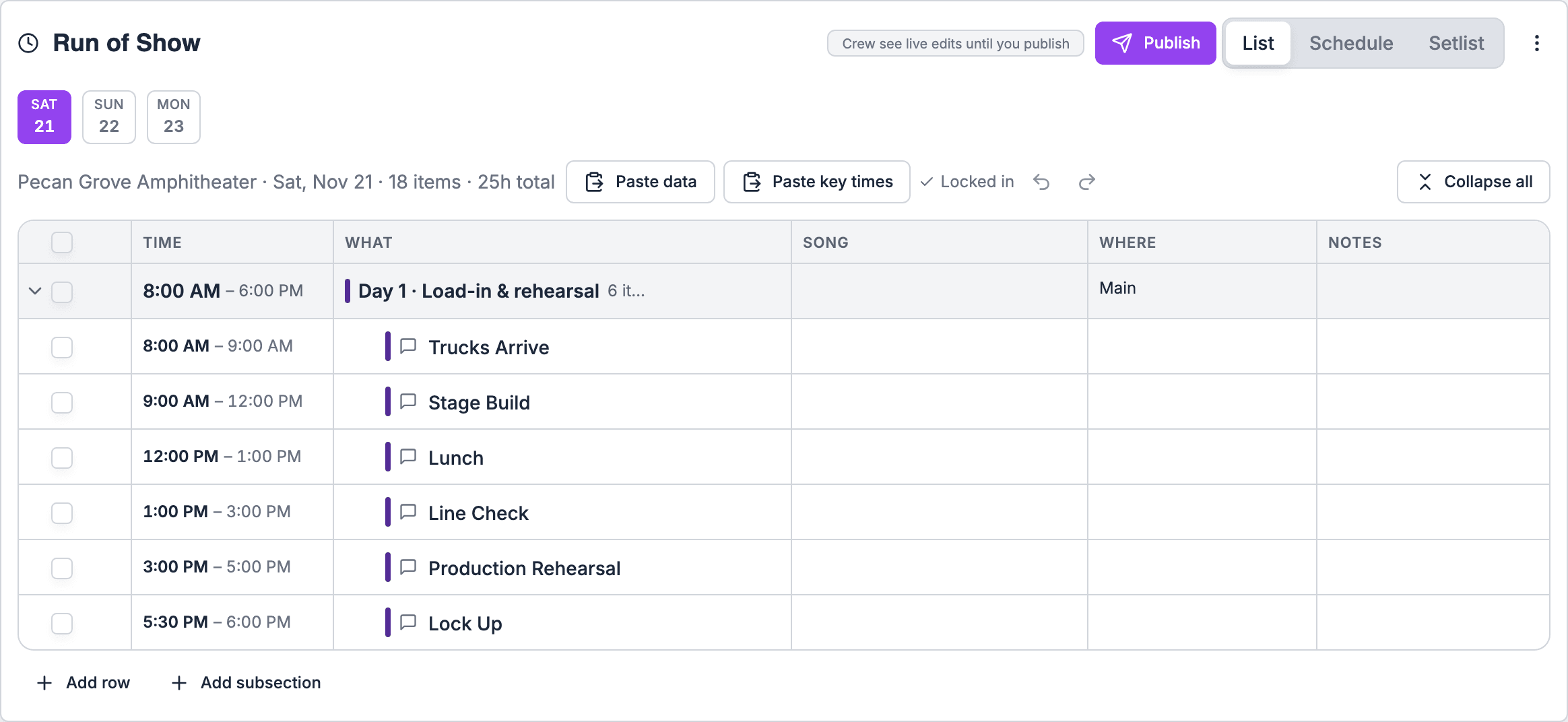
Day chips
On a multi-day gig, a row of day chips sits at the top of the Run of Show panel. Pick a day to see just its sections.- Adding follows the day. Adding a section or item while a day is selected adds it to that day.
- Totals stay global. The summary line at the top describes the whole run of show, not just the day you’re looking at.
Sections belong to a day
Each section belongs to one day. Items follow their section.Out-of-order warnings stay within a day
Run of Show warns when a section starts before an earlier one. On a multi-day gig, those warnings only compare items on the same day, so a morning cue on day two doesn’t “start before” a late cue on day one.Past midnight
A late night that runs past midnight is still the same show day. An end time such as 12:30 AM belongs to the night it ends, not the next day’s schedule. When you type an end time, add+1 to mark that it runs past midnight. See Building and editing.
A show that runs past midnight is one day, not two. Only make a gig multi-day when the work really spans separate days.
Moving a section to another day
In the List view, a section’s ⋯ menu has Move to day. Pick the day, and the section moves there with its items. You can also drag a section by its handle to move it to another day.Shifting times stays within a day
Shift this and later in a row’s ⋯ menu moves the row, and every row after it on the same day, by 5, 15, 30 or 60 minutes. Rows before it, and other days, stay put. That way a late start on day one doesn’t push day two’s call times.Linking stays within a day
Cues can only be linked when both are on the same day and the same track. If the next cue is on another day, the link options read The next cue is on another day. See Linking and timing.Templates with more days
When you apply a template with sections on more days than the gig has, those sections move to the gig’s last day at their saved times. A three-day template applied to a two-day gig puts its third day’s sections on day two. Check and move them after applying. See Templates. The Multi-day production starter has a load-in day, a show day and a load-out day, for a gig that spans three days.Printing
When you export to PDF, sections print grouped under a day heading, so a multi-day rundown stays readable on paper. The Timeline PDF has a table per day. See Exporting.Crew on multi-day gigs
A crew member’s Your times card only counts the days they accepted. See People and assignments.Related
Building and editing
Adding sections and rows to a day.
Templates
How template days land on a gig.