

Schedule status
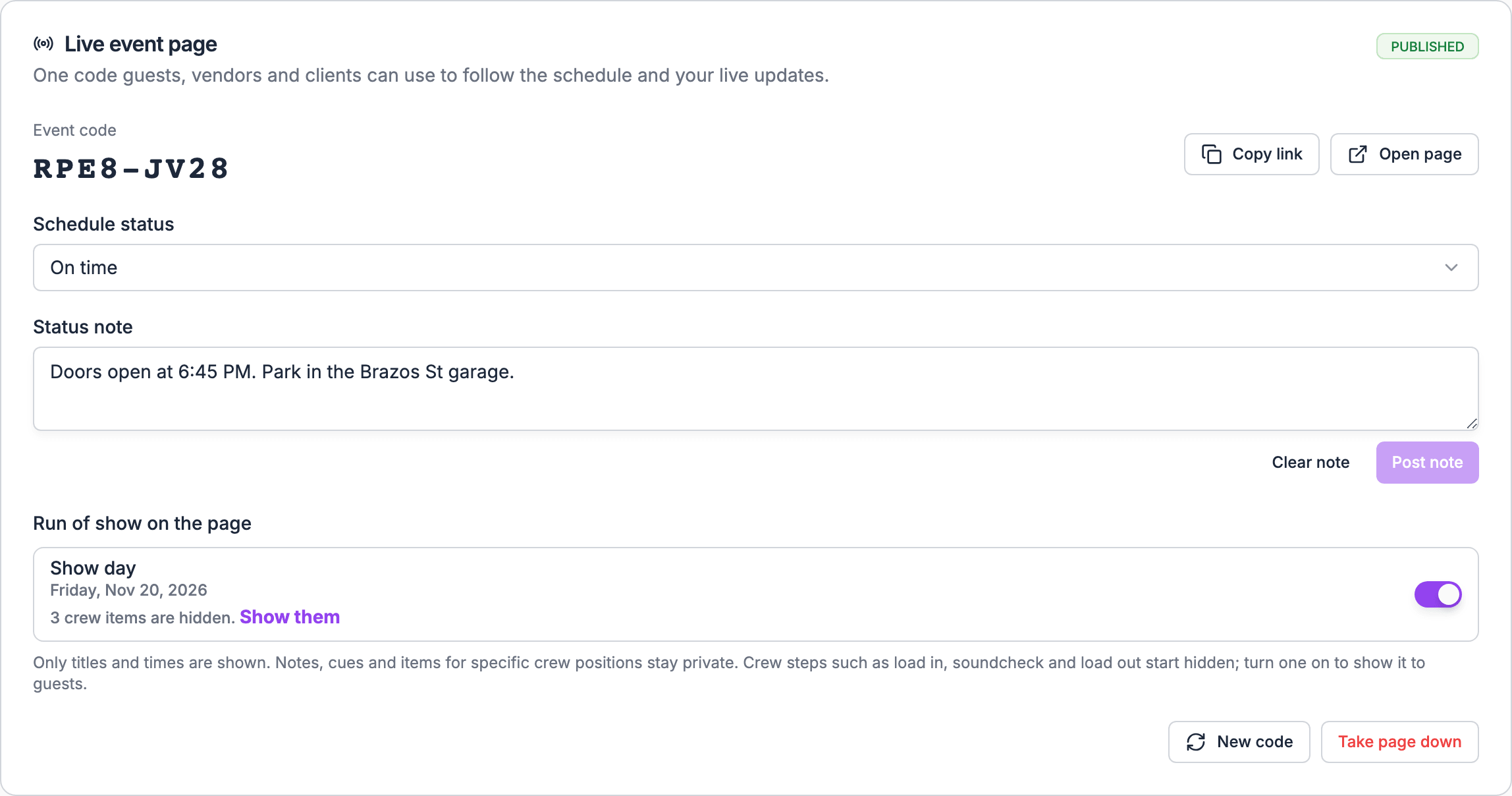
Schedule status says how late you are running.
On the web, the choices are 5, 10, 15, 20, 30, 45, 60, 90 and 120 minutes. In the app, they are On time, 15 min late, 30 min late, 45 min late and 60 min late, plus whatever delay is already set. A 90-minute delay set on the web, for example, shows in the app as an extra choice. The web does the same for any delay it doesn’t list.
Delays only run late. There’s no “running early”, and no delay for a single item: one delay applies to the whole page.
While you’re running late:
- “Now” and “next” follow the delay. An item due at 8:00 PM with a 15-minute delay is “now” from 8:15 PM.
- The times shown for “next” are the expected times, with the delay added.
- The page’s status (upcoming, live, wrapped) shifts by the delay too.
Schedule status doesn’t move anything in the run of show. To shift the run of show itself, see Linking cues.
Status note
A Status note is a short message at the top of the page, up to 500 characters, such as Doors moved to the east gate.- Post note shows it. Guests see it as Update from your brand name, with the time you posted it. The brand name comes from your branding settings; without one, it’s your organization’s name.
- Clear note (on the web) or Clear (in the app) removes it.
- The page holds one note at a time. Posting a new note replaces the old one, and there’s no history of earlier notes. Line breaks are kept.
Nobody is notified
Soundcheck doesn’t send a push, email or text when you set Schedule status or post a Status note. Guests can’t subscribe to updates. They see changes when they have the page open or come back to it. For something urgent, such as a venue change, also tell people directly, and put it in the status note so latecomers see it.Where your updates show
- The live page, at the top of the status card.
- Guest pages, which show the live status and schedule. See Guests.
- The client portal. The gig’s live status shows at the top of the portal while it is under way, or sooner when you post a delay or a status note. See Client portal.
When the gig is cancelled
A cancelled gig shows This event has been cancelled. The running-late notice and “now” and “next” are cleared. Your status note still shows, so use it to tell people what happens next.When you take the page down
Taking the page down clears Schedule status and the Status note. If you publish again, start from On time with no note.Where to post updates
- Web: the gig’s Live page tab.
- App: the gig’s Live page card. See Live page in the mobile app.
Related
Live page
Start here.
What guests see
Where updates appear on the page.
Run of Show on mobile
Shift the run of show when the show runs late.