

Where sources come from
Soundcheck adds a source whenever a gig comes in from another system:
The gig header also shows a small logo for each connected system, such as HubSpot, Flex, QuickBooks, Slack, Google Drive, Dropbox, Luma or Brex. Each one opens the source in a new tab. Crew don’t see these logos.
Sources are on the web only. The mobile app doesn’t show them, and AI assistants connected through MCP can’t list or push them today.
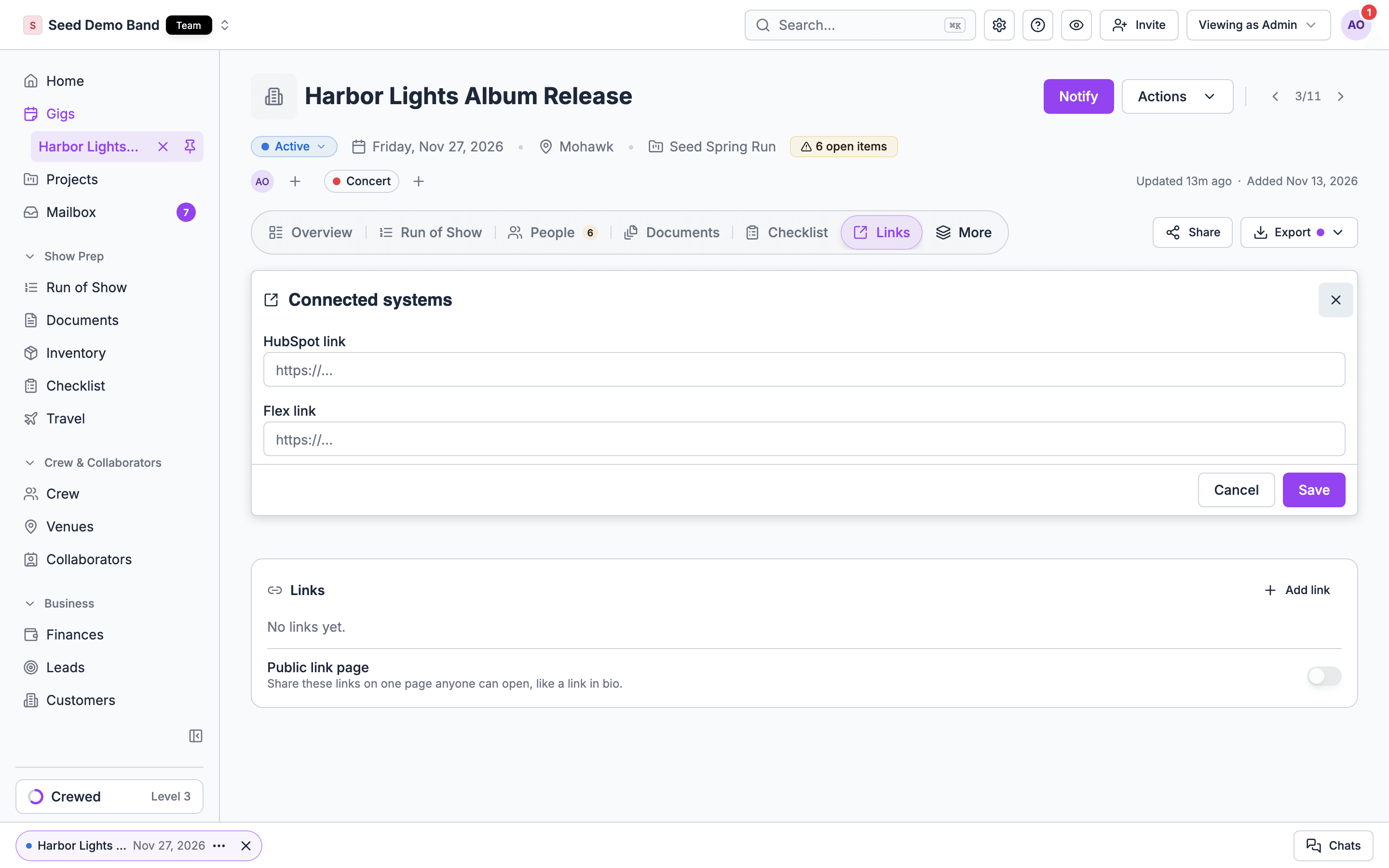
Editing Connected systems changes only the HubSpot and Flex links. Other sources are added by the import that created the gig.
Push changes back to Luma
When you change a Luma gig in Soundcheck, the Luma event does not change on its own. To update it, open the gig’s Links tab and choose Push changes next to Luma. Soundcheck reads the event from Luma and compares three things:- Title
- Date and time, in the gig’s time zone
- Venue, by Google place when both sides have one, otherwise by address
Fields that already match are not shown. Choose Push to Luma to send the ticked fields. If someone changes the event in Luma while the dialog is open, Soundcheck refuses the push, shows the new values, and asks again.
Luma emails guests when an event’s name, time or place changes. Soundcheck turns that email off unless you switch on Let Luma email guests about the change. Luma still sends guests a push notification for a new time or place.
Gigs imported from Luma before this feature have no record of what Luma held at import, so the first push asks you to confirm every difference. After that first push, only fields changed in both places need confirming.
Every push is recorded in the gig’s activity as Changes pushed to source. Organization owners, admins and gig coordinators can push. Luma must be connected in Settings → Apps & data → Integrations.
What does not sync back yet
Soundcheck can only push to Luma for now. HubSpot, Flex, event pages and spreadsheets are read-only sources: their link opens the original, and changes there still come in through their import or pipeline.Gig links and the public link page
Below Connected systems, the Links tab holds the gig’s link list, such as tickets, the organizer or a join-online link. Organization owners, admins and gig coordinators can add, edit, remove and reorder links. Everyone else who can open the gig sees the list read-only. Turn on Public link page to share the links on one page that anyone can open without signing in, like a link in bio. The page shows your organization’s avatar, the gig name, its dates, the venue and one button per link. Copy the address from the box under the switch. You can turn it on once the gig has at least one link. A draft, template, cancelled or deleted gig never shows on the page. Turn the switch off to take the page down. Turning it on again gives the page a new address.Related
Documents
How this fits with the rest of a gig’s paperwork.
Forwarded confirmations
Bring booking emails into a gig.