

Why the ticks matter
- Availability follows them. Gear ticked Out stays out until it’s ticked In, whatever the gig’s status. Ticking In frees it for the next gig.
- Nothing gets left behind. The progress bars show at a glance whether the whole list made it onto the truck and back.
- Open items catch what’s missing. Gear not back in after the gig shows up as an open item.
Tick on the gig
- Open the gig and choose the Inventory tab.
- On load-out, tick Out as each item is packed.
- After the show, tick In as it comes back.
- In stays locked until an item is out.
- Out stays locked while an item is in. To correct a mistake, untick In first.
- Ticking In is the same as returning the item: it frees that quantity.
- On a draft, template or cancelled gig, Out is locked unless the line is already out.
- A kit’s contents can’t be ticked on their own. Tick the kit’s line.
Pack sheets
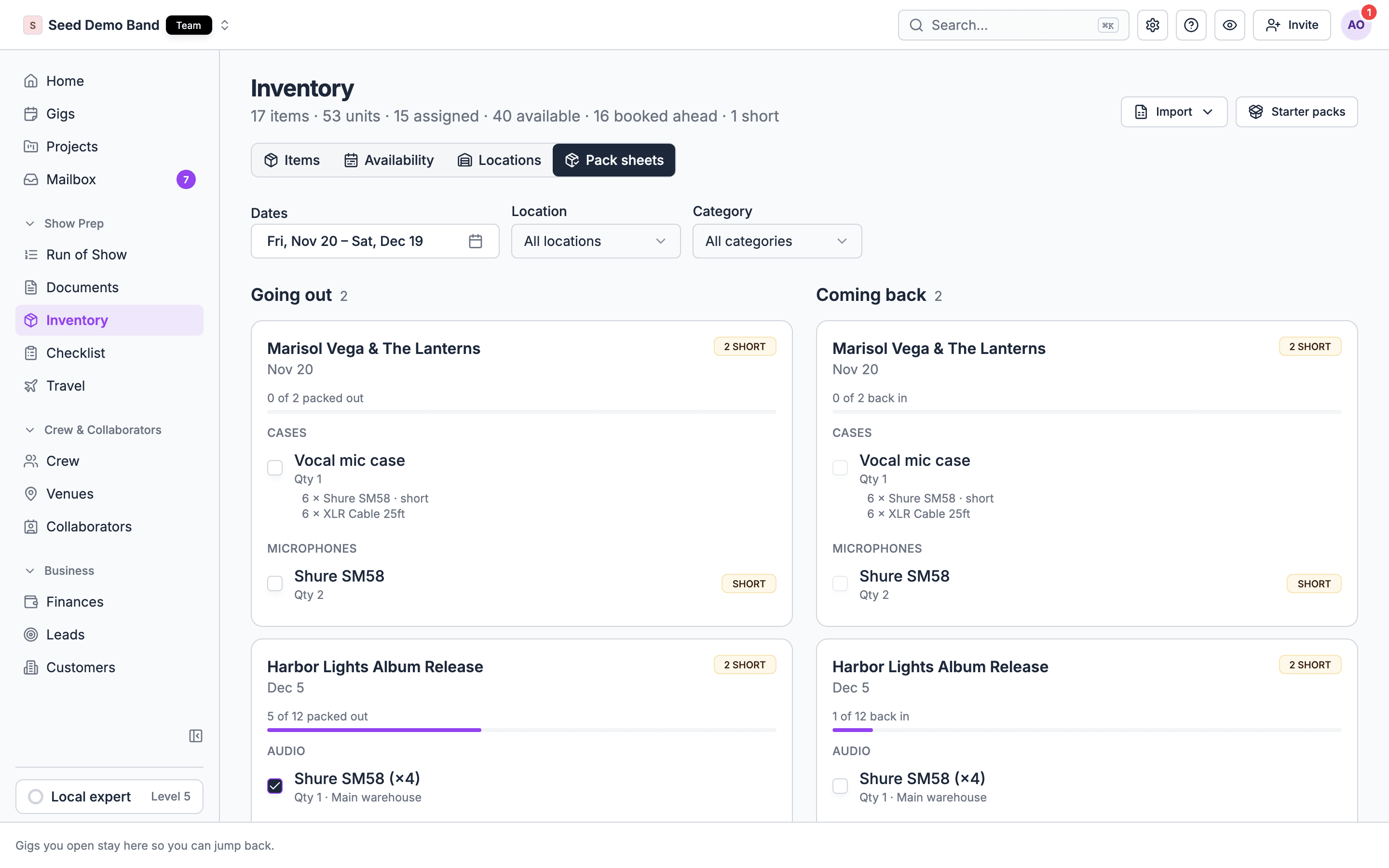
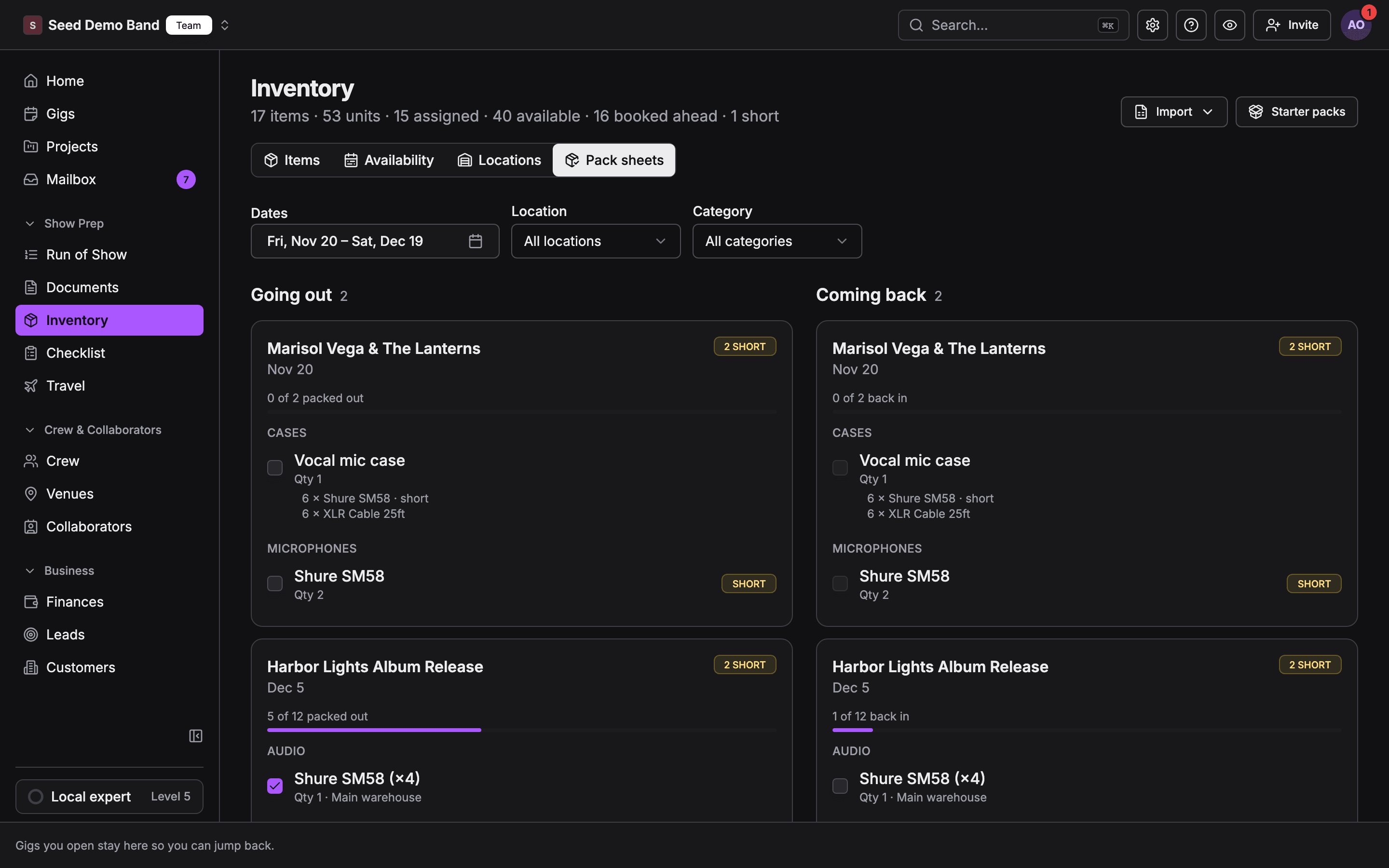
The Pack sheets tab, next to Locations in Show prep → Inventory, lists what leaves and what comes back, by gig. It’s the warehouse view: one page for everything going out this week, whichever gig it’s for. Like the Availability tab, it shows only for people who can manage gigs. Old links to/inventory/pack-sheets open this tab.
- The tab opens on the next 30 days. Dates picks any range of up to 92 days. A page holds up to 200 gigs. Past that, it says “Some gigs are not shown”; pick fewer days or one location.
- Going out lists gigs whose gear leaves in the range. Empty: “No gear leaves on these dates.”
- Coming back lists gigs whose gear is due back. Empty: “No gear is due back on these dates.”
- A gig with gear that should already be packed shows Late. One with gear still out past its return day shows Overdue.
- Each line shows the quantity, the location it ships from and, for serialized items, the units picked for this gig. A unit with no serial shows its asset tag.
- A line is marked Short when it’s short on the gig’s dates, the same as on the gig’s Inventory tab. A kit counts once, whether the kit or any of its contents is short.
- Tick Packed out or Back in on a line. This is the same as ticking Out or In on the gig.
- Location and Category narrow the list.
Worked example: Thursday in the warehouse
You have three gigs this weekend.- Open Pack sheets. Going out lists all three, each with its lines and the location they ship from.
- Filter Location to Main warehouse. The truck crew packs from this list and ticks Packed out on each line as it goes on the truck.
- On Monday, switch to Coming back. Tick Back in as cases come off the truck.
- Anything not ticked by its return day shows Overdue, and the gig’s Inventory tab shows an open item, “1 item not back in”.
Return from the item record
You can also return a booking from the item. Open the item in Show prep → Inventory, find the open booking, and choose Return. Pick where it lands, and the stock moves to that location. This is handy when gear comes back to a different warehouse than it left from. The Return dialog has no notes field. To record damage, set the item’s Condition to Needs repair, raise its Out of service count, or set the unit’s status, and add a line to the item’s Notes. A return made through the API or the AI assistant can carry notes.What packing doesn’t record
- Who ticked and when. Ticks aren’t shown with a name or time, and they aren’t in the Audit log. Booking, returning from the item record and editing items are.
- Printed sheets. There’s no print or PDF of a pack sheet or pick list. Crew work from the screen or the mobile app. The gig’s Inventory CSV in the export hub lists each line with its pack status if you need paper.
- Scans. There’s no barcode or QR scanning. Ticks are by hand.
- Alerts. Soundcheck doesn’t send a notification for late or overdue gear. Check Late and Overdue on the Pack sheets tab, and the open items on each gig.
Gear still out
After a gig’s return day, any line still Out becomes an open item on the gig’s Inventory tab: “N items not back in”. On a cancelled gig, any line that’s packed out counts, so cancelled shows don’t hide gear on the road.Related
Gear on mobile
Tick Out and In from your phone.
Availability and shortages
How ticks change what’s free.
Gear FAQ
Scanning, pull sheets, returns and damage.