

Where to find it
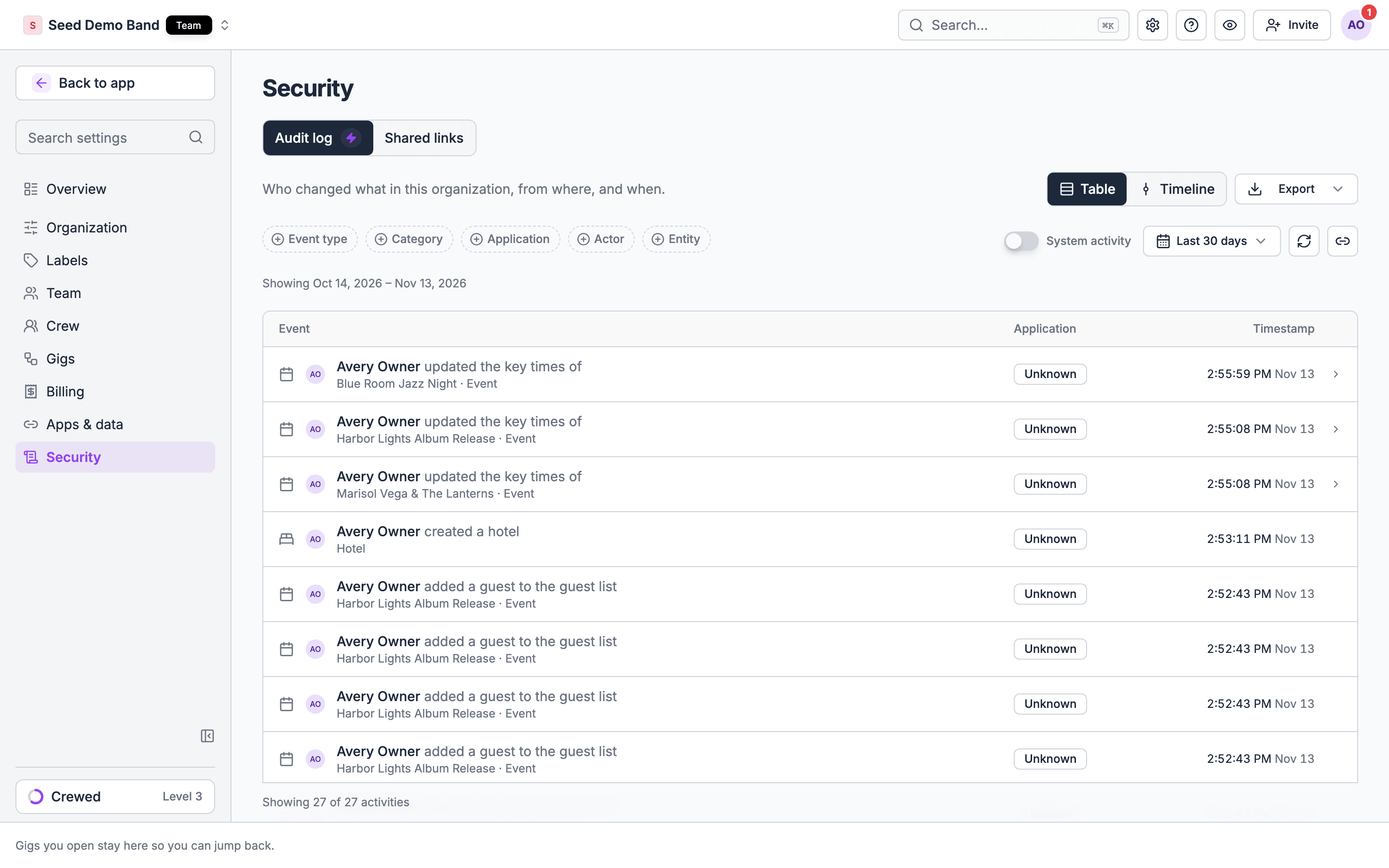
Go to Settings → Security → Audit log. Owners and admins can open it. Audit log is an Enterprise feature, so on other plans the Audit log tab can show an Enterprise plan chip.Table and Timeline views
On desktop, switch between two layouts:- Table: a sortable, scannable list of entries.
- Timeline: entries grouped by day, in a narrative feed.
Filters
Narrow the feed by:- Event type: the specific action that was taken.
- Category: a broader grouping of actions.
- Application: which part of Soundcheck the change came through.
- Actor: who made the change. The list includes current members and people who have since left your organization, so you can still trace what a former member did while they had access.
- Entity or Entity ID: a specific record, such as one gig or one member.
- A date range, and Scope filters (such as an entity or a member) for narrowing further.
System activity
By default, Audit log shows changes people made directly. Turn on the System activity switch to also include automated, system-generated changes.Automated changes come with guardrails: an admin must add an entity or scope filter before turning on System activity, and the date range can span at most 31 days. Only an owner can view system activity without narrowing to a specific entity or scope first.
Exporting
Owners can export the current filtered view as CSV (activity-export.csv) or JSONL (activity-export.jsonl, one JSON object per line) from the Export menu. The export reflects your filters, not just the page of entries currently loaded. Admins can read the log but can’t export it.
One export holds at most 500,000 entries. A larger request fails with a message to narrow the date range or add filters. Split a long period into several exports, such as one per quarter.
Reading an entry
Each entry shows the actor, the action, the entity it affected, and when it happened. Entries default to the last 90 days (the page shows the date range currently applied); widen the range or clear filters if you expect to see more. To share what you’re looking at, choose Copy link to this view. The link keeps your filters.How long entries are kept
Soundcheck keeps audit log entries for 7 years. The period is the same for every organization and can’t be changed. To keep your own copy for longer, or in your own system, export it on a schedule.Related guides
Organization setup
Where Audit log sits among the rest of Settings
Managing members
The roster changes Audit log records
Roles & permissions
Who can view and export the audit log