

Private Preview: CheckAI beta, Chat beta, and E-sign beta are available only to the existing beta tester group. Signing up, choosing a paid plan, upgrading, contacting support, or viewing a public demo does not grant access.
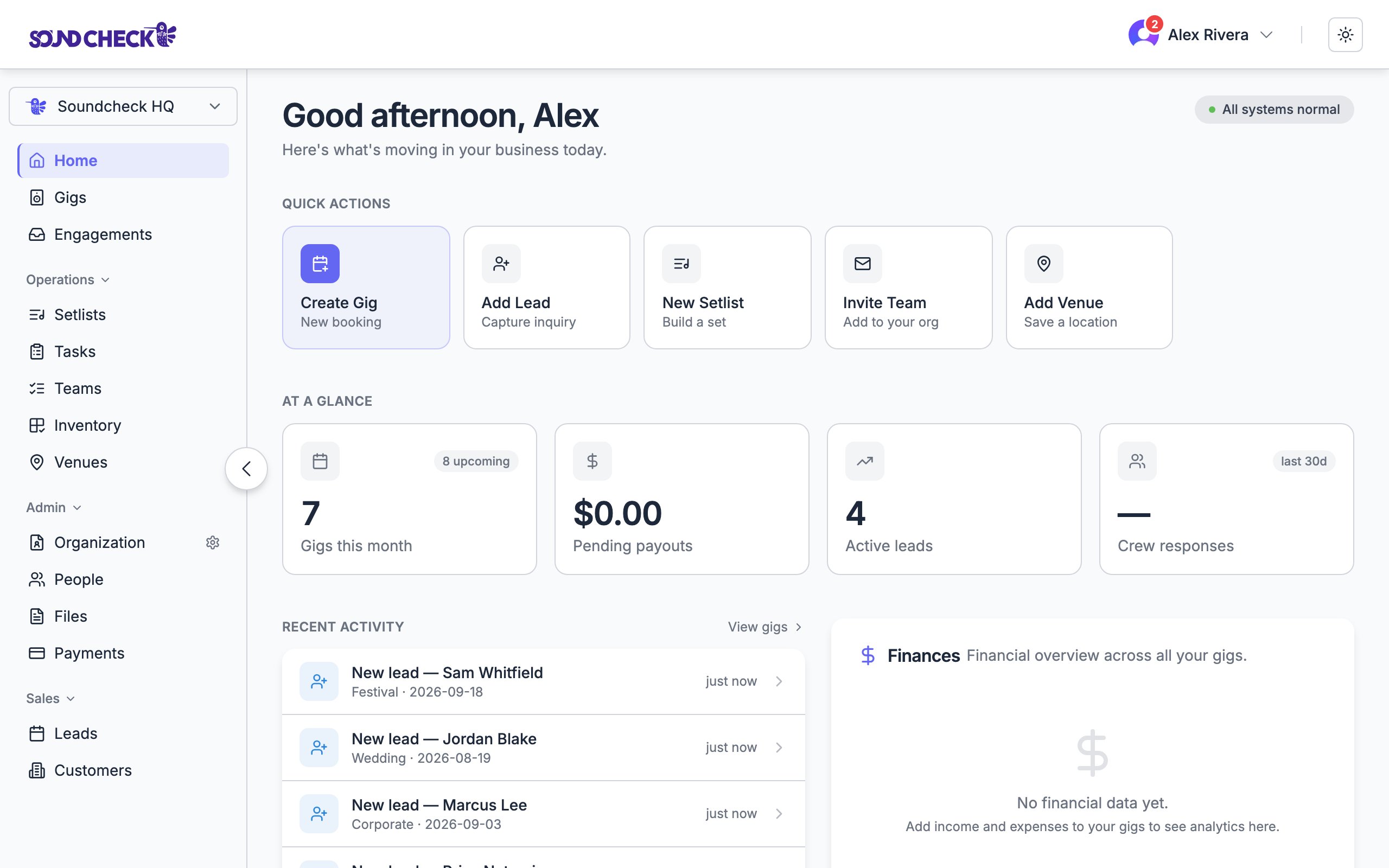
Home: your personalized landing page
Explore the docs
Get started
What Soundcheck is, signup, and your first week.
Features
Every product feature: gigs, crew, setlists, CRM, and more.
Integrations
MCP server, agent discovery, n8n CRM sync, and portal forms.
Tips & Tricks
FAQ, workflows, and troubleshooting.
Use Cases
Workflows for production companies, entertainment agencies, bands, and venues.
Changelog
What’s new and recently shipped.
What Soundcheck covers
Gigs & scheduling
Plan, duplicate, and run events. Details, venues, timelines, and a shared schedule the whole team sees.
Crew & availability
Ask availability, build priority call lists, send invitations and crew offers, and fill positions fast.
Setlists & show prep
Build setlists, attach charts and lyrics, and hand the crew a one-page brief before doors.
Closeout & payments
Review completed work, track crew payouts, and settle the books.
CRM & leads (Team plan and above)
Track venues, customers, sponsors, and inventory, and convert inquiries into booked work.
Mobile app
Accept invitations, read tonight’s setlist, and push a last-minute change from the venue floor.
From booking to settlement
Home
Your personalized landing page: quick actions, stats, activity, and finance roll-ups.
Tours
Group a run of shows into a folder with a financial roll-up across the whole tour.
Run of show
The minute-by-minute schedule the whole crew works from on the day.
Closeout
Wind a finished gig down to Settled: attendance, payouts, and reviews.
Client portal
A branded space where clients see their event details and submit information.
Mailbox
One inbox for invitations, crew offers, availability, and onboarding.
Venue logistics
Save shared venue details once, then record exceptions for each show: load-in, load-out, dock, elevator, parking, and access code. Keep stage specifications and house equipment on the venue record. Learn what crew can see and how to restore a venue default in the venue-logistics workflow; use Venues for field and permission reference.AI & agents
The external Model Context Protocol (MCP) integration lets supported assistants work with authorized Soundcheck data. Connecting an external assistant does not grant access to CheckAI, Chat, or E-sign Private Preview.CheckAI — Private Preview
For existing beta testers: review proposals extracted from gig paperwork and use the enabled assistant surfaces.
MCP server
Connect Claude, Cursor, and other agents to your Soundcheck data through the Model Context Protocol.
Beyond the docs
Blog
Product deep-dives and the story behind Soundcheck.
Install the mobile app
iOS + Android. Sign in with the credentials you already have.
Support
Reach our team when you’re stuck.