

Questions this page answers
- Plans and pricing (15 questions)
- Billing, seats, cancellations and refunds (15 questions)
- Accounting integrations (9 questions)
- Calendars, Slack, CRMs, Zapier and APIs (17 questions)
- Importing data (10 questions)
- Exporting data and leaving (7 questions)
- Sign-in and access security (9 questions)
- Audit logs, data protection and compliance (20 questions)
- Personal notifications (6 questions)
- Personal calendar sync and availability (5 questions)
- Profile, theme and language (10 questions)
Deal-breakers at a glance
These 18 questions decide most evaluations. Soundcheck answers Yes to 7, Partly to 6 and No to 5.Worked example: an AV production company with corporate clients
A production company runs about 60 corporate shows a year with a 30-person freelance crew. The owner wants to stop retyping crew pay into QuickBooks. A corporate client’s IT team has sent a security questionnaire. Here’s how the deal-breakers play out.Pick a plan and try it
Bring the crew over
Connect the books
Put gigs on phones
Answer the client's IT team
Plan the exit before signing
Plans and pricing
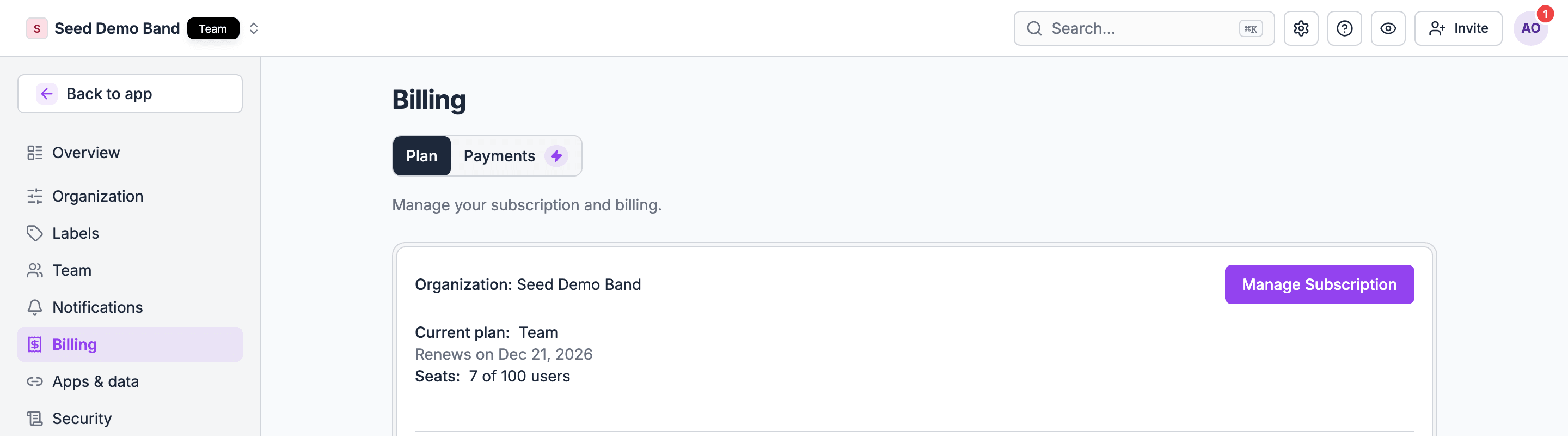
1. What plans are there, and what does each one include?
1. What plans are there, and what does each one include?
- Starter: $45 a month or $450 a year, 5 members and 1 staff seat.
- Pro: $149 a month or $1,490 a year, 25 members and 3 staff seats, and adds call lists, finances, offerings and your own email domain.
- Team: $375 a month or $3,750 a year, 100 members and 5 staff seats, and adds crew staffing, leads, client directories, integrations, AI connector access and exports.
- Enterprise: custom seats and is quoted by our team.
2. Is pricing per company, per seat, per gig or per crew member?
2. Is pricing per company, per seat, per gig or per crew member?
3. Is there a free trial, how long is it, and do I need a card to start?
3. Is there a free trial, how long is it, and do I need a card to start?
4. What happens to my data when the trial ends and I haven't paid?
4. What happens to my data when the trial ends and I haven't paid?
5. Can I pay monthly or yearly, and what's the discount for yearly?
5. Can I pay monthly or yearly, and what's the discount for yearly?
6. Are there limits on gigs, storage, SMS, emails or documents on each plan?
6. Are there limits on gigs, storage, SMS, emails or documents on each plan?
7. Which features are add-ons with a separate price?
7. Which features are add-ons with a separate price?
8. Is there a nonprofit, education, startup or small-band price?
8. Is there a nonprofit, education, startup or small-band price?
9. Can I see what an upgrade adds before I pay for it?
9. Can I see what an upgrade adds before I pay for it?
10. Is there a setup or onboarding fee?
10. Is there a setup or onboarding fee?
11. Does the price include data migration from my old tool?
11. Does the price include data migration from my old tool?
12. Are prices in my currency, and do they include sales tax or VAT?
12. Are prices in my currency, and do they include sales tax or VAT?
13. Will my price go up at renewal, and how much notice do I get?
13. Will my price go up at renewal, and how much notice do I get?
14. How do referral codes work?
14. How do referral codes work?
15. Does paying or upgrading give me access to CheckAI or Chat?
15. Does paying or upgrading give me access to CheckAI or Chat?
Billing, seats, cancellations and refunds
16. Who in my company can see and change billing?
16. Who in my company can see and change billing?
17. Can invoices go to my accountant's email, with my company's VAT or tax number on them?
17. Can invoices go to my accountant's email, with my company's VAT or tax number on them?
18. Can I pay by card, ACH, bank transfer or invoice?
18. Can I pay by card, ACH, bank transfer or invoice?
19. If I add seats mid-month, how am I charged? If I remove them, am I credited?
19. If I add seats mid-month, how am I charged? If I remove them, am I credited?
20. Can I change plans at any time? Do I lose features or data when I downgrade?
20. Can I change plans at any time? Do I lose features or data when I downgrade?
21. Can I upgrade in the middle of a billing cycle?
21. Can I upgrade in the middle of a billing cycle?
22. How do I contact billing support or ask about Enterprise?
22. How do I contact billing support or ask about Enterprise?
23. Is my subscription the same as gig payouts?
23. Is my subscription the same as gig payouts?
24. Can I pause the account in the off-season?
24. Can I pause the account in the off-season?
25. How do I cancel, and can I do it myself without calling sales?
25. How do I cancel, and can I do it myself without calling sales?
26. What happens to my data after I cancel, and for how long can I still export it?
26. What happens to my data after I cancel, and for how long can I still export it?
27. What is the refund policy for monthly and yearly plans?
27. What is the refund policy for monthly and yearly plans?
28. What happens if my card fails? How long until access is cut off, and are crew affected?
28. What happens if my card fails? How long until access is cut off, and are crew affected?
29. Can I download all past invoices and receipts?
29. Can I download all past invoices and receipts?
30. If I bought through the iPhone or Android app store, how do I manage or cancel it?
30. If I bought through the iPhone or Android app store, how do I manage or cancel it?
Accounting integrations
31. Does it connect to QuickBooks Online? Xero? Sage? QuickBooks Desktop?
31. Does it connect to QuickBooks Online? Xero? Sage? QuickBooks Desktop?
32. What syncs: invoices, payments, clients, crew bills, expenses? In which direction?
32. What syncs: invoices, payments, clients, crew bills, expenses? In which direction?
- Crew and vendor payouts become bills, then bill payments.
- Client invoices become invoices, then payments.
- Paid expenses become expenses.
- Money received becomes sales receipts.
33. Does it create the client in QuickBooks automatically, or match an existing one?
33. Does it create the client in QuickBooks automatically, or match an existing one?
34. How are taxes, deposits and refunds mapped to my chart of accounts?
34. How are taxes, deposits and refunds mapped to my chart of accounts?
35. If I edit an invoice after it synced, what happens in QuickBooks?
35. If I edit an invoice after it synced, what happens in QuickBooks?
- Changing an unpaid invoice or payout updates its QuickBooks invoice or bill.
- Voiding one line of a sent invoice updates the QuickBooks invoice, and voiding the whole invoice voids it there.
- Undoing a payment reopens the bill or invoice.
36. Can crew pay be exported to my payroll provider (Gusto, ADP, a union payroll service)?
36. Can crew pay be exported to my payroll provider (Gusto, ADP, a union payroll service)?
37. Can I export a CSV in my accountant's format if I don't use a direct integration?
37. Can I export a CSV in my accountant's format if I don't use a direct integration?
38. Which payment processors can I take card and ACH payments through, and what are the fees?
38. Which payment processors can I take card and ACH payments through, and what are the fees?
39. Where do I see a sync failed, and how do I fix it?
39. Where do I see a sync failed, and how do I fix it?
Calendars, Slack, CRMs, Zapier and APIs
40. Can my gigs show on Google Calendar, Outlook or Apple Calendar? Is it one-way or two-way?
40. Can my gigs show on Google Calendar, Outlook or Apple Calendar? Is it one-way or two-way?
41. When a gig changes, how quickly does my calendar update?
41. When a gig changes, how quickly does my calendar update?
42. Can my calendar block my availability in the tool, so I'm not offered work on my busy days?
42. Can my calendar block my availability in the tool, so I'm not offered work on my busy days?
43. Is there a Slack or Microsoft Teams integration for gig updates and approvals?
43. Is there a Slack or Microsoft Teams integration for gig updates and approvals?
44. Can I connect my CRM (HubSpot, Salesforce, Pipedrive) so leads and clients sync?
44. Can I connect my CRM (HubSpot, Salesforce, Pipedrive) so leads and clients sync?
45. Does it connect to Zapier, Make or n8n?
45. Does it connect to Zapier, Make or n8n?
46. Is there a public API? Is it documented, and which plans include it?
46. Is there a public API? Is it documented, and which plans include it?
47. Are there webhooks, so my systems are told when something changes?
47. Are there webhooks, so my systems are told when something changes?
48. Does it connect to e-signature tools (DocuSign, Adobe Sign), or have its own?
48. Does it connect to e-signature tools (DocuSign, Adobe Sign), or have its own?
49. Does it connect to Google Drive, Dropbox or Box for files?
49. Does it connect to Google Drive, Dropbox or Box for files?
50. Does it connect to ticketing (Eventbrite, Ticketmaster, AXS) or venue booking systems?
50. Does it connect to ticketing (Eventbrite, Ticketmaster, AXS) or venue booking systems?
51. Does it connect to travel tools for flights and hotels?
51. Does it connect to travel tools for flights and hotels?
52. Can I connect AI assistants, such as ChatGPT or Claude, to read and update my gigs?
52. Can I connect AI assistants, such as ChatGPT or Claude, to read and update my gigs?
53. When I connect an AI assistant, what can it see, and can it change things without my approval?
53. When I connect an AI assistant, what can it see, and can it change things without my approval?
54. Is an AI connector limited to my permissions, or can it see more than I can?
54. Is an AI connector limited to my permissions, or can it see more than I can?
55. Who can connect or disconnect integrations, and is that logged?
55. Who can connect or disconnect integrations, and is that logged?
56. Are there rate limits or extra costs for API use?
56. Are there rate limits or extra costs for API use?
Importing data
57. Can I import my clients, crew, venues and gear from a spreadsheet?
57. Can I import my clients, crew, venues and gear from a spreadsheet?
58. Can I import past and future gigs, with their crew, times and money?
58. Can I import past and future gigs, with their crew, times and money?
59. Can you import from my current tool directly (HoneyBook, Gigwell, Master Tour, Rentman, Flex, LASSO, Google Sheets)?
59. Can you import from my current tool directly (HoneyBook, Gigwell, Master Tour, Rentman, Flex, LASSO, Google Sheets)?
60. What happens with duplicates? Will it match people who are already in the system?
60. What happens with duplicates? Will it match people who are already in the system?
61. Can I preview an import and fix errors before it's committed?
61. Can I preview an import and fix errors before it's committed?
62. Can I undo an import that went wrong?
62. Can I undo an import that went wrong?
63. Can I import documents and files, such as contracts, riders and stage plots?
63. Can I import documents and files, such as contracts, riders and stage plots?
64. Will imported crew be emailed or texted automatically? Can I stop that?
64. Will imported crew be emailed or texted automatically? Can I stop that?
65. How long does a migration take, and will someone help?
65. How long does a migration take, and will someone help?
66. Can I keep using my old tool during a trial import, and re-import later?
66. Can I keep using my old tool during a trial import, and re-import later?
Exporting data and leaving
67. Can I export everything, including gigs, people, clients, documents and money, at any time?
67. Can I export everything, including gigs, people, clients, documents and money, at any time?
68. What formats: CSV, Excel, PDF, JSON?
68. What formats: CSV, Excel, PDF, JSON?
69. Can I export a single gig's full record as one package?
69. Can I export a single gig's full record as one package?
70. Can I schedule regular exports or backups?
70. Can I schedule regular exports or backups?
71. Can I export calendar data to Excel for a tour or season?
71. Can I export calendar data to Excel for a tour or season?
72. Can I export crew hours and pay for payroll?
72. Can I export crew hours and pay for payroll?
73. Is there an extra cost for a full export or a data dump on exit?
73. Is there an extra cost for a full export or a data dump on exit?
Sign-in and access security
74. Do you support single sign-on (SSO) with Google Workspace, Microsoft 365, Okta or SAML?
74. Do you support single sign-on (SSO) with Google Workspace, Microsoft 365, Okta or SAML?
75. Can I require SSO for office staff but let freelancers sign in another way?
75. Can I require SSO for office staff but let freelancers sign in another way?
76. Is two-factor authentication available? Can I require it for everyone with access to money?
76. Is two-factor authentication available? Can I require it for everyone with access to money?
77. Can crew sign in without a password, such as by a code sent to their phone?
77. Can crew sign in without a password, such as by a code sent to their phone?
78. Do you support SCIM or automatic user provisioning from my directory?
78. Do you support SCIM or automatic user provisioning from my directory?
79. Can I restrict sign-in to my company's email domain?
79. Can I restrict sign-in to my company's email domain?
80. How long do sessions last on the web and on phones? Can I set it?
80. How long do sessions last on the web and on phones? Can I set it?
81. What happens if someone loses a phone that's signed in?
81. What happens if someone loses a phone that's signed in?
82. Can I see failed sign-in attempts?
82. Can I see failed sign-in attempts?
Audit logs, data protection and compliance
83. Is there an audit log of who changed what and when? Can I export it?
83. Is there an audit log of who changed what and when? Can I export it?
84. How long is the audit log kept?
84. How long is the audit log kept?
85. Are you SOC 2 Type II certified? Can I get the report under NDA?
85. Are you SOC 2 Type II certified? Can I get the report under NDA?
86. Can you fill in our security questionnaire (SIG, CAIQ, or the client's own)?
86. Can you fill in our security questionnaire (SIG, CAIQ, or the client's own)?
87. Where is my data stored, in which country, and with which cloud provider?
87. Where is my data stored, in which country, and with which cloud provider?
88. Is data encrypted in transit and at rest?
88. Is data encrypted in transit and at rest?
89. Do you have a GDPR data processing agreement (DPA) I can sign?
89. Do you have a GDPR data processing agreement (DPA) I can sign?
90. Who are your subprocessors, and will you tell me when that list changes?
90. Who are your subprocessors, and will you tell me when that list changes?
- Stripe for subscriptions and card payouts
- Clerk for sign-in
- Twilio for text messages
- QuickBooks, Slack, Google Drive and Dropbox when you connect them
91. Are you CCPA/CPRA compliant for California crew and clients?
91. Are you CCPA/CPRA compliant for California crew and clients?
92. How do I handle a crew member's request to see or delete their personal data?
92. How do I handle a crew member's request to see or delete their personal data?
93. Can I set how long we keep crew and client data, and have old records deleted automatically?
93. Can I set how long we keep crew and client data, and have old records deleted automatically?
94. How do you keep sensitive crew data safe, such as tax IDs, bank details, passport numbers and emergency contacts?
94. How do you keep sensitive crew data safe, such as tax IDs, bank details, passport numbers and emergency contacts?
95. Who at your company can see my data, and is that access logged?
95. Who at your company can see my data, and is that access logged?
96. How often do you back up data, and how fast can you restore it?
96. How often do you back up data, and how fast can you restore it?
97. What is your uptime, and is there a status page?
97. What is your uptime, and is there a status page?
98. Have you had a data breach? How and how fast would you tell me?
98. Have you had a data breach? How and how fast would you tell me?
99. Do you use my data to train AI models?
99. Do you use my data to train AI models?
100. Do you do penetration tests, and can I see a summary?
100. Do you do penetration tests, and can I see a summary?
101. How do I delete my whole company account and all its data, and get confirmation it's done?
101. How do I delete my whole company account and all its data, and get confirmation it's done?
102. Do you meet accessibility standards (WCAG) for crew and client pages?
102. Do you meet accessibility standards (WCAG) for crew and client pages?
Personal notifications
103. Can I choose which notifications I get, and how (email, text, push)?
103. Can I choose which notifications I get, and how (email, text, push)?
- Event invitations, crew offers and availability checks: push, email and text.
- Event chat messages, gig changes and checklist tasks: push.
- Form responses: email, for managers.
104. Can I mute notifications for one gig without muting everything?
104. Can I mute notifications for one gig without muting everything?
105. Can I get a daily summary instead of one message per change?
105. Can I get a daily summary instead of one message per change?
106. Can I set my own quiet hours?
106. Can I set my own quiet hours?
107. If I work for several companies, can I set notifications per company?
107. If I work for several companies, can I set notifications per company?
108. Can I make sure I never miss a schedule change, even with other notifications off?
108. Can I make sure I never miss a schedule change, even with other notifications off?
Personal calendar sync and availability
109. Can I subscribe to my own gigs in my phone calendar?
109. Can I subscribe to my own gigs in my phone calendar?
110. Does my calendar feed include call time, address and notes, or just the title?
110. Does my calendar feed include call time, address and notes, or just the title?
112. If I'm removed from a gig, does it disappear from my calendar?
112. If I'm removed from a gig, does it disappear from my calendar?
Profile, theme and language
114. Where do I change my name, photo, phone number and email?
114. Where do I change my name, photo, phone number and email?
115. Can I change the email I sign in with?
115. Can I change the email I sign in with?
116. Is there a dark mode, and does it follow my phone's setting?
116. Is there a dark mode, and does it follow my phone's setting?
117. Can I use the app in Spanish, French or another language?
117. Can I use the app in Spanish, French or another language?
118. Can I set my own time zone and date format?
118. Can I set my own time zone and date format?
119. Can I keep one account across several companies, with one profile?
119. Can I keep one account across several companies, with one profile?
121. Can I see and download everything a company holds about me?
121. Can I see and download everything a company holds about me?
122. How do I leave a company or delete my personal account?
122. How do I leave a company or delete my personal account?
123. Is there text size or accessibility support for older crew members?
123. Is there text size or accessibility support for older crew members?