

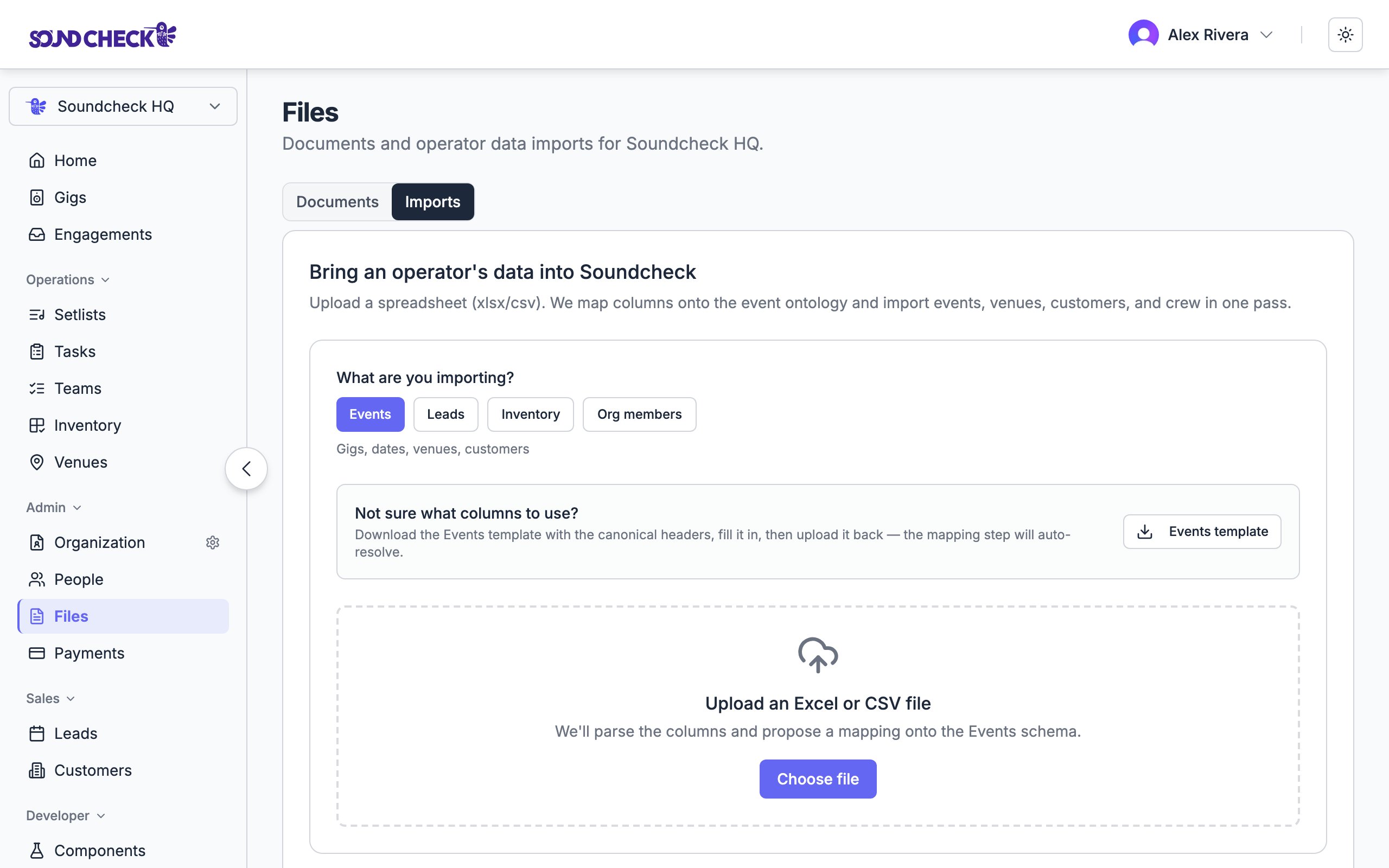
Drop a spreadsheet, map columns, preview counts, then commit
Re-importing the same file is safe. The importer is idempotent: rows matched by natural key (or external ID when the target supports it) update in place instead of duplicating. Staffing already on a gig (draft, open, or filled job offers) is skipped when the title, position, day, seats, and call window all match; expired or cancelled offers are holes a later import can fill. Zero new rows on a second pass is the confidence check.
Before you import
- Be an organization owner or admin on the org you are loading. Organization → Imports shows for owners and admins when imports are enabled for your workspace.
- Select that organization in the web app. Imports always write into the active org.
- Confirm imports are available. The feature is gated by the
data-importflag. Some environments also setNEXT_PUBLIC_FF_DATA_IMPORT. If you do not see Imports under Organization, ask your contact to enable it. - Download the target template from the wizard when you need a known-good column set (especially for Leads). Prefer the in-app template over guessing headers from an old CRM export.
Where to go
In the web app, open Organization → Imports. Empty-state Imports is drop-first: drop files on the empty state, then review detected targets. Do not lead with an older pick-target-first wizard. There is no Organized / Processing / Queued UI.Live chrome is Organization → Imports.
/assets?tab=imports is a route alias to the same Imports page (not an Assets tab in the sidebar). On some builds, older Settings bookmarks can bounce an owner to /gigs; treat that as a product gap, not a docs typo. Older links to
/imports still work; they redirect into Imports. Prefer Organization → Imports in the sidebar when you share the flow; /assets?tab=imports also opens the same page.- Upload a file:
.xlsx,.csv,.tsv, or.txt(up to 25 MiB) - Paste CSV or TSV (up to 8 MiB)
- Drop several files at once for a season-style queue (the importer orders them: crew and rooms before gigs)
What to import, in order
Drop files first. The Imports page reviews each file’s target from the filename and headers, then you confirm and continue into map / preview / commit. Import foundational lists first, then gigs:
Optional extras (any time after the lists they depend on):
When several crew rows share one gig, set row grouping to
group_by_external_id on the Events mapping step so those rows collapse into one event with multiple members.
Coming from another system
There is no native Planning Center, Back On Stage, Master Tour (Eventric), Stagera, or LASSO / Shoflo connector. Export a CSV from that product (or reuse the Google Sheet you already used to load it), then import through Organization → Imports using the order below. There are no in-product Coming-from cards. Full migration checklist and mapping traps: Coming from another system.Planning Center (churches / house of worship)
There is no Planning Center connector. Export CSVs from Planning Center, then import through Organization → Imports.
There is no plan / order-of-service CSV from Planning Center. Build Setlists and Events (services as gigs) from the lists and schedules you already keep, or enter them after Crew and Songs are in.
Import order: Crew (Services People) → Songs → Setlists → Events.
Practice shape:
docs/sample-imports/customers/house-of-worship/ in the repo (volunteer team, worship songs, service schedule).
Back On Stage (bands, bookings, members, setlists)
Back On Stage has no native export and no public API. Leaving BOS usually means reusing the Google Sheet templates you (or they) used to load the product. Download or copy those sheets (File → Make a Copy), then import through Organization → Imports. Template URLs ondocs.google.com may require a Google account (not public). Full Coming-from detail: Coming from Back On Stage.
Verified Leader / Members headers (htmlview):
Import order: Crew → Songs → Events. Academy/help path (not live BOS product UI): Import bookings, Build and share smart setlists.
The BOS expense CSV is payouts history, not the gig calendar. Do not treat it as your Events file.
Master Tour / Eventric (touring)
There is no Master Tour connector. Export from Eventric, then import through Organization → Imports.
Map the tour-details CSV as Events, plus Venues and Clients (promoters). Import Crew from the Export Personnel CSV when you have it; use the personnel PDF only as a fallback to rebuild a Crew sheet by hand.
Practice shape:
docs/sample-imports/customers/touring-artist/ in the repo (tour personnel, routing, setlist).
Full Coming-from detail: Coming from Master Tour / Eventric.
Stagera (AV / production)
There is no Stagera connector. Prefer UI CSV / XLSX (Crew, Jobs, warehouse inventory template). OpenAPI dumps are a customer export aid, not a Soundcheck connector. Full detail: Coming from Stagera.LASSO / Shoflo (labor + rundowns)
There is no LASSO / Shoflo connector. LASSO ops CSVs have no fixed public column dictionary (use customer headers, Zapier, or swagger). Shoflo: rundown Export → CSV (Default Rundown headers documented on the Coming-from page). Full detail: Coming from LASSO / Shoflo. ShowOps / Umbrella stay BYO until a dump exists.Wizard steps
1
Parse
Upload or paste. The wizard detects the format, normalizes headers, and samples rows for mapping. While a commit is in flight, the job is locked. Re-parses wait until commit finishes.
2
Map
Mapping is required before preview. The wizard proposes column → field mappings (heuristic match, or optional AI mapping with PII scrubbed before any model call). Review every required field, ignore columns you do not need, and save a template if you will reuse this shape. For Events with one gig across several crew rows, set Row grouping =
group_by_external_id.3
Preview
Dry-run before anything is written. You can search, filter, and page through every row to see create vs update vs duplicate vs error (including row-level notes). Counts here match what Commit will attempt for that target. Notes such as “crew without email or phone” do not block the gig itself. The invitation is simply skipped.
4
Commit
Write the records. Each row gets an outcome you can audit (
IMPORTED, UPDATED, DUPLICATE, FAILED, and related statuses).When a row is bad
Behavior depends on whether partial-commit shipping (pull request 1446) is live in your environment.Until partial commit is on DEV / production
Today on environments that have not shipped that change yet:- Preview treats blocking row errors as a hard stop.
- Import now stays disabled with “Fix the row errors above before importing.”
- A single bad row blocks the whole file. Fix or remove the bad rows, then preview again.
After partial commit ships
Once that release is on your environment, expect:- Valid rows can commit even when other rows fail validation.
- Rows the preview flagged as errors are skipped, and the job still finishes as committed. The Done step shows how many rows were imported, skipped, and failed.
- The job finishes as PARTIAL only when a row the preview accepted could not be written during the import. A PARTIAL job cannot be imported again; its written rows stay as they are.
- You can download an error CSV with the original cells plus a reason, fix those rows, and upload it as a new import with just the corrections.
Leads
A HubSpot-style export with only name / email / date / company is not enough for leads here. Required fields include:- Event type
- Location
- Deal stage
- Set a default for a required Soft field when every row should share a value
- Choose Don’t import / ignore for columns you intentionally skip
- Download the lead template CSV from the wizard and reshape your file
Working the Leads pipeline after import requires a Team or Enterprise plan. Pro and Free do not include Leads in the product UI.
After commit: start running
Imports are only useful if you leave the wizard and run the business. After a successful commit:Events → gigs
Open Gigs (/gigs). Your imported shows appear in the list. Open a gig to see team, venue, client, and dates: the same detail surface as a hand-created gig. Continue with Creating gigs and Team building for day-to-day changes.
Crew → invitations
Imported crew become organization members. New emails receive org invitations; people accept in the app (web or mobile). Claimed emails are left alone on re-import. See Staff and Invitations. Crew (MEMBER) import requires email in the spreadsheet wizard today. Phone-only roster rows fail. On an Events import, nested invitations may still note “crew without email or phone” without blocking the gig itself.Venues and clients
Imported rooms and customers are available when you create or edit gigs, and when a later Events import matches names. Manage them under Venues and Clients.Songs and setlists → Show Prep
Imported songs land in the song library; setlists attach to your catalog. Use them from Song library and Setlists / Show Prep on the gig. Spreadsheet Songs mapping has no live CCLI column today.Leads → pipeline
Open Business → Leads (Team / Enterprise) to work stages and convert bookings. See Lead tracking and Converting leads.Confidence check: re-import the same file
Upload the same spreadsheet again. Preview should show 0 new rows and only updates (or unchanged). That proves natural keys held. Safe to re-send a corrected export later without forking your data.Sample files (in the repo)
These live underdocs/sample-imports/ in the repository. Filenames below are repo paths, not necessarily the download names shown in the in-app template buttons.
Import org lists first (Crew → Venues → Clients → Songs → Setlists), then events. Several of the primitive samples include intentional bad rows so you can practice the error path.
Addressable channel requirement
An invitation needs a way to reach the person: at least one of email or phone. Missing both does not block writing the gig; the invitation is skipped and Preview calls that out as a note. Standalone Crew import still requires email on each roster row.Export this organization
Owners and admins with imports enabled can download the eight catalogs from Settings → Organization → Data. The zip has UEF JSON plus wizard-ready CSVs. Restore the CSVs by droppingcsv/*.csv on Organization → Imports. Commit the JSON from Settings → Organization → Data. See Export a workspace.
Related
Export a workspace
Soundcheck → Soundcheck zip: UEF JSON plus drop-first CSVs
Coming from another system
Planning Center, Back On Stage, Master Tour, Stagera, or LASSO: export CSV, then Organization → Imports
Importing your season
Spreadsheet + paperwork + sync recipe for a full book of business
Assets
Organization documents
Universal Event Format
Schema reference for partner feeds. Not required for spreadsheet operators
AI file ingestion
Extract records from contracts and call sheets