

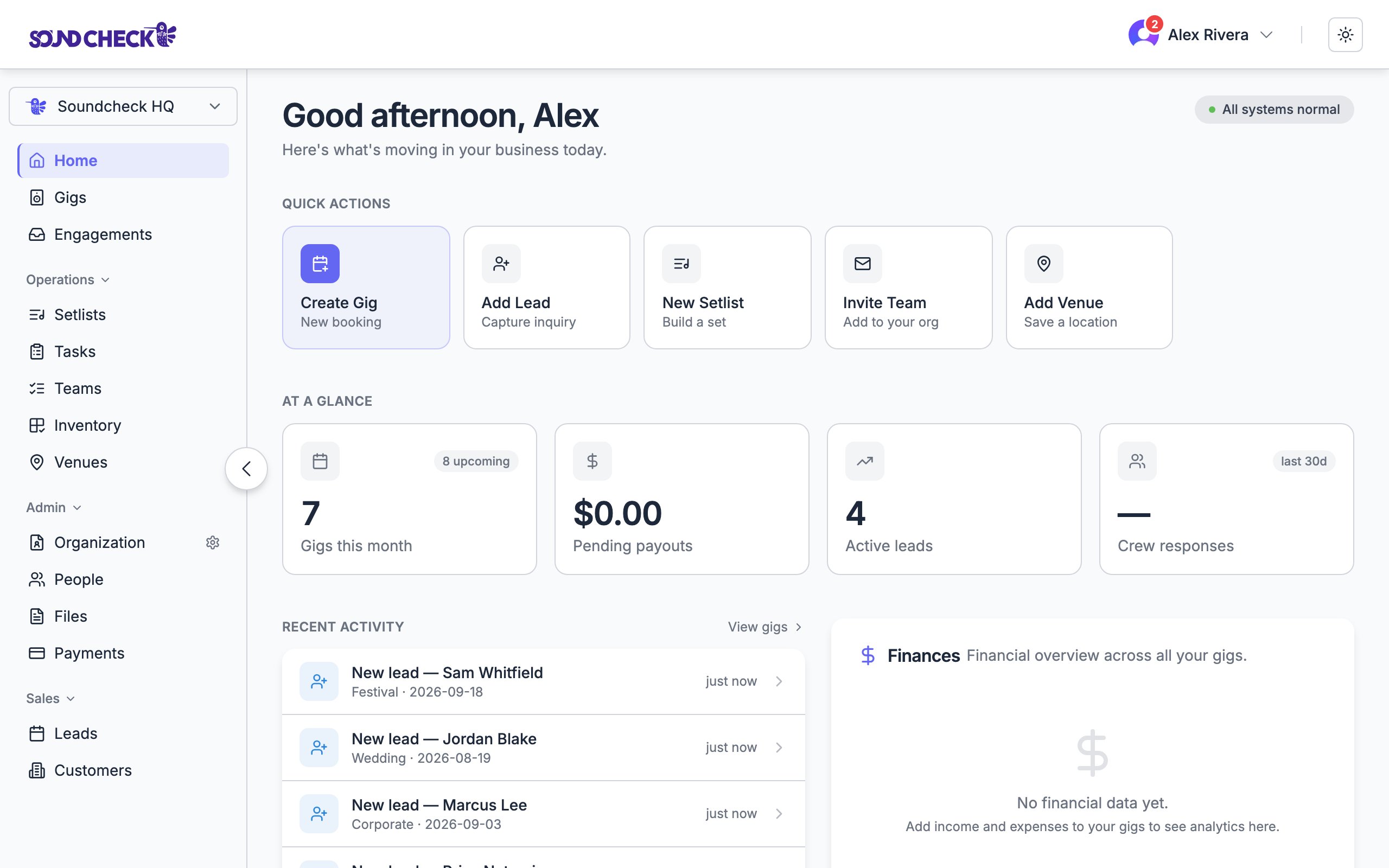
Home: quick actions, at-a-glance stats, recent activity, and finances
Home is personalized. What you see depends on your role (Owner, Admin, Gig Coordinator, Member), your plan, and which features are enabled for your org. Finances and leads only appear for the people entitled to them.
First run: Get started
On a brand-new workspace, Home shows a short Get started card instead of the full layout. It’s a first-run checklist, not the week-long operator guide in First 7 Days, with a runningdone count:
1
Create your first gig
Opens the new-gig flow right from Home.
2
Add a lead
Capture an inquiry (on plans with CRM).
3
Invite your team
Bring crew into your org.
4
Set up your org profile
Logo, contact, and details (admins).
5
Complete your profile
Your name, photo, and contact.
The full layout
Once your org has gigs and the Get started card is gone, Home shows four sections.Quick actions
A row of one-tap shortcuts, filtered to what you can do. Examples include Create Gig, Add Lead, New Setlist, Invite Team, Add Venue, and Payments. Actions you don’t have access to simply don’t appear.At a glance
Four stat tiles that adapt to your role and plan. Common tiles:Recent activity
A single feed that merges the sources you’re entitled to see: new gigs, leads, crew offers, and payments. Each item links straight to the record.Finances
For roles with financial access on plans that include finance, a Finances card rolls up expected payouts and per-gig breakdowns. It uses the same figures as the Payments page so the two always agree.When to use it
- Every morning: scan quick actions, stats, and recent activity to see what’s moving.
- After a busy week: reconcile completed counts and finances.
- Before a batch of invitations: spot under-staffed gigs and pending responses.
Related
Gigs overview
Where every gig lives
Payments
Org-level payout history and requests
Mailbox
One inbox for invitations, crew offers, and availability