

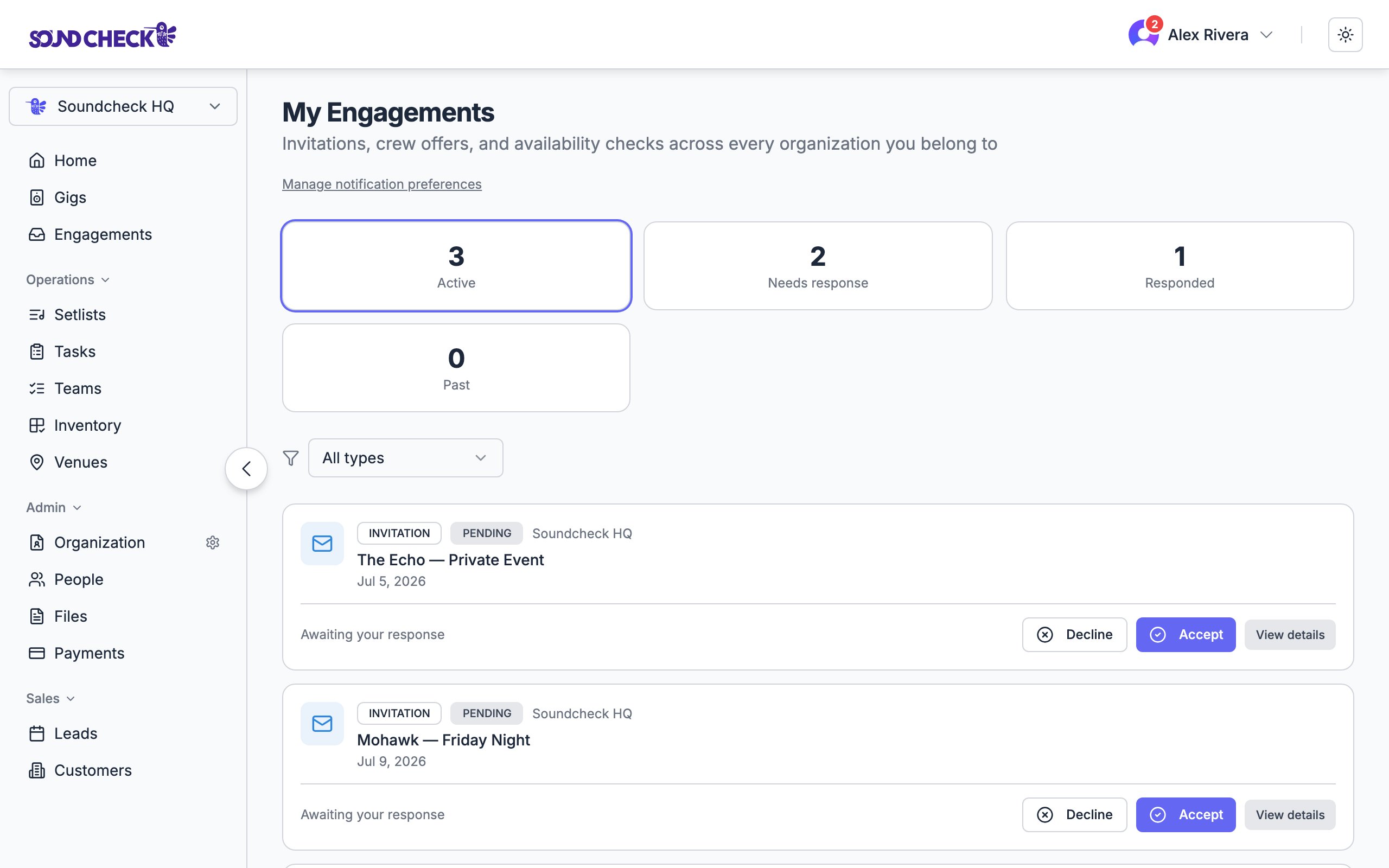
My Mailbox: invitations and offers awaiting your response
Item kinds
Invitation
A request to perform on a specific event. Recipients Accept or Decline.
Crew offer
A standalone shift or job offer (sometimes tied to an event, sometimes not). Recipients Accept or Decline.
Availability check
A scheduler asking whether you’re free for a date or time window. Recipients reply Available or Not available.
Onboarding
A prompt for a new member to finish setting up. There’s no accept/decline. Tap Continue setup on the Mailbox card to jump into your org’s onboarding flow. Onboarding lives in My Mailbox (the Onboarding tab); it is not a Home dashboard card.
Each card is titled by its event title when there’s an event behind it (an invitation or an event-linked crew offer). Standalone offers, availability checks, and onboarding fall back to a label for the kind, so every row reads clearly at a glance.
My Mailbox
Every member has a personal inbox at/engagements. Pending items rise to the top. Five tabs filter the list:
- All: everything you’ve ever been sent
- Invitations: gig invitations awaiting or past response
- Crew offers: shift and job offers
- Availability: availability checks
- Onboarding: setup prompts for new members (no accept/decline; use Continue setup on the card to jump into your org’s onboarding flow)
Mailbox (admin)
Owners, admins, and gig coordinators get a separate view at/org-engagements that aggregates requests across the organization. Switch between Threads (one row per offer, invitation, or availability request) and Replies (one row per person who responded, newest first). Threads can be narrowed by status or Open days only. Replies stays mailbox-wide, so a filled, cancelled, or expired request still shows the people who already answered.
“New replies” uses an organization last-check time, so everyone on the org sees the same new-since-last-check window. It’s not a per-browser stamp.
Each thread shows a stat strip instead of per-recipient actions:
- Total recipients
- Pending
- Accepted / Available
- Declined / Unavailable
- Standby
- Withdrawn / Expired
Mailbox is read-only at the row level. Accepting or declining still happens from the recipient’s
/engagements inbox (or from the original email or push notification).Calendar handoff on accept
When you Accept an invitation or crew offer on Soundcheck, the matching Google Calendar invite is automatically marked as accepted for you. You don’t have to confirm twice. This runs through the same Google Calendar sync that powers the event-to-calendar pipeline:- The event is already published to the organization’s Google Calendar.
- When you accept on Soundcheck, the API calls Google Calendar’s attendee API with
responseStatus=accepted. - Your calendar updates within seconds.
Notification deep links
Mailbox notifications (email, SMS, push) all link back to the unified inbox using?highlight={id}. When you open the link, the inbox scrolls to the matching row and pulses a ring around it for about three seconds.
Crew-offer and availability emails keep the shift or request name as the main title. When the linked gig has a different name, they also show that gig title in the subject and on the card.
This replaces a previous behavior where notification links pointed at per-kind URLs (like /engagements/invitations/xyz) that no longer exist. If you have older notifications cached, they’ll redirect into the inbox.
Notification preferences
Engagement notification defaults are set at the organization level. There is no per-user notification preferences page in the current web app.Org-wide defaults
Owners and admins set defaults under Settings → Organization → Notifications (/settings/organization/notifications). Those defaults control email, SMS, and push for invitations, crew offers, and availability checks.
A Manage notification preferences link that lands on
/settings opens Appearance, not notification toggles. Use Settings → Organization → Notifications for org defaults. Do not rely on org Mailbox shortcuts for notification settings.Related
Availability requests
How schedulers ask for availability
Building teams
Sending invitations and crew offers from a gig
Calendar feed
Subscribe to your gigs from Apple, Google, or Outlook