

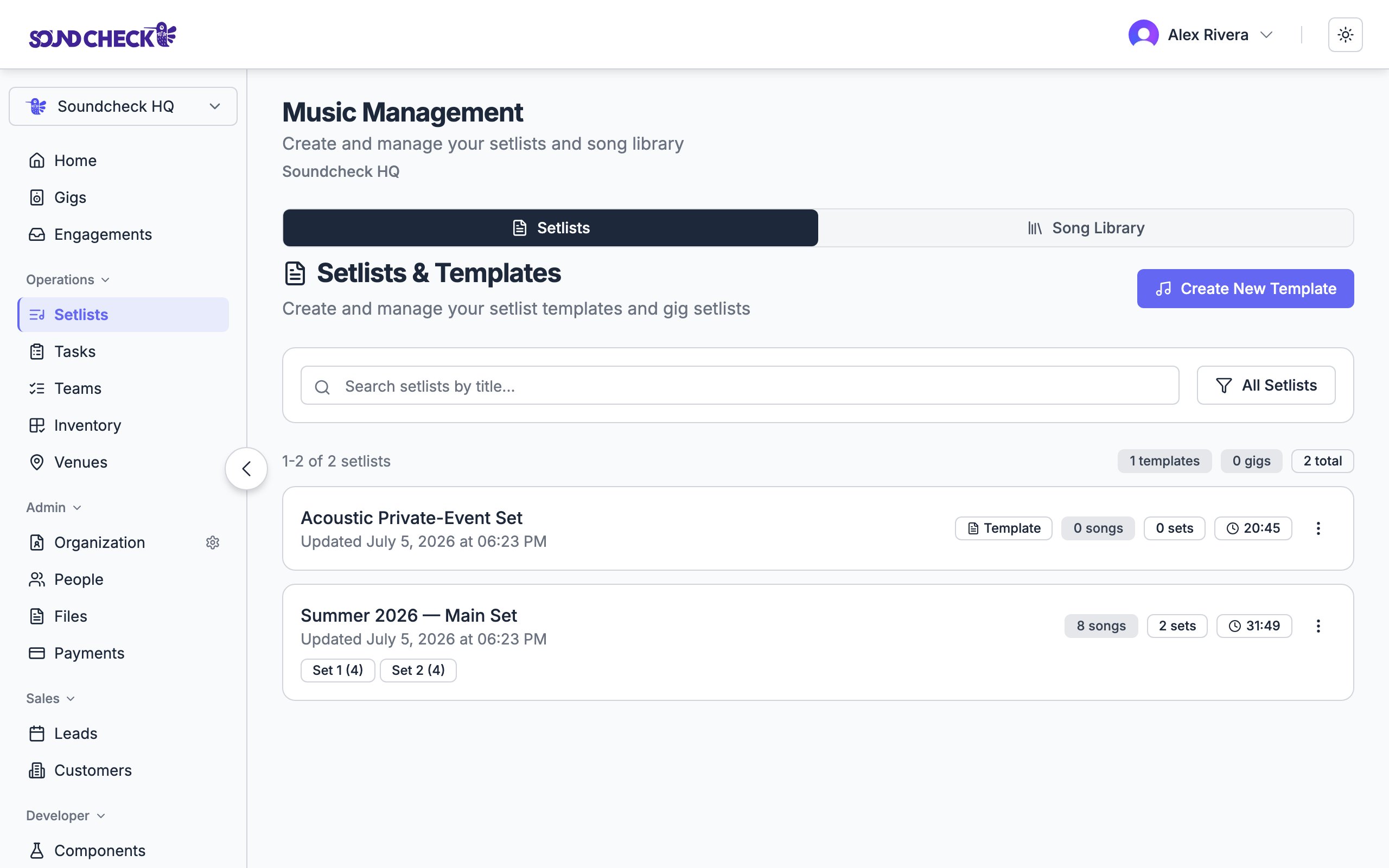
Setlists and templates with the song library one tab away
The Music Management workspace
Setlists live on the Music Management page, which has two tabs:- Setlists: your reusable templates and gig-attached setlists.
- Song Library: your organization’s catalog of performable songs.
Setlists vs. templates
A setlist has two flavors:Structure
A setlist is organized into sets, and each set holds songs:The setlist builder
The builder is drag-and-drop: reorder songs within a set, reorder the sets themselves, and pull songs in from your song library. Durations update as you edit.1
Build your song library
Add songs with title, artist, duration, key, tempo, and any attached charts. You can import a whole album at once from Spotify.
2
Create a setlist
Make a template or a gig setlist, add sets (opening, main, encore), and drag songs from the library into each set.
3
Refine the flow
Reorder for energy, add set notes for transitions, and check the total against your time slot.
4
Attach it to a gig
Link the setlist to a show so the assigned team can pull it up on-site.
Run of show on a gig
A gig’s detail page has its own Run of Show section for building or attaching the setlist right where the show lives. Pick songs from the org library without leaving the gig. The team assigned to the gig sees the setlist there, including on mobile.The song library
Songs are the reusable building blocks that populate every setlist. Manage them on the Song Library tab, where each song can carry:- Title and artist
- Duration, musical key, and tempo
- Performance notes
- Attached charts, lyrics, and media links
Song library
Build and maintain your organization’s song catalog, including Spotify album import.
Who can manage setlists
Setlist management is available to owners, admins, and gig coordinators. Members who aren’t in those roles see the setlist for a gig they’re assigned to, but don’t create or edit the library.On the mobile app, the setlist and song-library screens are enabled per organization. If you don’t see them on your phone, ask an admin to turn them on, or use the web app.
Related guides
Song library
Managing your song catalog.
Building setlists
Creating performance setlists step by step.
Gig overview
Connecting setlists to events.