

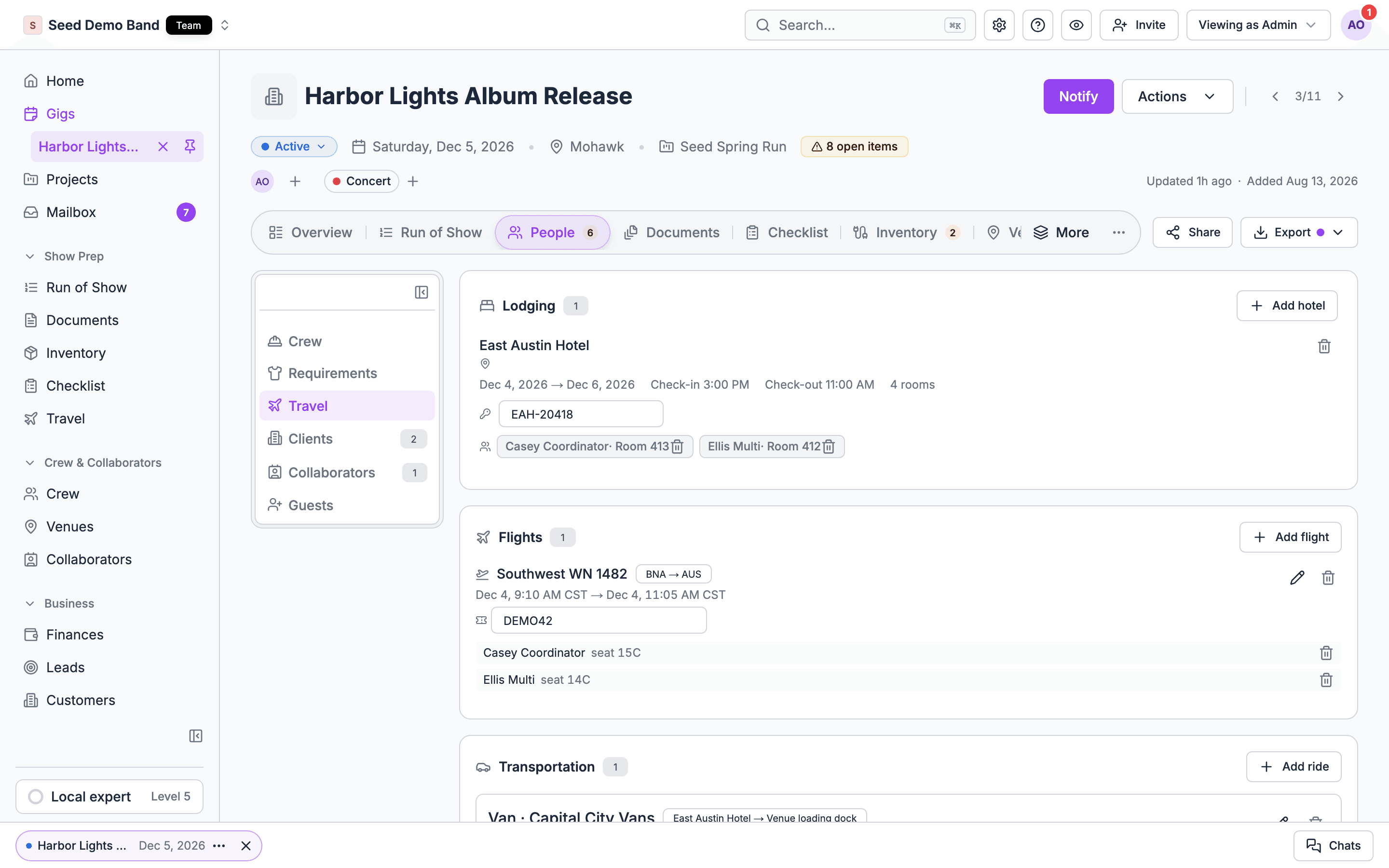
Travel belongs to the gig and its project
Every flight and hotel stay you add to a gig is also tied to that gig’s project. So travel rolls up by project for the tools that read it, such as the MCP server, which can list a whole project’s flights and hotel stays at once. Travel can also be recorded on the project itself rather than on one gig, and grouped into trips. That travel protects the project:- A project with its own travel can’t be deleted. Soundcheck refuses the delete while the project holds flights or hotel stays recorded on the project, trips, or trip buyouts. Flights and stays on the project’s gigs don’t block it. See Managing a project.
- A gig on a trip stays in its project. Moving it to another project is refused with This gig belongs to a travel Trip. Reconcile its Trip membership before moving it. Take it off the trip first.
Trips
A Trip groups one out-of-town journey inside a project: the gigs on it, and the flights, hotel stays and rides that get people there and back. A project can have several trips, for example a West Coast leg and an East Coast leg. Trips are set up through connected AI tools or a workspace import. There’s no button for them in the web app yet. A trip names the gigs it covers and one primary gig, the gig that carries the trip’s client billing.The trip itinerary
When a gig is on a trip, its Travel view on the web shows a Covered by project travel card with the trip’s itinerary, day by day: flights, rides, hotel check-ins and check-outs, and show days. Items without a date are listed under Not yet dated. When a gig is on more than one trip, the card says This gig is on N Trips.; pick one from Choose a Trip. The same card also shows when the gig’s project has flights or hotel stays recorded on it, even with no trip. The card notes that the travel was recorded from a booking made elsewhere: Soundcheck didn’t book it. In the mobile app, the same itinerary shows as Travel itinerary. When the gig is on several trips, tap a trip’s pill to switch. A trip with nothing on it yet says No travel booked on this Trip yet. The itinerary isn’t saved for offline use. People who manage gigs or business records see the whole trip. Crew see only the trips they travel on, with their own bookings.There’s no button to download or print the itinerary in the app today. Soundcheck’s API can produce a branded itinerary PDF for a project, for everyone or for one traveller, for people who manage business records. Ask your developer or contact support if you need it.
Travel buyouts
A buyout is a price you charge the client for one category of a trip’s travel: Flights, Lodging or Ground. Buyouts are set on the trip, in one currency, through connected AI tools or a workspace import. Setting them needs access to money. Buyouts show on the primary gig’s Finances tab, in the Billing schedule, as the Travel buyouts subtotal next to Contract and Overtime. Draft and send the invoice from there like any other charge. See Gig payments.Setting a buyout records a price. It doesn’t create an expense or charge a card.
Travel costs and Finances
Flights, rides and vehicles can carry a cost. Those costs stay on the travel record:- They aren’t expenses. A flight’s or ride’s cost isn’t added to the gig’s Finances tab. To count travel spend there, add a line on the Finances tab and fill in its Budget category, for example travel.
- Only people who can see money see them. Flight and ride costs show to people who can see money. Only people who can edit the gig’s money can change them. Crew never see a flight’s or ride’s cost, or a ride’s payer.
- Hotel rates stay on the hotel. A saved hotel’s negotiated rate is on the hotel page, never on the gig.
- Per diems aren’t travel. Soundcheck has no per diem. Add it as a line on the gig’s Finances tab.
- The gig workbook adds them up. Where your organization has the gig workbook (early access), it includes the trip’s travel cost summary by category, or the gig’s flight costs when there’s no trip. To ask about early access, email info@soundchecklive.io.
Worked example: a two-leg tour
Your band’s spring tour project has eight gigs: four on the West Coast, four on the East Coast.- Add the flights and hotel stays on each gig as usual. Each one is tied to the tour project.
- Ask your connected AI assistant to create two trips, West Coast and East Coast, each with its four gigs and the first gig as primary.
- Each gig’s Travel view now shows its trip’s day-by-day itinerary. Crew see their own version in the app.
- The promoter pays a flat lodging buyout for the West Coast. Set it on that trip. It appears under Travel buyouts on the first West Coast gig’s billing schedule, ready to invoice.
Related
Projects
Group gigs into a tour and roll up their money.
Gig payments
The Finances tab and billing schedule.
MCP server
Connect an AI assistant that can work with travel.
Travel FAQ
Tour books, per diems, buyer-paid travel and more.
Travel glossary
Itinerary, buyout, float and other tour terms.