

What crew acknowledge
Only crew on the gig who have a Soundcheck account can be asked. Crew without an account don’t get it; use the music schedule and details, which works by email link.
Send it
Publish the gig first. You can’t send the details for a draft.1
Open the acknowledgment panel
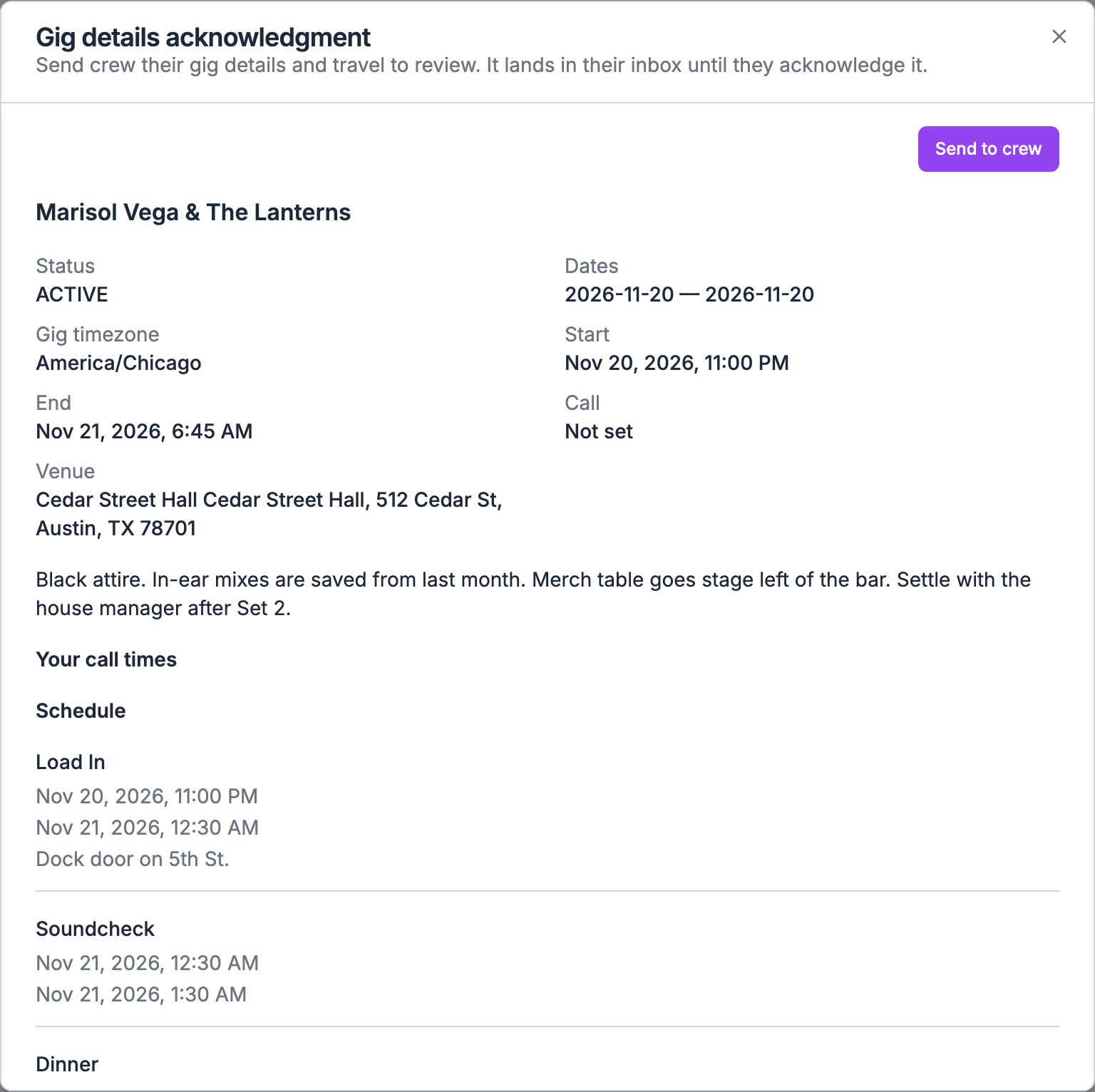
On the web, open the gig’s Documents tab and pick Gig details acknowledgment, then choose Send. You can also open the Crew group of the gig’s People tab, choose More staffing actions (⋯), then Gig details acknowledgment. Both open the same side panel. If the gig has no Crew group, managers find the same card on the Overview tab.
2
Check each person's status
The panel lists each crew member with a status, such as Not sent, Acknowledged, or Details changed since they acknowledged.
3
Send
Choose Send or Send again on one row, or Send to crew for everyone who hasn’t acknowledged the current details. Soundcheck skips anyone who was sent them in the last 24 hours.
Follow it on the Documents tab
Once you’ve sent the details to anyone, the Gig details acknowledgment list on the Documents tab has one row per crew member. Before that, it reads that the gig details haven’t been sent for acknowledgment yet.
Open on a row opens the same side panel. Use the Crew & team and Awaiting filters to narrow the list. See The Documents tab.
What crew do
On the web, crew choose Review details on the Mailbox item. They can also acknowledge from the card on the gig’s Overview tab, or from the gig’s Documents tab, where their row shows Acknowledge until they do and View after. In the mobile app, they tap the Mailbox item to open the review sheet. The item stays in their Mailbox until they acknowledge or the gig ends. Acknowledging needs a connection. On the web, crew confirm I have reviewed these details and gig files; a row they already confirmed reads Already acknowledged. If the details changed while they were reading, Soundcheck says “Details have changed. Review the latest version before confirming.” In the app, a lost connection shows the same Details changed message, so they reopen the sheet and try again once they’re back online.When the details change
Each person’s details are versioned on their own. Any change to what they acknowledge creates a new version: the gig’s status or times, call times, the run of show, their flights or lodging, venue logistics, gig contacts, notes, gear, custom sections, or the list of files. The panel then shows Details changed since they acknowledged.- Crew aren’t asked again until a manager sends the details again.
- Earlier receipts remain on record.
- If the details return to exactly a version someone already acknowledged, that acknowledgment applies again.
Who can do what
- Send and follow: people who manage the organization’s gigs.
- Acknowledge: the crew member it was sent to.
Related
Documents
Every kind on the gig’s Documents tab.
Music schedule and details
Send the printed schedule and details sheet for confirmation.