Each answer names the usual cause and the fix. If none of these match, contact support.
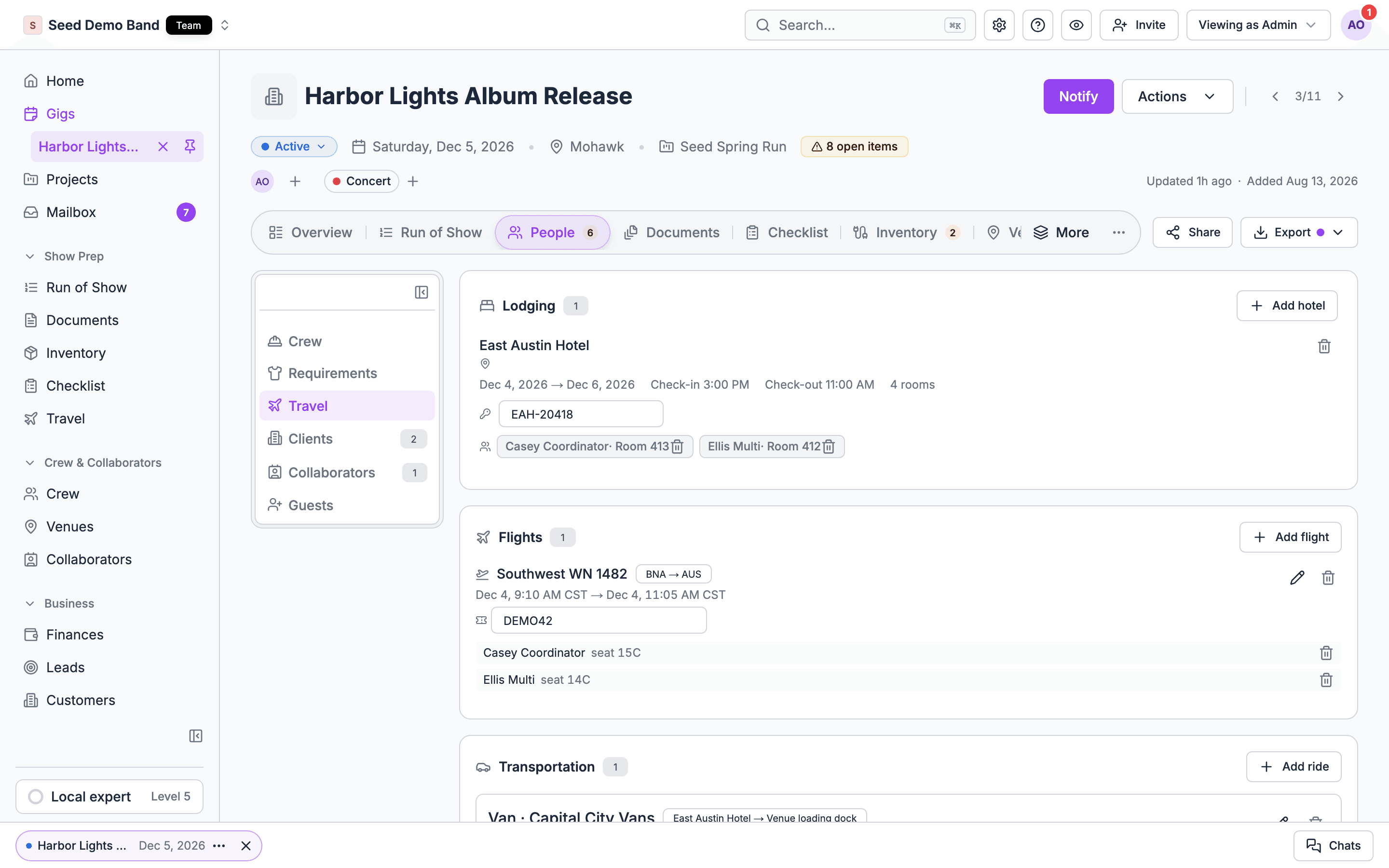
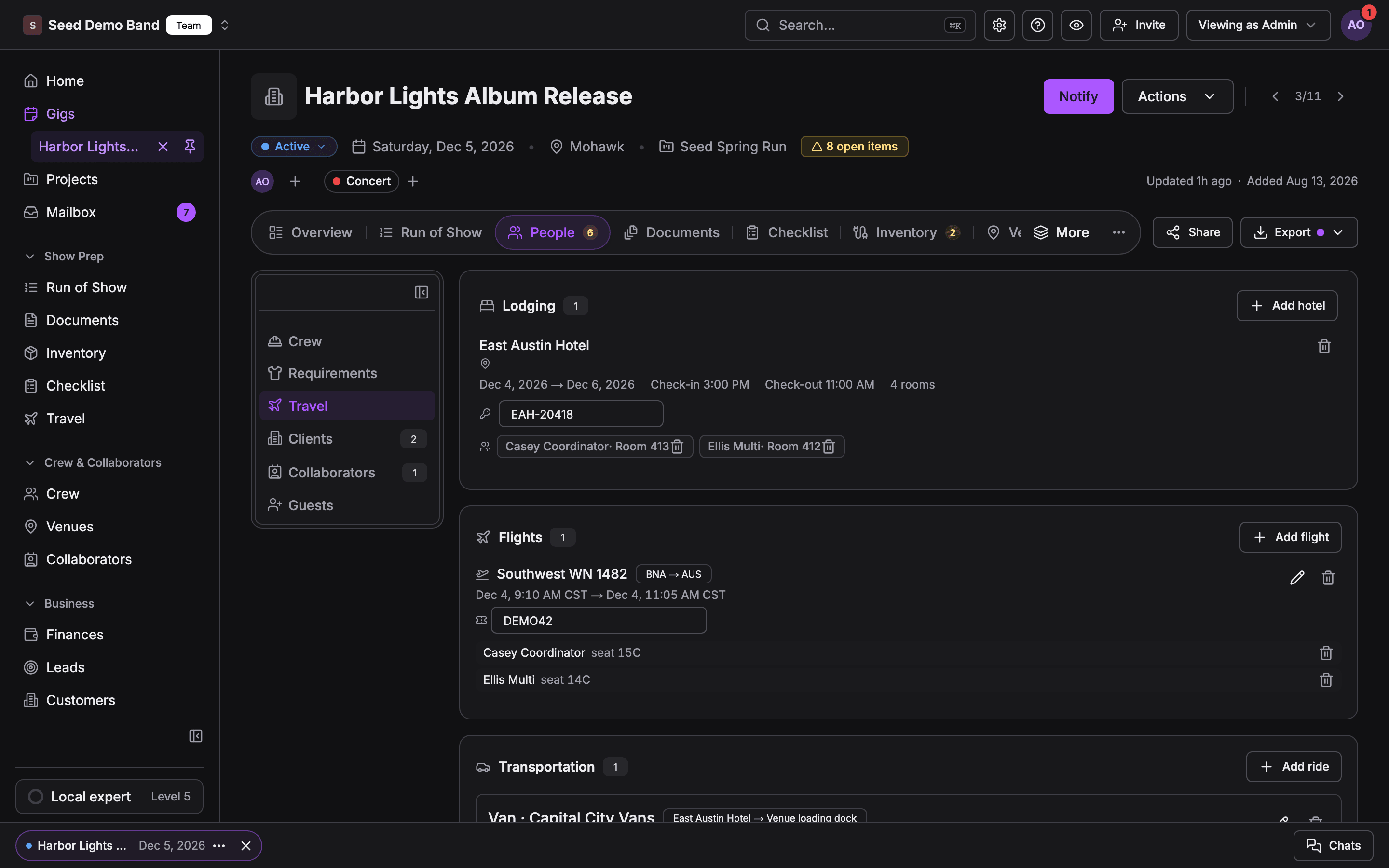
Travel view on a gig with lodging, flights and transportation cardsTravel view on a gig with lodging, flights and transportation cards
Asking what Travel can do, rather than why something looks wrong? The Travel FAQ answers the questions buyers and tour managers ask, and the Travel glossary maps industry terms such as rooming list and per diem to Soundcheck.

Finding travel

Cause: the Travel group sits next to Crew and has the same access. It’s hidden when your organization staffs with invitations rather than crew offers, when you can’t run or staff this gig, when you’re previewing the gig as a member, or when your plan doesn’t include crew tools.Fix: open the gig’s Venue tab. The Lodging, Flights and Transportation cards are at the bottom instead. See When travel is on the Venue tab.
Cause: the Flights, Hotels and Transportation tabs are for people who manage business records: owners, admins, gig coordinators and finance members, or a member with Customers, venues and leads extra access.Fix: ask an owner or admin for that access if you need it. See Roles and permissions.
Crew who don’t manage gigs, business records or money have a simpler sidebar. The same page is My travel there, and shows your own flights, hotels and rides on upcoming gigs.
Saved hotels now live on Travel → Hotels → Saved hotels. Old links to the Hotels page open there. See Hotels and lodging.
No. Soundcheck stores travel you booked somewhere else. Removing a flight, stay or ride in Soundcheck cancels nothing with the airline, hotel or driver.

Adding and editing

Cause: editing travel needs both rights to edit the gig and to manage your organization’s gigs.Fix: ask an owner or admin. Crew can still add their own flight, hotel or ride under My travel on the gig, on the web or in the mobile app. See People and crew travel.
Cause: editing travel in the app needs the same rights as on the web: to edit the gig and to manage your organization’s gigs.Fix: with those rights, tap the pencil on a flight, stay or ride, or Add travel in the gig’s Travel section. To book a hotel that isn’t in your hotel directory yet, add it on the web first. See Manage gig travel.
The web ride form has no fields for them. A connected AI tool or a workspace import can set both. See Ground transportation.
Cause: the web list offers only people confirmed on the gig, and who aren’t on that flight, stay or ride already. Crew still pending or on standby for a shift aren’t confirmed yet.Fix: put them on the gig first, or wait until they accept their crew offer. If you see Couldn’t load everyone confirmed on this gig, choose Try again. If they’re already on that flight or stay, they’re left out on purpose. See Who can be on travel.
Cause: the Lodging card only offers your organization’s saved hotels.Fix: save one from Hotels near the venue under the Lodging card, or from Travel → Hotels → Saved hotels. See Hotels and lodging.
Cause: the flight was saved without times, for example before the gig’s flight form took them. Arrives is optional, so a flight can have a departure and no arrival.Fix: choose the pencil on the flight, fill in Departs and Arrives, and choose Save. See Edit and remove.
The warning lists everyone on the gig who isn’t on a flight. It’s a prompt to check, not an error. You can leave it.
That’s expected. Rides that used a deleted vehicle keep its name, but they’re no longer linked to it.
Cause: Soundcheck refuses to delete a project while it holds travel recorded on the project itself: flights or hotel stays not on a gig, trips, or trip buyouts. A project whose gig is on a trip is refused too. Flights and stays on the project’s gigs don’t block it.Fix: remove the project’s own travel and trips first, for example through your connected AI tool. See Projects, tours and trips.

Imports

Cause: the button shows only once Brex is connected, and only to people who can edit travel on the gig.Fix: an owner or admin connects Brex under Settings → Apps & data → Integrations. See Import flights from Brex Travel.
Cause: Soundcheck matches Brex travelers to members by email only, using the trip’s email or the traveler’s Brex account email. Anyone it can’t match is listed and skipped. Cancelled, refunded, voided and draft trips are skipped too, as are flights departing more than two days before or after the gig.Fix: make sure the traveler’s Soundcheck email matches their Brex email, then import again. Importing again adds no duplicates.
Cause: ground transport read from a forwarded confirmation becomes a row in the gig’s run of show, not a ride.Fix: look in the gig’s run of show. Add a ride on the Transportation card by hand if you want riders on it. See Confirmations and imports.
Cause: a forwarded flight’s passenger must match exactly one active member of your organization by email.Fix: invite the traveler to your organization, or check their email in Soundcheck, then approve again.
The gig no longer matches what an earlier import left there, for example the stay was deleted or the row’s times were changed. Each message and its fix is listed in When an import stops.

What crew see

Cause: crew see only the flights they’re on, or added themselves. A hotel stay shows them their own nights and room only when they’re a guest on it. Crew don’t see draft gigs, so travel on a draft is hidden until you publish.Fix: add them as a passenger or guest, and publish the gig.
That’s by design. Crew never see a flight’s or ride’s cost, a ride’s payer, or your hotel’s negotiated rate.
Soundcheck doesn’t send a push, email or text when travel is added, changed or removed, and has no check-in reminders. Tell your crew yourself. The gig details acknowledgment asks them to confirm their flights and lodging.
Soundcheck doesn’t track live flight status, delays or gate changes. Check the airline’s app.
Cause: crew can edit only flights and rides they added themselves. Anything your organizer added shows Booked by your organizer. A flight another crew member added is read-only too. Hotels have no edit screen for crew. Nothing can be changed offline.Fix: ask your organizer to change it. For a hotel, add it again with the new details, or tap Remove my booking. Managers tap the pencil on the booking. Reconnect before you make changes.
Cause: Uber and Lyft need the place on a map, and Soundcheck couldn’t find the address. On Android, Soundcheck only looks up addresses when the app already has location permission.Fix: use a full street address for the pickup or drop-off, or the venue. On Android, turn on location for Soundcheck. You can still open the place in maps or copy the address.
Cause: the app saves gigs for today and the next seven days, and keeps them 48 hours after they end. Gigs outside that window need a connection. The Travel itinerary for a trip is never saved offline.Fix: open the app while connected before you leave. See Offline.

Travel overview

The building blocks and how Travel fits together.

Travel on mobile

What crew see in the app.

Travel FAQ

What Travel does and doesn’t do, question by question.

Travel glossary

Industry travel terms and what each one is in Soundcheck.