

Questions this page answers
- The travel party (10 questions)
- Flights (11 questions)
- Hotels and rooming lists (12 questions)
- Ground transport (10 questions)
- Itineraries and day sheets (11 questions)
- Per diems, buyouts and allowances (9 questions)
- Travel costs and reconciliation (8 questions)
- Fly-in dates and agency travel (5 questions)
- International touring (6 questions)
- Safety, duty of care and privacy (7 questions)
- Integrations, access and pricing (12 questions)
Deal-breakers at a glance
These 13 questions decide most evaluations. Soundcheck answers Yes to 4, Partly to 5 and No to 4.Worked example: a fly-in date for a five-piece band
An agency books a five-piece band from Chicago to Austin for a Saturday corporate party. The buyer pays for the hotel, the band pays for flights, and a van picks everyone up at the airport. Here’s how the deal-breakers play out.Get the travel party's details
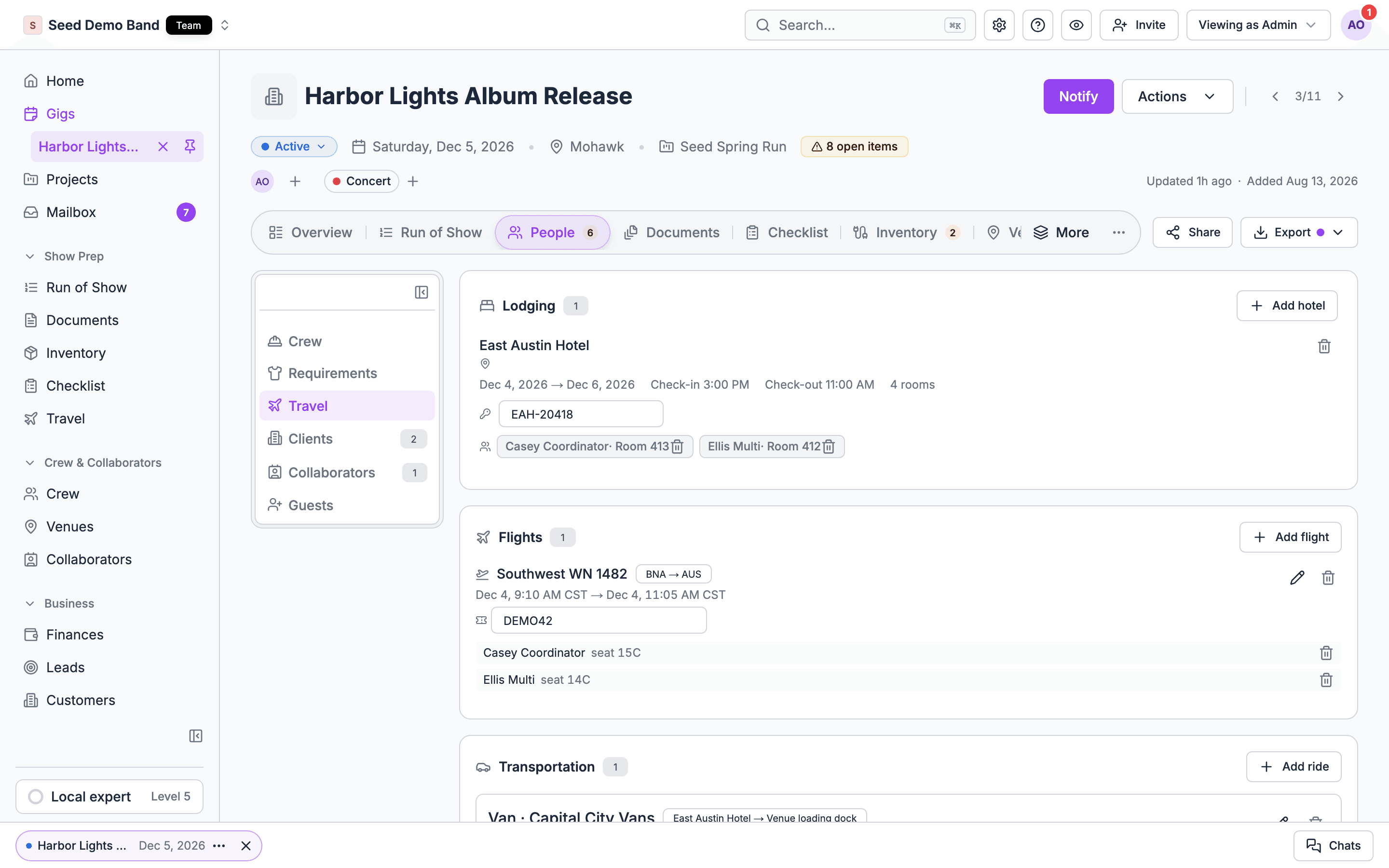
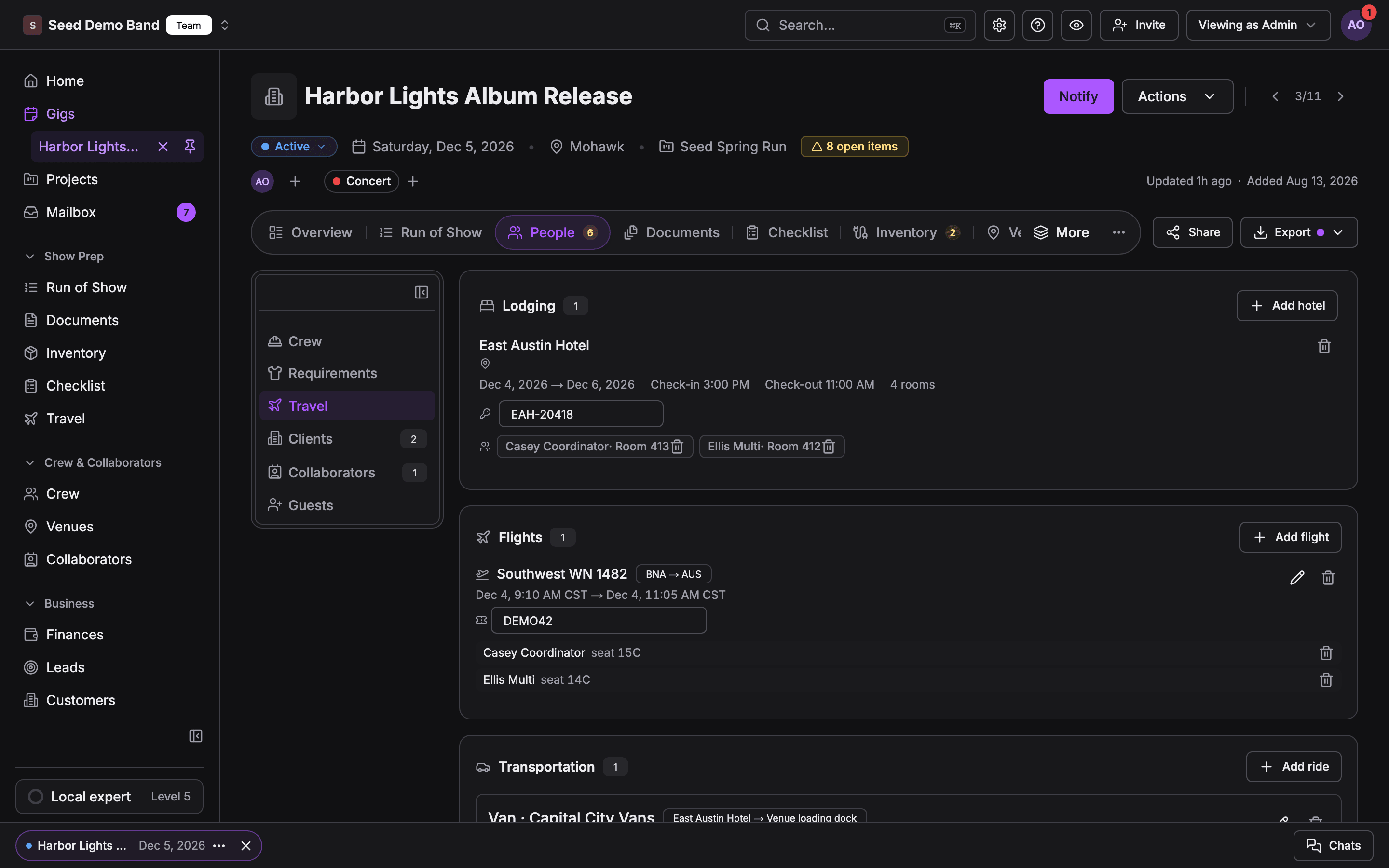
Get the flights in
Add the hotel and the van
Check who's covered
Players check their travel
The travel party
1. Can I set up a travel party for a gig or tour, separate from everyone on the crew list?
1. Can I set up a travel party for a gig or tour, separate from everyone on the crew list?
2. Can I store each traveller's legal name as it appears on their passport or ID, date of birth and loyalty numbers?
2. Can I store each traveller's legal name as it appears on their passport or ID, date of birth and loyalty numbers?
3. Can I store passport number, expiry and nationality, and limit who can see them?
3. Can I store passport number, expiry and nationality, and limit who can see them?
4. Does the tool warn me when a passport expires within six months of travel?
4. Does the tool warn me when a passport expires within six months of travel?
5. Can I record seat preferences, meal needs, allergies and accessibility needs?
5. Can I record seat preferences, meal needs, allergies and accessibility needs?
6. Can I record emergency contacts for each traveller?
6. Can I record emergency contacts for each traveller?
7. Can travellers fill in or update their own details through a form, instead of me chasing them?
7. Can travellers fill in or update their own details through a form, instead of me chasing them?
8. Can people join or leave the travel party partway through a tour?
8. Can people join or leave the travel party partway through a tour?
9. Can I mark who travels on the bus, who flies, and who drives themselves?
9. Can I mark who travels on the bus, who flies, and who drives themselves?
10. Can I record visa and work-permit status per person per country?
10. Can I record visa and work-permit status per person per country?
Flights
11. Can I record flights per person with airline, flight number, times, confirmation code and seat?
11. Can I record flights per person with airline, flight number, times, confirmation code and seat?
12. Can I forward a booking confirmation email and have the flight added automatically?
12. Can I forward a booking confirmation email and have the flight added automatically?
13. Does the tool show flight times in the departure and arrival local time zones correctly?
13. Does the tool show flight times in the departure and arrival local time zones correctly?
14. Does it track flight status and alert travellers and the tour manager to delays and gate changes?
14. Does it track flight status and alert travellers and the tour manager to delays and gate changes?
15. Can I book flights from inside the tool, or only record them?
15. Can I book flights from inside the tool, or only record them?
16. Can I see everyone on one flight, and everyone arriving on one day, at a glance?
16. Can I see everyone on one flight, and everyone arriving on one day, at a glance?
17. Can I record checked bags, excess baggage and instrument seats?
17. Can I record checked bags, excess baggage and instrument seats?
18. Can I record who paid for each flight and on which card, for reimbursement?
18. Can I record who paid for each flight and on which card, for reimbursement?
19. Can I store e-tickets and boarding passes for each person?
19. Can I store e-tickets and boarding passes for each person?
20. Does each traveller see only their own flights, not everyone's?
20. Does each traveller see only their own flights, not everyone's?
21. Can I record the airline's instrument and gear policy for a flight?
21. Can I record the airline's instrument and gear policy for a flight?
Hotels and rooming lists
22. Can I record hotel bookings per night with address, confirmation number, check-in and check-out?
22. Can I record hotel bookings per night with address, confirmation number, check-in and check-out?
23. Can I build a rooming list (who's in which room, singles and doubles) and send it to the hotel?
23. Can I build a rooming list (who's in which room, singles and doubles) and send it to the hotel?
24. Can I export the rooming list as CSV or PDF in the hotel's format?
24. Can I export the rooming list as CSV or PDF in the hotel's format?
25. When someone joins or leaves, does the rooming list update for every affected night?
25. When someone joins or leaves, does the rooming list update for every affected night?
26. Can I record room types, bed types and requests such as early check-in, late check-out or day rooms?
26. Can I record room types, bed types and requests such as early check-in, late check-out or day rooms?
27. Can I track a room block with a cutoff date and attrition terms?
27. Can I track a room block with a cutoff date and attrition terms?
28. Can I hide room numbers from people who shouldn't see them?
28. Can I hide room numbers from people who shouldn't see them?
29. Can I record the alias names artists check in under?
29. Can I record the alias names artists check in under?
30. Can I record who pays for incidentals, and the hotel's billing instructions?
30. Can I record who pays for incidentals, and the hotel's billing instructions?
31. Can I see total hotel nights and cost per person and per tour?
31. Can I see total hotel nights and cost per person and per tour?
32. Does the hotel show on each person's day sheet automatically?
32. Does the hotel show on each person's day sheet automatically?
33. Can I record parking for the bus or trucks at the hotel?
33. Can I record parking for the bus or trucks at the hotel?
Ground transport
34. Can I record airport pickups and drop-offs with driver, vehicle, phone and pickup point?
34. Can I record airport pickups and drop-offs with driver, vehicle, phone and pickup point?
35. Can I build a runner or shuttle schedule for a festival or a multi-hotel event?
35. Can I build a runner or shuttle schedule for a festival or a multi-hotel event?
36. Can I record the tour bus, the bus company, the driver and the bus call times?
36. Can I record the tour bus, the bus company, the driver and the bus call times?
37. Can I plan drive times between cities and see if a routing is realistic?
37. Can I plan drive times between cities and see if a routing is realistic?
38. Does the tool account for bus driver hours-of-service limits when planning overnight drives?
38. Does the tool account for bus driver hours-of-service limits when planning overnight drives?
39. Can I record rental cars, who's insured to drive them and where they're returned?
39. Can I record rental cars, who's insured to drive them and where they're returned?
40. Can drivers see their pickups on a phone and mark them done?
40. Can drivers see their pickups on a phone and mark them done?
41. Can I record trucks and freight carrying gear separately from people?
41. Can I record trucks and freight carrying gear separately from people?
42. Can a passenger see where their driver is and contact them?
42. Can a passenger see where their driver is and contact them?
43. Can I record parking passes and bus parking at venues?
43. Can I record parking passes and bus parking at venues?
Itineraries and day sheets
44. Does the tool build a day-by-day itinerary from the flights, hotels, ground transport and show schedule?
44. Does the tool build a day-by-day itinerary from the flights, hotels, ground transport and show schedule?
45. Can I set a lobby call or bus call that shows on everyone's day sheet?
45. Can I set a lobby call or bus call that shows on everyone's day sheet?
46. Does each person see a personal itinerary with only their travel and their call times?
46. Does each person see a personal itinerary with only their travel and their call times?
47. Can I print or PDF a tour book for the whole tour?
47. Can I print or PDF a tour book for the whole tour?
48. Does the itinerary work offline on a plane or in a dead zone?
48. Does the itinerary work offline on a plane or in a dead zone?
49. Do travellers get notified when their itinerary changes?
49. Do travellers get notified when their itinerary changes?
50. Can I see who has read the latest change?
50. Can I see who has read the latest change?
51. Can I add local information per stop: nearest pharmacy, laundry, gym, restaurants, hospital?
51. Can I add local information per stop: nearest pharmacy, laundry, gym, restaurants, hospital?
52. Does the itinerary handle days that cross midnight or time zones?
52. Does the itinerary handle days that cross midnight or time zones?
53. Can travellers add it to their own calendar?
53. Can travellers add it to their own calendar?
54. Can I include travel days and days off, not only show days?
54. Can I include travel days and days off, not only show days?
Per diems, buyouts and allowances
55. Can I set a per diem rate per person or per role, and calculate it per day?
55. Can I set a per diem rate per person or per role, and calculate it per day?
56. Can per diems differ by country or currency?
56. Can per diems differ by country or currency?
57. Can I record a meal buyout when the promoter or venue pays cash instead of feeding people?
57. Can I record a meal buyout when the promoter or venue pays cash instead of feeding people?
58. Can I record per diems paid in cash, with a signature or confirmation from each person?
58. Can I record per diems paid in cash, with a signature or confirmation from each person?
59. Can I pay per diems electronically from the tool?
59. Can I pay per diems electronically from the tool?
60. Can I skip per diem on days catering is provided?
60. Can I skip per diem on days catering is provided?
61. Can I see the per diem total for the tour budget?
61. Can I see the per diem total for the tour budget?
62. Does per diem show on each person's pay record, and is it treated correctly for tax?
62. Does per diem show on each person's pay record, and is it treated correctly for tax?
63. Can I record a travel advance or float given to the tour manager and reconcile it?
63. Can I record a travel advance or float given to the tour manager and reconcile it?
Travel costs and reconciliation
64. Can I record every travel cost against the gig or tour?
64. Can I record every travel cost against the gig or tour?
65. Can I compare travel spend to the travel budget?
65. Can I compare travel spend to the travel budget?
66. Can I recharge travel costs to the client or promoter on an invoice?
66. Can I recharge travel costs to the client or promoter on an invoice?
67. Can travellers upload receipts for expenses they paid themselves?
67. Can travellers upload receipts for expenses they paid themselves?
68. Can I reimburse travellers for out-of-pocket travel costs?
68. Can I reimburse travellers for out-of-pocket travel costs?
69. Can I export travel costs to accounting?
69. Can I export travel costs to accounting?
70. Does the tool handle multiple currencies and exchange rates?
70. Does the tool handle multiple currencies and exchange rates?
71. Can I record travel the promoter or client books and pays for, so it's on the itinerary without hitting our costs?
71. Can I record travel the promoter or client books and pays for, so it's on the itinerary without hitting our costs?
Fly-in dates and agency travel
72. When an agency books an act on a fly-in date, can the buyer's travel and hotel obligations from the contract show up as tasks?
72. When an agency books an act on a fly-in date, can the buyer's travel and hotel obligations from the contract show up as tasks?
73. Can I record what the buyer provides (flights, hotel, ground) and what the act provides?
73. Can I record what the buyer provides (flights, hotel, ground) and what the act provides?
74. Can the buyer or promoter enter the travel they booked directly?
74. Can the buyer or promoter enter the travel they booked directly?
75. Can I send the act a travel summary before the date?
75. Can I send the act a travel summary before the date?
76. Can a wedding band travelling to a destination wedding keep travel with the gig?
76. Can a wedding band travelling to a destination wedding keep travel with the gig?
International touring
77. Can I record visas, work permits and their status for each person and country?
77. Can I record visas, work permits and their status for each person and country?
78. Can I store the carnet and gear documents with the travel plan?
78. Can I store the carnet and gear documents with the travel plan?
79. Can I record withholding tax and foreign artist tax for each country?
79. Can I record withholding tax and foreign artist tax for each country?
80. Can I see local time, currency and emergency numbers per stop?
80. Can I see local time, currency and emergency numbers per stop?
81. Can I record vaccinations or entry health requirements?
81. Can I record vaccinations or entry health requirements?
82. Does the tool handle date formats and time zones for travellers from different countries?
82. Does the tool handle date formats and time zones for travellers from different countries?
Safety, duty of care and privacy
83. Can I see where everyone is supposed to be at a given time, for duty of care?
83. Can I see where everyone is supposed to be at a given time, for duty of care?
84. Can I reach everyone in the travel party at once in an emergency?
84. Can I reach everyone in the travel party at once in an emergency?
85. Can travellers check in when they arrive?
85. Can travellers check in when they arrive?
86. Who in my company can see travellers' passports, dates of birth and home addresses?
86. Who in my company can see travellers' passports, dates of birth and home addresses?
87. Is travel data deleted after the tour, or kept forever?
87. Is travel data deleted after the tour, or kept forever?
88. Is passport data encrypted?
88. Is passport data encrypted?
Integrations, access and pricing
91. Can a travel agent we use enter bookings directly into our tour?
91. Can a travel agent we use enter bookings directly into our tour?
92. Can crew see travel on a phone app, and can they use it without a paid seat?
92. Can crew see travel on a phone app, and can they use it without a paid seat?
93. Can a traveller who isn't a crew member, such as a guest or a family member, see their itinerary?
93. Can a traveller who isn't a crew member, such as a guest or a family member, see their itinerary?
94. Does travel connect to the show schedule, so a delayed flight shows as a risk to call time?
94. Does travel connect to the show schedule, so a delayed flight shows as a risk to call time?
95. Can I import travel from a spreadsheet?
95. Can I import travel from a spreadsheet?
96. Is there an API or AI assistant connection for travel data?
96. Is there an API or AI assistant connection for travel data?
97. Can an AI assistant read a confirmation email and add the booking?
97. Can an AI assistant read a confirmation email and add the booking?
98. Is travel included in the base plan or an add-on?
98. Is travel included in the base plan or an add-on?
99. Can I copy a travel plan for a recurring trip?
99. Can I copy a travel plan for a recurring trip?
100. Can I see all upcoming travel across every gig in one list?
100. Can I see all upcoming travel across every gig in one list?
101. Can I archive a tour's travel and still search it later?
101. Can I archive a tour's travel and still search it later?