

- in the song library,
- on saved setlists,
- in the run of show, on the web and in the mobile app,
- in the run of show PDF.
Managing types
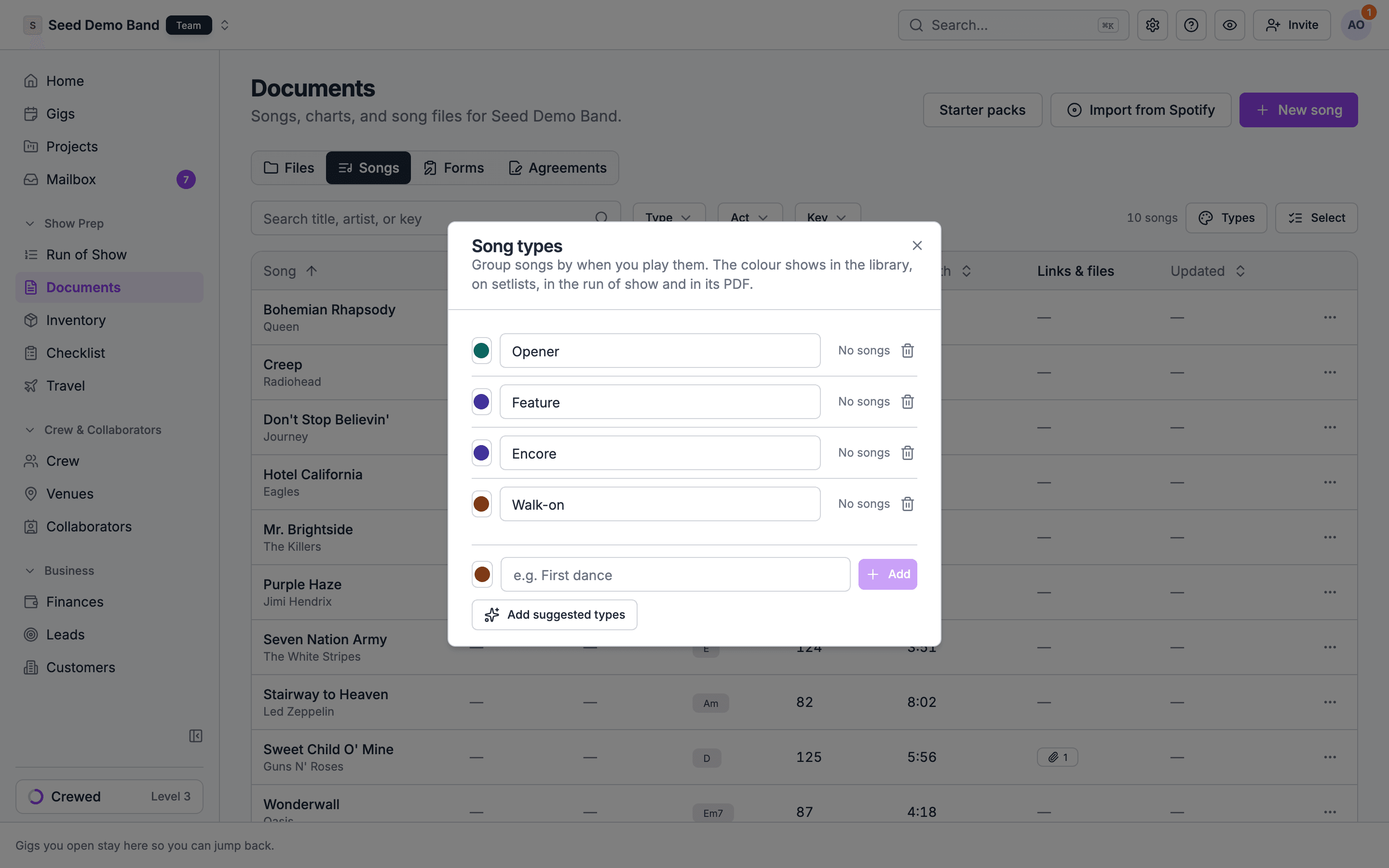
Choose Types in the toolbar of Documents → Songs to open Song types. The same list is in organization settings under Labels, on the Catalogs tab, as Song types. Each row shows the type’s colour, its name and how many songs have it.Giving songs a type
- One song: pick it under Type when you add or edit the song.
- Many songs: in Documents → Songs, choose Select, tick the songs, and choose Set type. Pick a type, or No type to clear it.
Finding songs by type
In Documents → Songs, the Type filter narrows the list to one or more types, or to songs with No type. The Type column sorts by type. Both show once your organization has song types.Related
The song library
Every field on a song.
Acts and songs
The other way to group songs.
Setlists
Start here.