

Wherever songs come from, they land in the same song library in Documents → Songs.
Starter packs
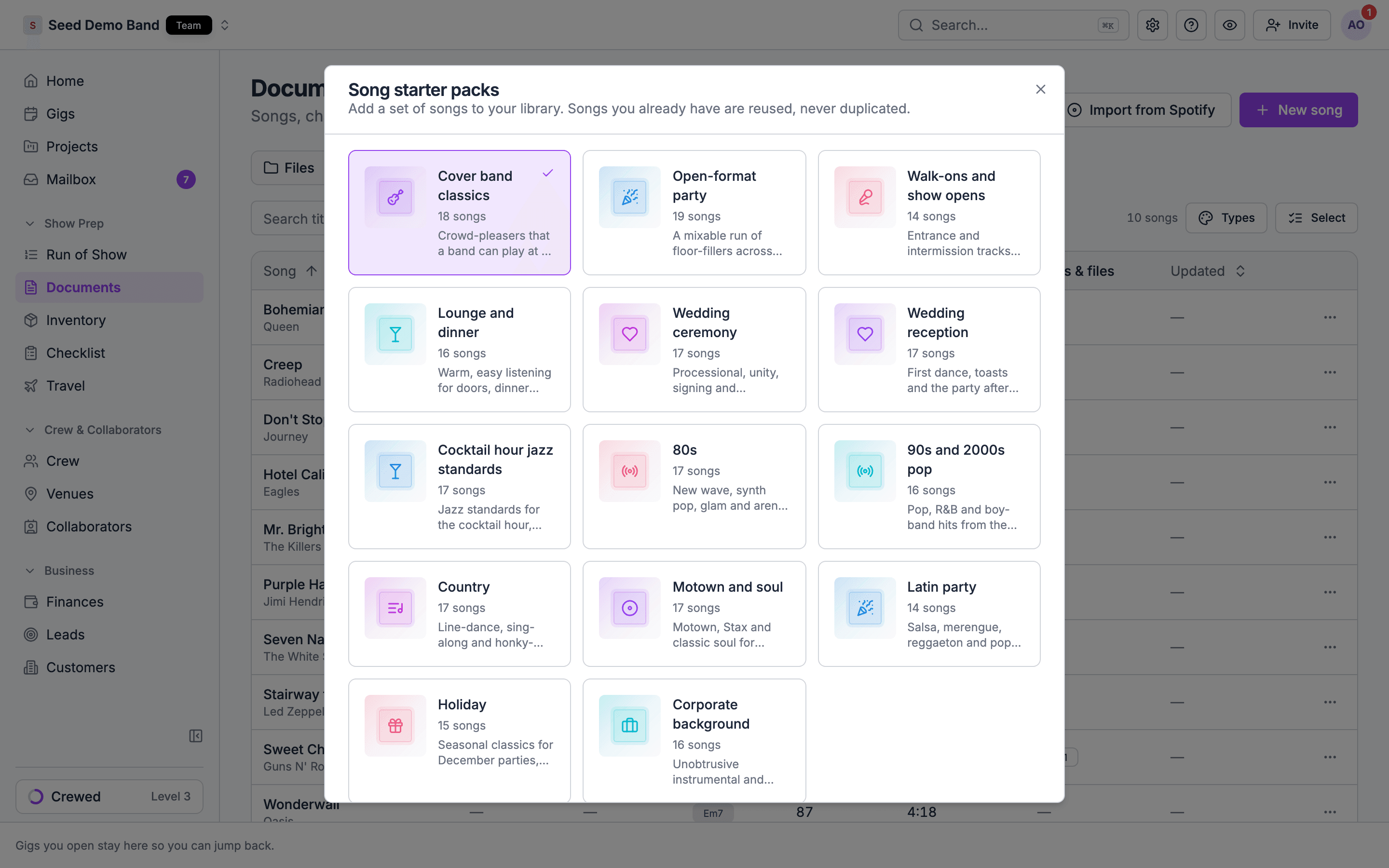
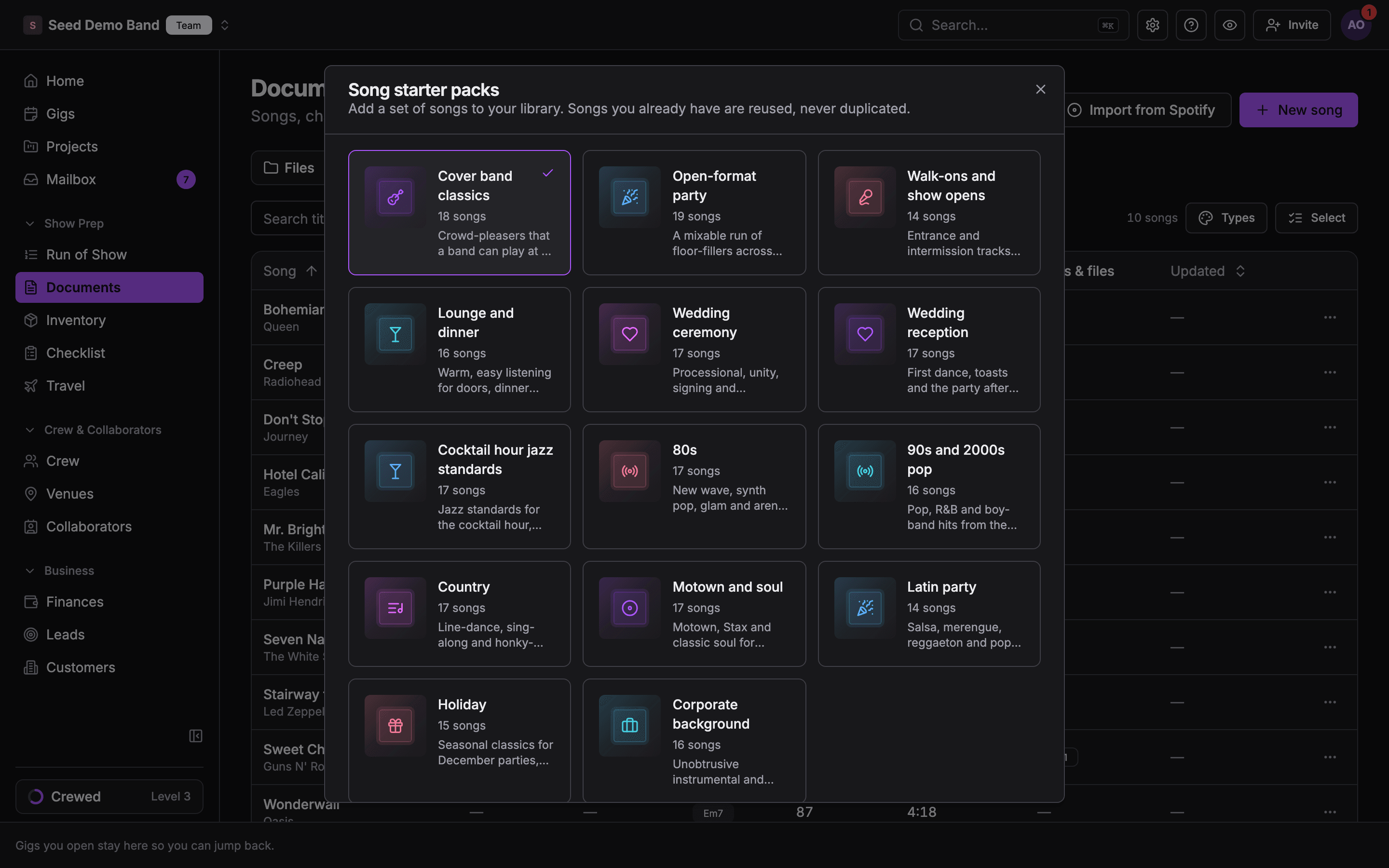
To get a library going before you bring in your own catalog, go to Documents → Songs and choose Starter packs (or Start from a pack on an empty library). Packs are grouped by business type, such as band, DJ, production company or venue, and by occasion, such as wedding ceremony, wedding reception, cocktail jazz or holiday.1
Pick a pack
Choose a pack under Song starter packs.
2
Choose its songs
Tick the songs you want. Songs you already have show Already in your library.
3
Add a setlist too, if you like
Turn on Also create a setlist and enter a Setlist name to get a saved setlist with the pack’s songs in order.
4
Add them
The songs join your library.
Import from Spotify
Go to Documents → Songs and choose Import from Spotify. In Import Album from Spotify, search for an album, open it, and tick the tracks you want (Select All and Deselect All help). Then import. Tracks already in your library are marked Already in your library. Title, artist and length are filled in for you.You’ll still need to add your arrangement details: key, notes, type, acts and media links.
Find a song
On the song form, type in Find a song and choose Find. Soundcheck searches Spotify, Apple Music and SoundCloud at once, wherever your workspace has them, and labels each result with where it came from. Pick one to fill in the title, artist and duration (when the service has one), with the link kept as a media link. You can also paste a single song link from any of those services. Links from other sites can still be added to a song as media links.Import music in the mobile app
In the mobile app’s run of show, a song item has Import music. Search by song or artist, or paste a link to a song, album or playlist. Whole Spotify and Apple Music albums import on mobile. Albums and playlists aren’t imported from the web song form.Spreadsheet import
For a large catalog, import a spreadsheet under Settings → Apps & data → Import & export with the Songs target. Then import Setlists, which are built on the songs you already imported.- Song Title is required.
- Length is
HH:MM:SSor a number of seconds, from 1 second to 24:00:00. - Tempo is a whole number from 1 to 999. A cell out of range is left out, and the rest of the row imports.
- An Acts column tags each song to the acts named in it. Separate several names with commas or semicolons. An act that doesn’t exist yet is created.
- Songs are matched by title and artist, so the same title with an empty artist collapses into one song.
- There is no CCLI column.
Show packets
Soundcheck doesn’t read songs out of a show packet or advance sheet document today. Copy the packet’s set list and use Paste data on the gig’s Setlist view: matched songs are added, and new titles become library songs. Enter the packet’s requests on the music requests panel.Related
The song library
Edit what you imported.
Import your data
The import wizard for every record type.
Setlists
Start here.