

Run of Show
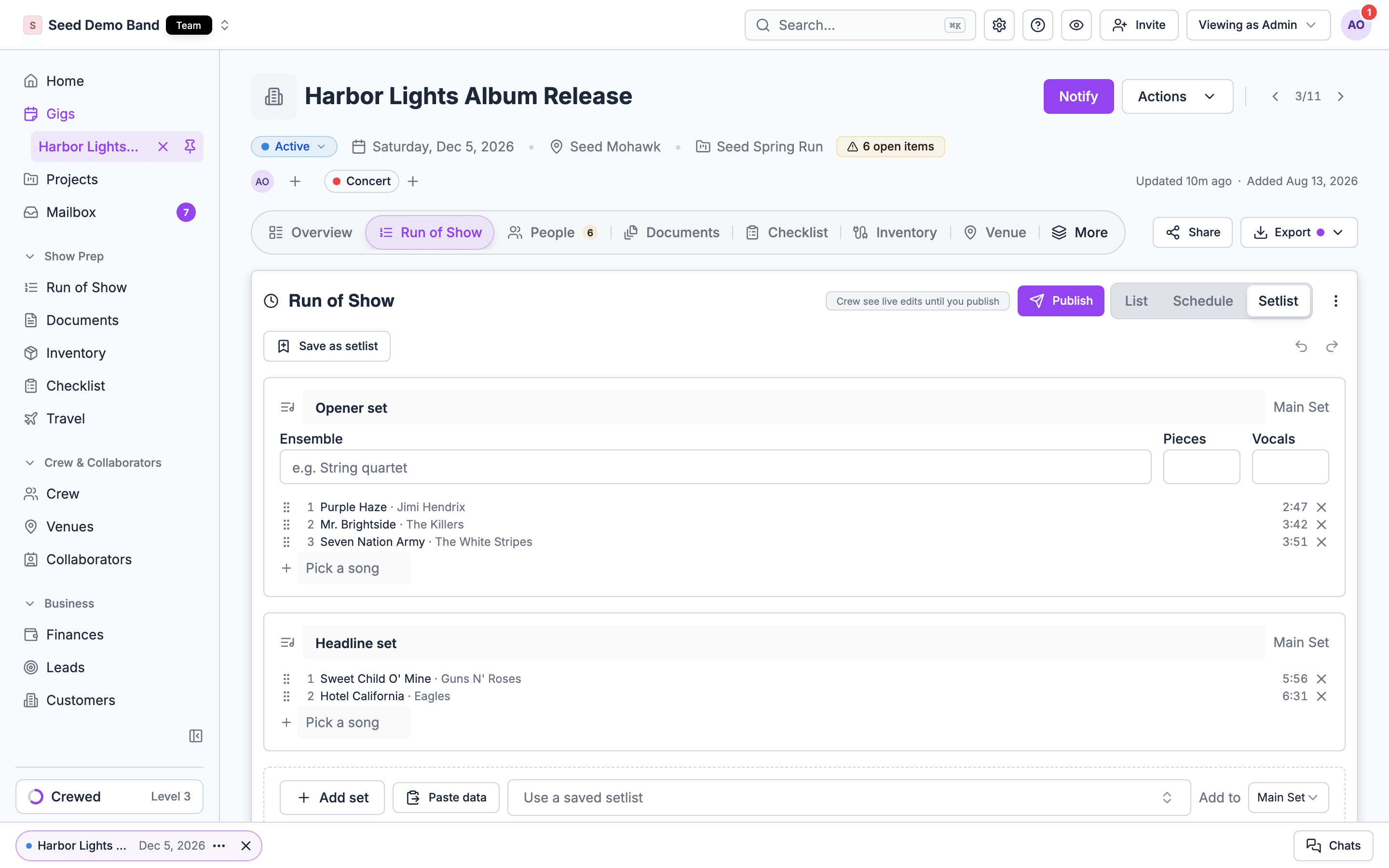
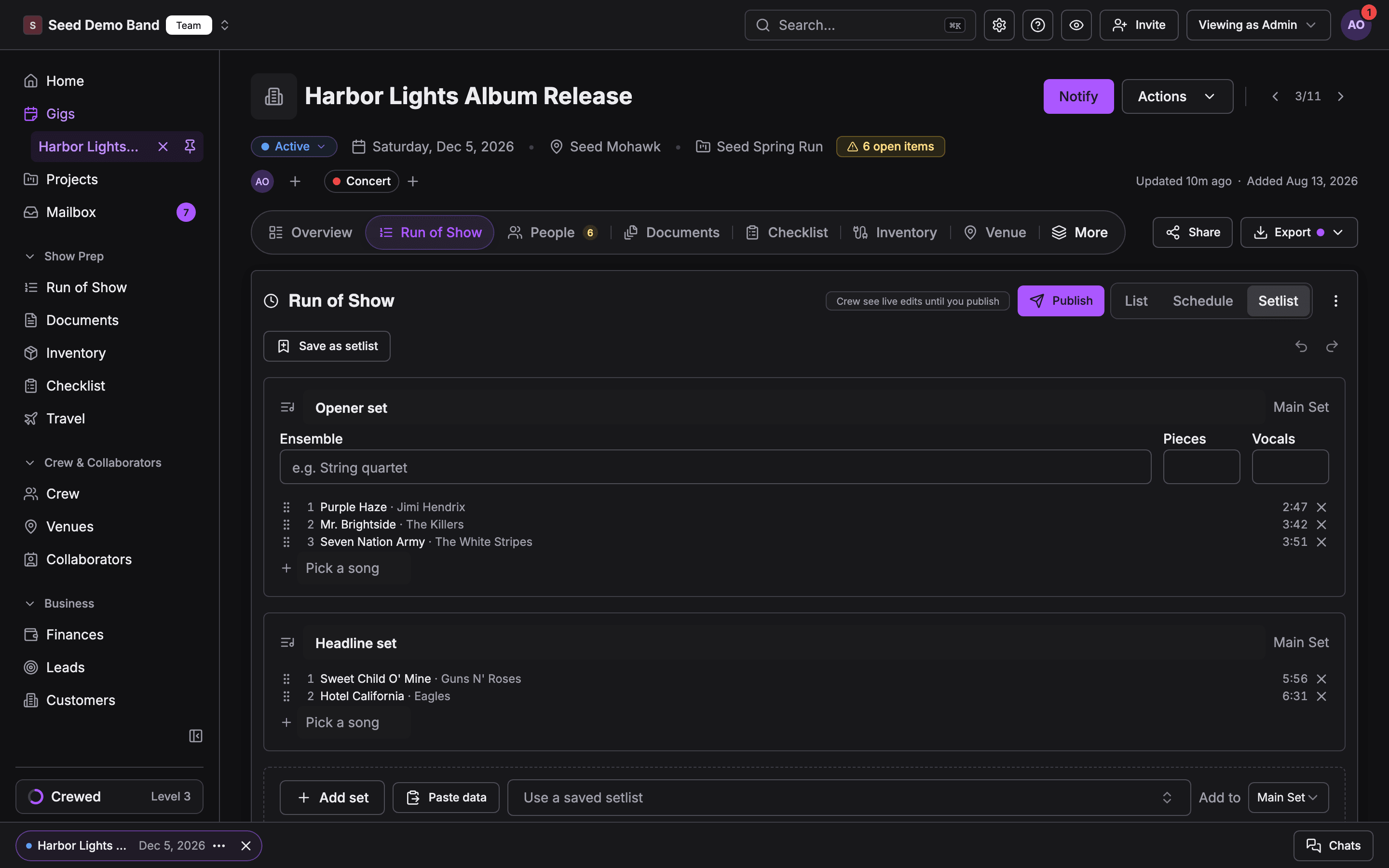
Setlists lives inside the Run of Show.- Sets are song items. A gig’s set is one song item in its run of show, with one time for the whole set. Its length is the sum of its songs and pushes the items after it later.
- Saved setlists feed items. Add setlist in an item’s What panel, or Use a saved setlist on the Schedule and Setlist views, copies a saved setlist into the gig as sets. See Adding a setlist to an item.
- Gigs feed saved setlists. Save as setlist on the Setlist view saves a gig’s sets back to the library, and Re-sync pulls later changes in. See The Setlist view.
- Templates. After the switch to Run of Show, each library setlist became a run of show template.
- Exports. A run of show PDF for the Band leader carries the band’s part of the night with times. Song type colours show in the run of show PDF. See Exporting.
- People. Who can edit a gig’s sets follows who can edit its run of show. See People and assignments.
Acts
Acts are the bands, DJs and performers you book.- Tag songs to the acts that play them. A set that names an act offers that act’s songs in its picker.
- On the Schedule view’s Tracks layout, each act on the gig has a lane for its sets.
- A set with no Pieces or Vocals of its own shows its act’s counts.
- A client song-list form can limit choices to the songs of the gig’s acts, or of one act.
Documents
Show prep → Documents is where your organization’s files live, and its Songs tab is the song library.- Song files. A song can carry uploaded files, such as a chart or lyric sheet, alongside its media links. You can file a song’s attachments into Documents folders. View All Attachments on a saved setlist opens every file on its songs.
- Gig attachments. A gig’s Documents tab lists the gig’s attachments and song attachments under Attachments, where the assigned team can view and download them on web and mobile. See The Documents tab.
- Chart assignments. The Music notes card on a gig’s Setlist view lists chart assignments.
- The music schedule. Send the gig’s music schedule and details from the gig’s Documents tab or its Actions menu (Send music schedule & details). The Music notes card shows the send history, and Send on the sent row sends the music schedule. Turn on Leave out surprise cues to keep surprise cues out of that send. The client sees each version in the portal and can approve it or request changes. See Music schedule and details sheet.
Client portal
- Music requests. The client fills in the Music requests form in the portal. The requests show below the gig’s sets, with library matches and do-not-play warnings. See Music requests.
- Music schedule review. The client downloads, approves or requests changes to the music schedule you sent.
Imports
- Spreadsheets. Import Songs, then Setlists, under Settings → Apps & data → Import & export. An Acts column on songs tags them, and creates acts that don’t exist yet.
- Pasted set lists. Paste data on the Setlist view turns a pasted list into sets.
- Streaming services. Find a song, Import from Spotify, and the mobile Import music sheet fill songs from Spotify, Apple Music and SoundCloud.
Mobile app
Crew read a gig’s sets, song types and music requests in the mobile app’s run of show. The song library and saved setlists are managed on the web. See Setlists on mobile.Related
Setlists
Start here.
Run of Show
The schedule your sets live in.
Files
Gig attachments and organization documents.