

Opening the key times editor
On the web, open the gig and use either of these:- The ⋮ menu of the gig’s Run of Show tab, then Key times.
- The Schedule toolbar, next to Undo and Redo: Key times.
The Overview tab
When the gig’s Overview shows the Run of Show section, that section lists the key times, grouped by day on a multi-day gig. When your organization doesn’t use Run of Show, or the Run of Show section is hidden, the Key times card is on the Overview tab instead, with Add or Edit.Using the editor
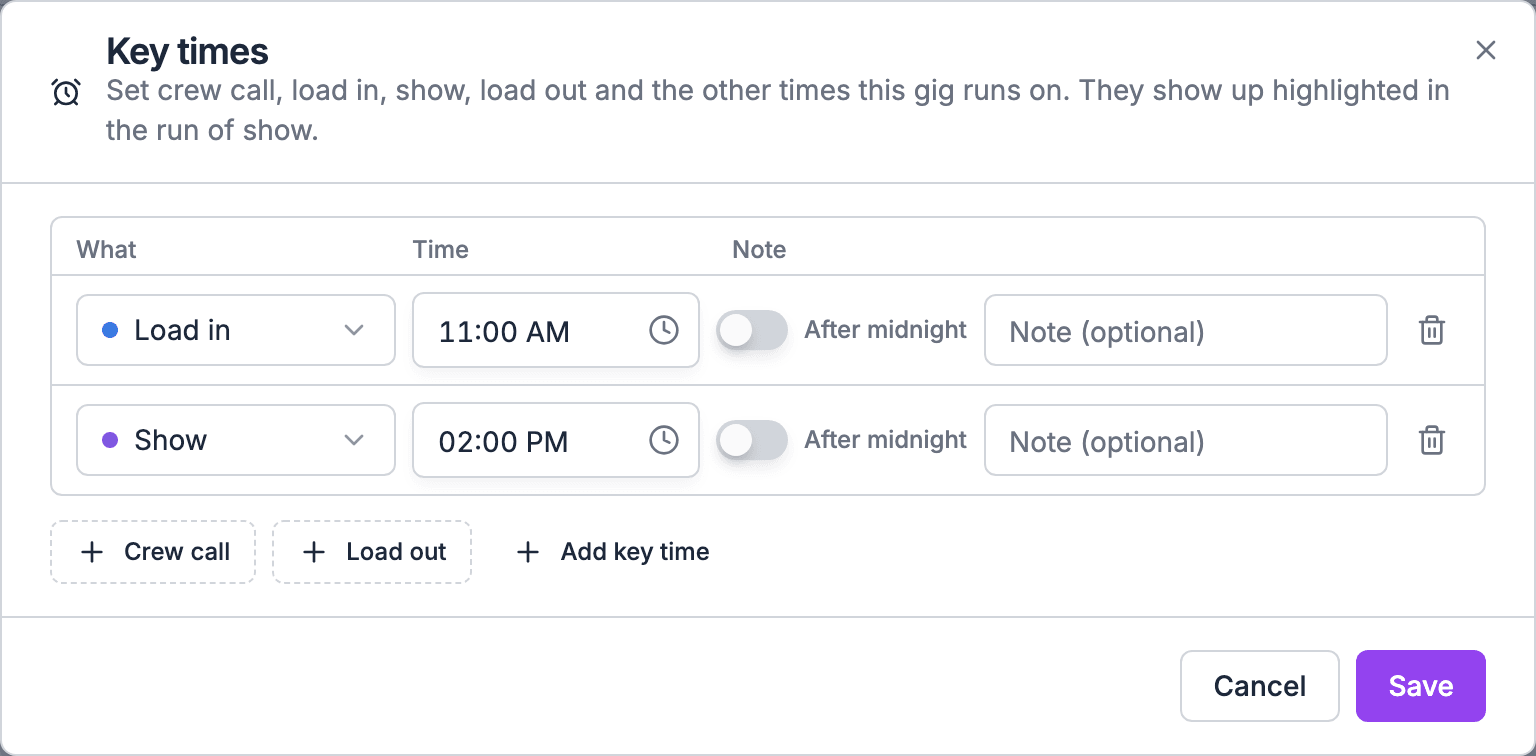
The editor has one line per key time.- The buttons under the list add the featured key times you have not set yet. Add key time adds any other key time.
- The trash button on a line removes it.
- Choose Save. Soundcheck shows Key times saved.
When the gig has a run of show
The editor and the run of show stay in step:- Changing a time moves the earliest item with that key time to the new time.
- Removing a key time removes its named items.
- Adding a key time adds an item with that name to the latest main schedule section that has started by then. On a day with no section, the key time is saved on its own.
Times after midnight
A time after midnight, like a 1:00 AM curfew, stays on the night it belongs to. Set it on that day and turn on After midnight. Lists show it with (+1 day) after the time.Multi-day gigs
Each key time can be set once per gig day. A new line in the editor starts on the key time’s default day: load in on the first day and load out on the last day. Every other key time starts on the same day as the line above it, or on the first day. Change the Day to move it. See The built-in key times.Pasting key times
To set key times from a call sheet or an email, paste them:- Above the run of show List view, choose Paste key times.
- On the Key times card, choose Paste data.
Copying a gig
Duplicating a gig copies its key times and each section’s link to a key time.Moving a gig
Key times stay on the same day of the run when you move a gig: a load in on the first day is still on the first day after a reschedule. If you shorten a gig, key times on the removed days are hidden. They come back if you extend the gig again.Who can change key times
- Gig managers use the key times editor and the Key times card.
- Anyone who can edit the run of show can mark items as key times, which sets the gig’s key times. See Roles and permissions.
- Everyone on the gig can see its key times.
For agents
Theget_event_key_times MCP tool reads a gig’s key times, and set_event_key_times replaces the whole set. The API is GET and PUT /api/v1/events/{event_id}/key-times.
Like the editor, set_event_key_times replaces the whole set, so send every key time you want to keep.
Related
Key times
Start here.
Key times from run of show items
How items set the times.
Multi-day gigs
Days in the run of show.