

Questions this page answers
- Guest lists (14 questions)
- Comps and tickets (8 questions)
- Check-in at the door (11 questions)
- Credentials and access zones (11 questions)
- Client records (9 questions)
- Client portal (13 questions)
- Collaborating with partner companies (12 questions)
- Sharing links and guest access (7 questions)
- Roles and permissions inside your company (9 questions)
- Communication with guests and clients (6 questions)
- Privacy, data and compliance (7 questions)
- Integrations and pricing (5 questions)
Deal-breakers at a glance
These 16 questions decide most evaluations. Soundcheck answers Yes to 8, Partly to 5 and No to 3. One of those No answers is good news: outside people never cost you a seat.Worked example: a touring headliner at a 2,500-cap theater
A tour manager runs the guest list for a headliner on a theater run. Each band member gets two comps, the label sends a few names, the promoter’s production manager needs the advance, and the venue’s box office runs will call. Here’s how the deal-breakers play out.Give everyone their spots
Add the label and production guests
Bring the promoter in
Work the door
Guest lists
1. Can I build a guest list per show with name, plus-ones, who requested them and what pass they get?
1. Can I build a guest list per show with name, plus-ones, who requested them and what pass they get?
2. Can band members, crew and the label request guests themselves, and can I approve or deny each request?
2. Can band members, crew and the label request guests themselves, and can I approve or deny each request?
3. Can I set an allotment per person, such as two comps for each band member?
3. Can I set an allotment per person, such as two comps for each band member?
4. Can I set a cutoff time for requests, such as 4 pm on show day?
4. Can I set a cutoff time for requests, such as 4 pm on show day?
5. Can I see who requested each guest and add a note?
5. Can I see who requested each guest and add a note?
6. Can I send the final list to the box office or venue in their format?
6. Can I send the final list to the box office or venue in their format?
7. Can I export the guest list as PDF or CSV?
7. Can I export the guest list as PDF or CSV?
8. Can I copy a guest list from one show to another?
8. Can I copy a guest list from one show to another?
9. Can I see every guest across a tour, such as how often the same person was on the list?
9. Can I see every guest across a tour, such as how often the same person was on the list?
10. Can the venue or promoter see the guest list without an account?
10. Can the venue or promoter see the guest list without an account?
11. Does the guest list count toward venue capacity, and does the tool warn me?
11. Does the guest list count toward venue capacity, and does the tool warn me?
12. Can I mark VIPs, press, industry and family?
12. Can I mark VIPs, press, industry and family?
13. Can I add a guest's phone or email to send them their pass?
13. Can I add a guest's phone or email to send them their pass?
14. Can a wedding planner keep the client's guest list and RSVPs in the same place?
14. Can a wedding planner keep the client's guest list and RSVPs in the same place?
Comps and tickets
15. Can I track comps against the allotment in the deal memo?
15. Can I track comps against the allotment in the deal memo?
16. Can I record whether a guest gets a ticket, a will-call pickup or a pass?
16. Can I record whether a guest gets a ticket, a will-call pickup or a pass?
17. Can I issue a guest a mobile ticket or a QR pass directly?
17. Can I issue a guest a mobile ticket or a QR pass directly?
18. Can I see comps used versus comps allocated at settlement?
18. Can I see comps used versus comps allocated at settlement?
19. Can I connect to the ticketing company (Ticketmaster, AXS, DICE, Eventbrite) to issue comps?
19. Can I connect to the ticketing company (Ticketmaster, AXS, DICE, Eventbrite) to issue comps?
20. Can a promoter's comps and the artist's comps be tracked separately?
20. Can a promoter's comps and the artist's comps be tracked separately?
21. Can I record paid guest tickets bought on behalf of someone?
21. Can I record paid guest tickets bought on behalf of someone?
22. Can I track house seats or holds that aren't yet released?
22. Can I track house seats or holds that aren't yet released?
Check-in at the door
23. Can door staff check guests in from a phone, by searching a name or scanning a QR code?
23. Can door staff check guests in from a phone, by searching a name or scanning a QR code?
24. Does check-in work offline?
24. Does check-in work offline?
25. Can several door staff check in at once and see each other's check-ins live?
25. Can several door staff check in at once and see each other's check-ins live?
26. Does it stop the same pass being used twice?
26. Does it stop the same pass being used twice?
27. Can door staff see a photo or note to confirm the guest?
27. Can door staff see a photo or note to confirm the guest?
28. Can I see who has arrived and who hasn't, live?
28. Can I see who has arrived and who hasn't, live?
29. Can door staff add a walk-up guest with approval?
29. Can door staff add a walk-up guest with approval?
30. Can I record plus-ones arriving separately?
30. Can I record plus-ones arriving separately?
31. Can door staff see only the list and nothing else about the event?
31. Can door staff see only the list and nothing else about the event?
32. Can I check people in at a wedding or corporate dinner and see who is missing?
32. Can I check people in at a wedding or corporate dinner and see who is missing?
33. Can I see check-in times afterwards, for reporting or a dispute with the venue?
33. Can I see check-in times afterwards, for reporting or a dispute with the venue?
Credentials and access zones
34. Can I define pass types, such as All Access, Backstage, After-Show, Working and Guest, each with the areas it allows?
34. Can I define pass types, such as All Access, Backstage, After-Show, Working and Guest, each with the areas it allows?
35. Can I set the days and hours each pass is valid?
35. Can I set the days and hours each pass is valid?
36. Can I print laminates, wristbands or badges with a photo?
36. Can I print laminates, wristbands or badges with a photo?
37. Can I issue digital passes to Apple Wallet or Google Wallet?
37. Can I issue digital passes to Apple Wallet or Google Wallet?
38. Can I issue passes in bulk to a whole crew or vendor company?
38. Can I issue passes in bulk to a whole crew or vendor company?
39. Can I cancel a pass so it's refused at the gate?
39. Can I cancel a pass so it's refused at the gate?
40. Can a pass also carry meals, parking and hospitality allowances?
40. Can a pass also carry meals, parking and hospitality allowances?
41. Can I give the venue or security a credential chart showing each pass?
41. Can I give the venue or security a credential chart showing each pass?
42. Can I record which crew members have which credentials?
42. Can I record which crew members have which credentials?
43. Can a festival accredit press and approve each application?
43. Can a festival accredit press and approve each application?
44. Can I require a waiver or ID check before issuing a pass?
44. Can I require a waiver or ID check before issuing a pass?
Client records
45. Can I keep a client record with company, contacts, billing details and every gig we've done for them?
45. Can I keep a client record with company, contacts, billing details and every gig we've done for them?
46. Can a client have several contacts with different roles, such as the decision maker, the planner and accounts?
46. Can a client have several contacts with different roles, such as the decision maker, the planner and accounts?
47. Can I store a wedding couple as one client with two people?
47. Can I store a wedding couple as one client with two people?
48. Can I see a client's balance, deposits and outstanding invoices?
48. Can I see a client's balance, deposits and outstanding invoices?
49. Can I keep private notes on a client that the client never sees?
49. Can I keep private notes on a client that the client never sees?
50. Can I import clients from HoneyBook, Dubsado, a CRM or a spreadsheet?
50. Can I import clients from HoneyBook, Dubsado, a CRM or a spreadsheet?
51. Does the tool stop me creating the same client twice?
51. Does the tool stop me creating the same client twice?
52. Can I tag clients by type, such as corporate, wedding, venue or agency?
52. Can I tag clients by type, such as corporate, wedding, venue or agency?
53. Can I record who referred the client?
53. Can I record who referred the client?
Client portal
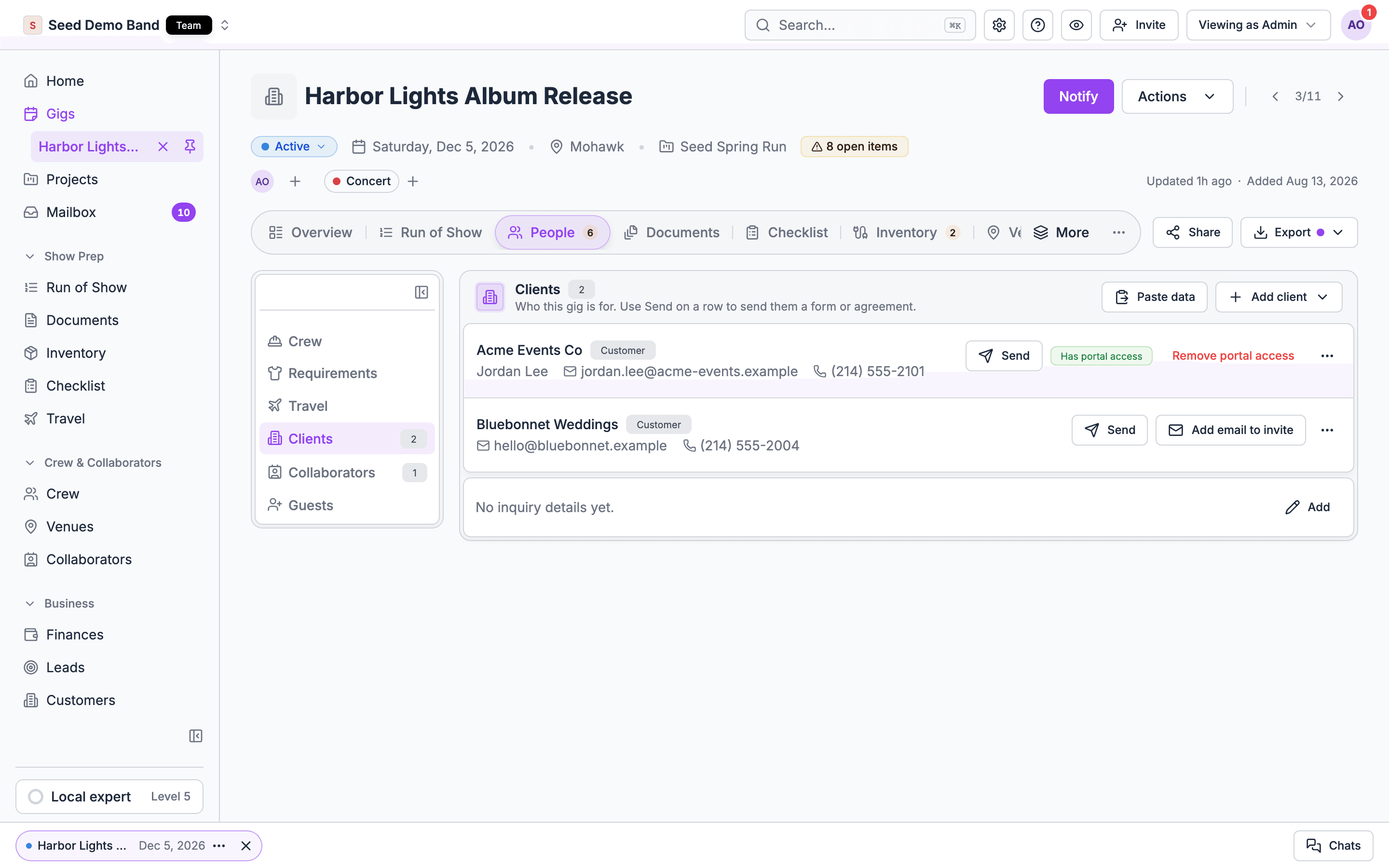
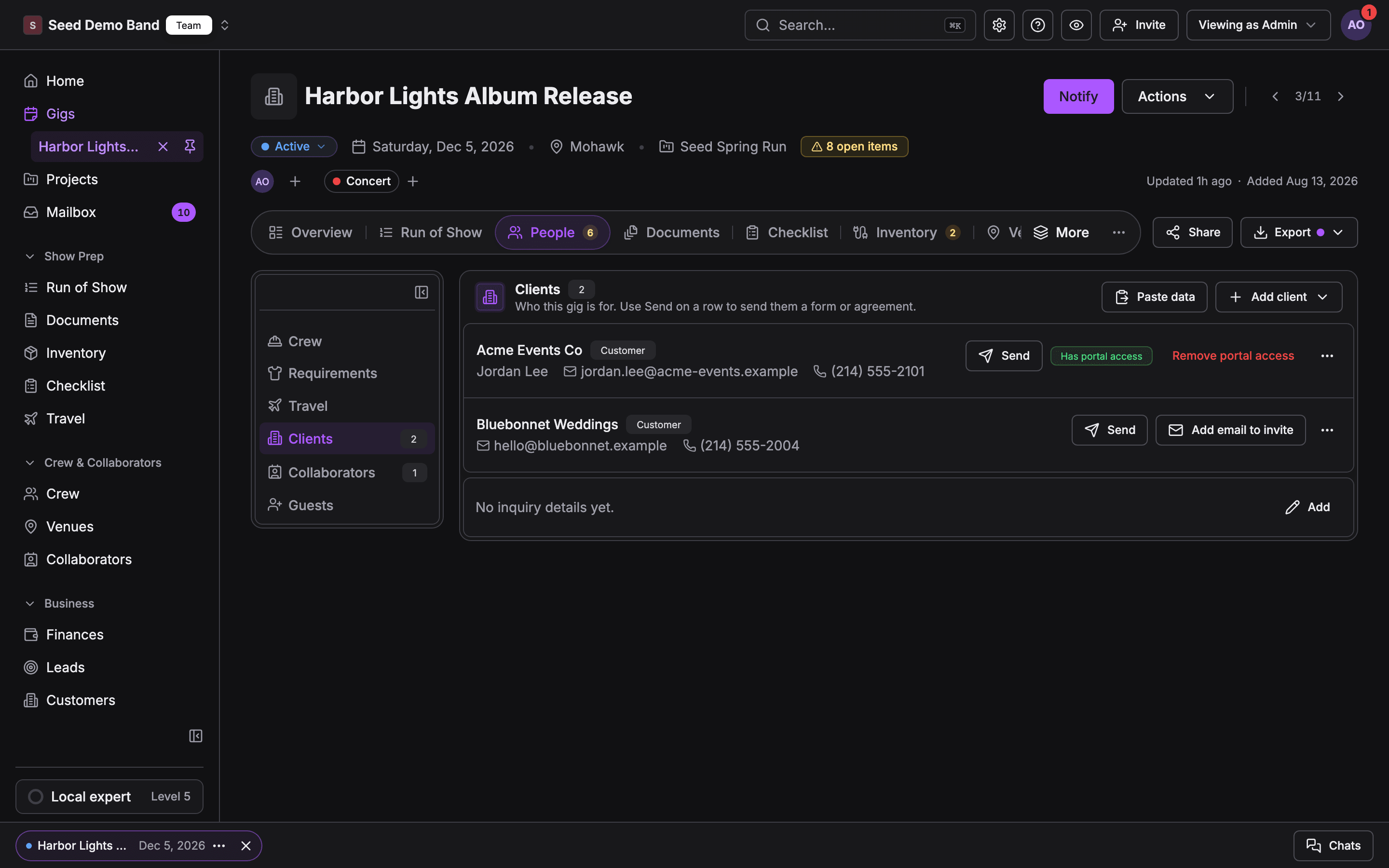
54. Can my client log in to see their event, documents, invoices and schedule?
54. Can my client log in to see their event, documents, invoices and schedule?
55. Can the client sign contracts and pay invoices in the portal?
55. Can the client sign contracts and pay invoices in the portal?
56. Can the client fill in forms, such as a music questionnaire or a timeline form?
56. Can the client fill in forms, such as a music questionnaire or a timeline form?
57. Can the client message us from the portal, and do messages stay with the event?
57. Can the client message us from the portal, and do messages stay with the event?
58. Can I choose exactly which documents and schedule items the client sees?
58. Can I choose exactly which documents and schedule items the client sees?
59. Does the client see a client-friendly version of the run of show, not the crew version?
59. Does the client see a client-friendly version of the run of show, not the crew version?
60. Can the client approve the timeline, setlist or quote, with a record of the approval?
60. Can the client approve the timeline, setlist or quote, with a record of the approval?
61. Can the client log in without a password, such as by an emailed link?
61. Can the client log in without a password, such as by an emailed link?
62. Can a returning client see all their events in one place?
62. Can a returning client see all their events in one place?
63. Can I brand the portal with my logo and domain?
63. Can I brand the portal with my logo and domain?
64. Can the client invite their own planner or assistant?
64. Can the client invite their own planner or assistant?
65. Can I see when the client last looked at the portal?
65. Can I see when the client last looked at the portal?
66. Does the portal work well on a phone?
66. Does the portal work well on a phone?
Collaborating with partner companies
67. Can I invite another company, such as a planner, a venue, an AV vendor or a band, to work on the same gig?
67. Can I invite another company, such as a planner, a venue, an AV vendor or a band, to work on the same gig?
69. Can the partner company add its own crew to the gig?
69. Can the partner company add its own crew to the gig?
70. Can I choose which parts of the gig the partner can see and edit, such as the schedule but not the money?
70. Can I choose which parts of the gig the partner can see and edit, such as the schedule but not the money?
71. Does the partner need a paid account?
71. Does the partner need a paid account?
72. When the partner updates something, do we see it right away?
72. When the partner updates something, do we see it right away?
73. Can I see what the partner changed and when?
73. Can I see what the partner changed and when?
74. Can I remove a partner's access when the job ends?
74. Can I remove a partner's access when the job ends?
75. Can a partner company bring its own schedule into our run of show?
75. Can a partner company bring its own schedule into our run of show?
78. What happens to the partner's data if I delete the gig?
78. What happens to the partner's data if I delete the gig?
Sharing links and guest access
81. Can I turn off sharing for one gig, or across the whole company?
81. Can I turn off sharing for one gig, or across the whole company?
82. Can I set a link to expire?
82. Can I set a link to expire?
85. If a link is forwarded, can someone I didn't intend see it?
85. If a link is forwarded, can someone I didn't intend see it?
Roles and permissions inside your company
86. What roles are there, such as owner, admin, coordinator, finance and crew, and what can each do?
86. What roles are there, such as owner, admin, coordinator, finance and crew, and what can each do?
87. Can I limit who sees money: rates, invoices, margins and pay?
87. Can I limit who sees money: rates, invoices, margins and pay?
88. Can I give someone access to one gig without access to every gig?
88. Can I give someone access to one gig without access to every gig?
89. Can I make my own custom roles?
89. Can I make my own custom roles?
90. Can a crew member see only their own pay and schedule?
90. Can a crew member see only their own pay and schedule?
91. Can I see an audit log of who changed what?
91. Can I see an audit log of who changed what?
92. Can I require two-factor sign-in or single sign-on?
92. Can I require two-factor sign-in or single sign-on?
93. When someone leaves the company, can I remove their access in one step and keep their history?
93. When someone leaves the company, can I remove their access in one step and keep their history?
94. Can a freelancer belong to several companies and see each separately?
94. Can a freelancer belong to several companies and see each separately?
Communication with guests and clients
95. Can I email or text guests their pass, parking and arrival details?
95. Can I email or text guests their pass, parking and arrival details?
96. Can I send the client automatic reminders, such as payment due or form due?
96. Can I send the client automatic reminders, such as payment due or form due?
97. Can I send a change notice to every guest and partner at once?
97. Can I send a change notice to every guest and partner at once?
98. Do emails come from my company's name and domain?
98. Do emails come from my company's name and domain?
99. Can I see whether a guest or client opened a message?
99. Can I see whether a guest or client opened a message?
100. Can I keep all client communication with the event record?
100. Can I keep all client communication with the event record?
Privacy, data and compliance
101. Where is guest and client data stored, and who can see it?
101. Where is guest and client data stored, and who can see it?
102. Can I delete a guest's or client's data on request?
102. Can I delete a guest's or client's data on request?
103. Can I collect consent for photos and marketing?
103. Can I collect consent for photos and marketing?
104. Can I keep guest lists of celebrities or minors extra-restricted?
104. Can I keep guest lists of celebrities or minors extra-restricted?
105. Do you sign a data processing agreement (DPA)?
105. Do you sign a data processing agreement (DPA)?
106. Is there an NDA or confidentiality setting for a sensitive event?
106. Is there an NDA or confidentiality setting for a sensitive event?
107. Do you meet SOC 2 or a similar security standard?
107. Do you meet SOC 2 or a similar security standard?
Integrations and pricing
108. Does it connect to ticketing, CRM (HubSpot, Salesforce) and email tools?
108. Does it connect to ticketing, CRM (HubSpot, Salesforce) and email tools?
109. Is there an API or AI assistant connection for guests, clients and sharing?
109. Is there an API or AI assistant connection for guests, clients and sharing?
110. Do clients, guests and partner companies count as paid users?
110. Do clients, guests and partner companies count as paid users?
111. Is the client portal included or an add-on?
111. Is the client portal included or an add-on?
112. Can I import guest lists from a spreadsheet or another tool?
112. Can I import guest lists from a spreadsheet or another tool?