

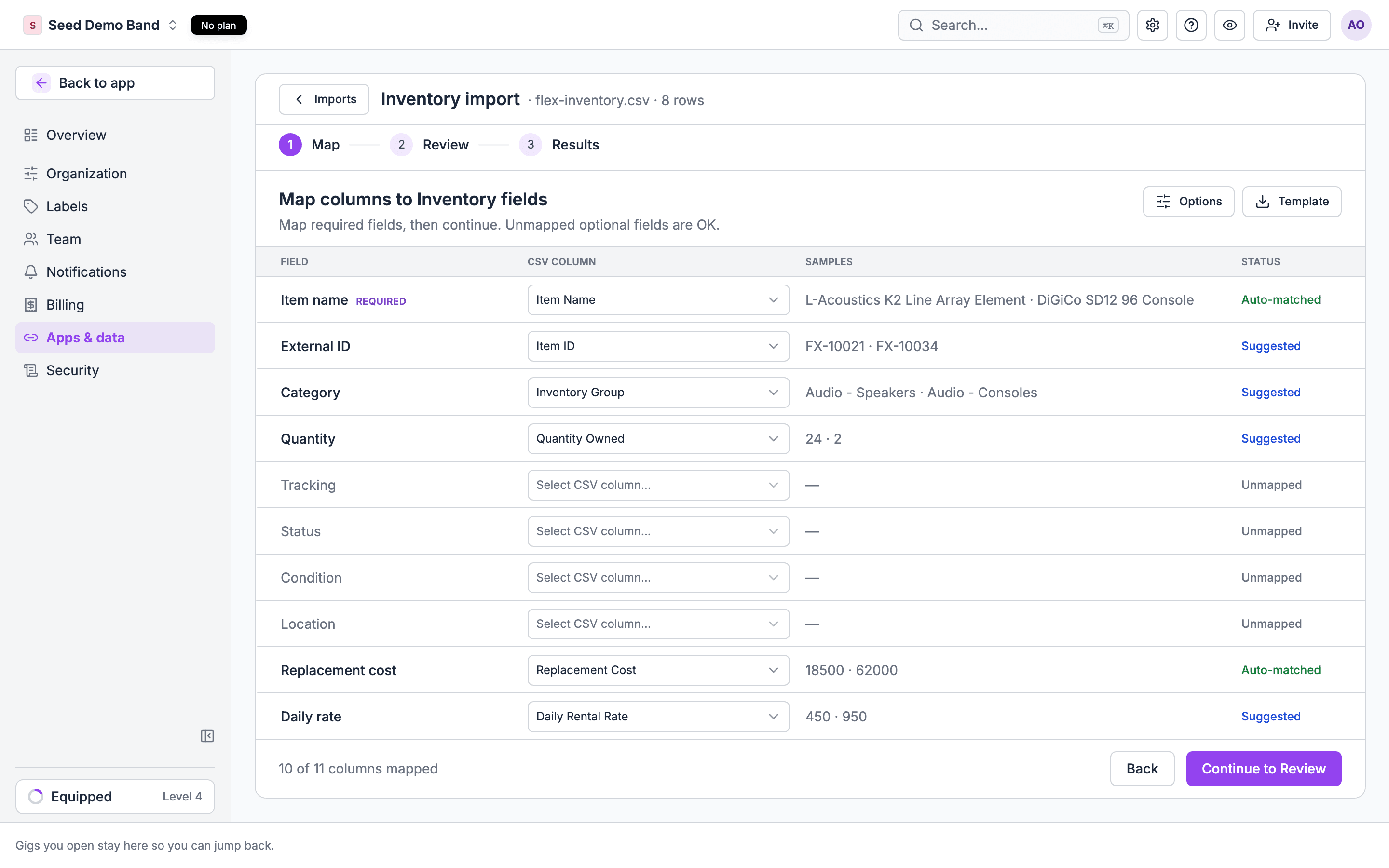
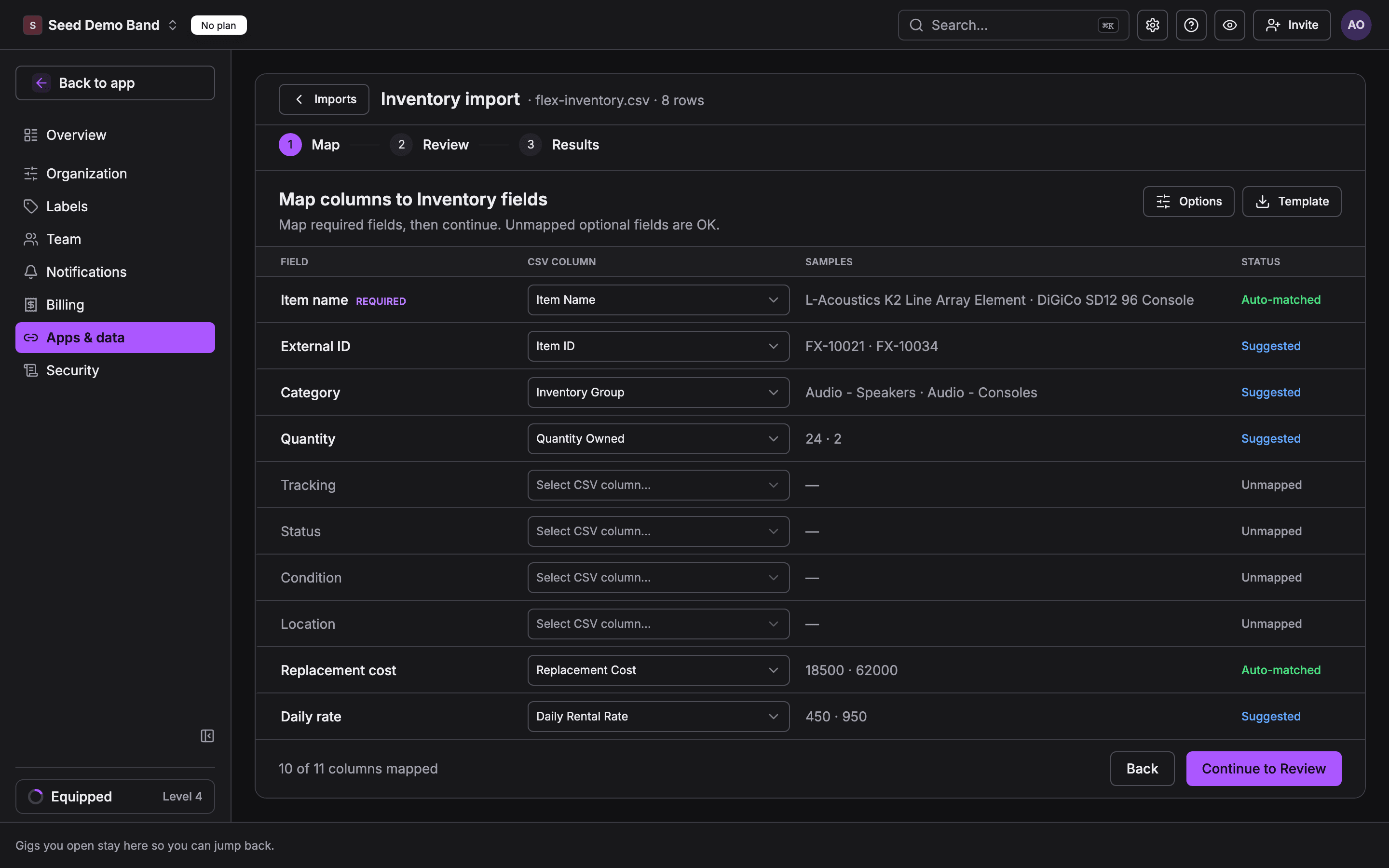
A Flex inventory export on the mapping step: 10 of 11 columns mapped without any setup. Sample data, not a customer.
imports.manage): Owner, Admin and Gig Coordinator.
Steps at a glance
- In Flex, export your inventory, your contacts and your quotes as CSV or Excel.
- Split the contacts into two files: clients and venues.
- In Soundcheck, import Inventory, Venues and Clients, then Events built from your quotes.
- Check a few gigs, then import the same files once more and expect 0 new rows.
What moves and what doesn’t
Export from Flex
Flex accounts are set up differently, so the place each export sits depends on your version, your saved views and your permissions. Export these three lists as CSV or Excel:- Inventory: every item you rent or sell, with its name, group or category, quantity, and any barcode, serial number, manufacturer, model, weight and replacement cost columns you keep.
- Contacts: organizations and people, with addresses, phone numbers and emails. Include the column that says what kind of contact each row is, so you can tell venues from clients.
- Quotes: the quotes or jobs you want to carry over, with the name, planned start and end, client and venue.
.xls files as .xlsx or .csv before upload.
Prepare the files
Inventory
Inventory matches by External ID first, then by name. With the Flex ID mapped, a later import updates each item instead of adding a second one. Remove sample or placeholder items from the file before upload.
Venues
Filter the contacts export to venues and map:
Flex does not hold load-in notes, dock, parking, capacity or stage size on a contact. Add those in Soundcheck after the import, or add the columns to your file by hand: the Venues target has a field for each.
Clients
Filter the contacts export to client organizations and map name, External ID, address, phone and website the same way. Put the main person’s name, email, phone and title in the Contact name, Contact email, Contact phone and Contact title columns.Events (quotes and jobs)
Add a Status column and set it to draft when you want to review the gigs before crew can see them. A draft gig is hidden from crew and holds its invitations until you publish it.
To carry the gear on each quote, add one row per item with the same Event external ID and fill Gear item and Gear quantity. On the mapping step, set row grouping to
group_by_external_id so those rows become one gig.
Import into Soundcheck
- Open Settings → Apps & data → Import & export and drop the Inventory file on the page.
- Confirm the detected target, map the columns, check the preview and commit.
- Repeat for Venues, then Clients, then Events.
- Open a few gigs to check the date, client, venue and gear.
- Import each file once more. A clean move shows 0 new rows.
Traps
- Two venues with one name. Flex can hold the same venue twice under two contact IDs. Clean those up in Flex first, or both arrive in Soundcheck.
- Venues and clients share one list. A contacts export mixes them. A venue imported as a client has nowhere to keep its dock and load-in notes.
- Planned start is not always show day. A quote that starts on a prep or load-in day dates the gig on that day. Use the show date when your export has one.
- Prices stay behind. Quote totals and line prices do not import. Enter the gig’s money in Soundcheck, or keep quoting in Flex.
- Calendar files are refused. The importer takes
.xlsx,.csv,.tsvand.txt. A calendar feed (ICS) will not upload.
Keep Flex running
- Read Flex from your AI. An owner or admin can connect Flex under Settings → Apps & data → Integrations with a Flex API key and Account ID (the Flex tile is in early access and not shown to every organization). Once connected, member MCP can search Flex contacts, list Flex inventory and read a Flex quote (
search_flex_contacts,list_flex_inventory,get_flex_quote). These tools read only. - Sync quotes with gigs. The HubSpot ↔ Flex pipeline keeps a HubSpot deal, a Flex quote and a Soundcheck gig in step. It is not generally available yet.
Get help with the move
Soundcheck’s team has brought a customer’s Flex venue and inventory lists into Soundcheck, pulled with the customer’s own Flex API key. If your Flex exports are hard to produce, contact support before you start. Practice files with Flex-style column names are in the repo underdocs/sample-imports/migrations/flex/.
Related
Coming from another system
Hub for every migration guide, the shared import path and mapping traps
Coming from HubSpot
Move companies, contacts and deals from HubSpot
Inventory
How gear works once your items are in
Venues
Venue records, load-in notes and photos