

How a freelance crew member runs on Soundcheck
The center of your world is Mailbox. Every organization you work with sends requests into the same place: gig invitations, open-shift offers, availability checks. Answering them from there is most of the job. Around that inbox: a profile that says what you play and how to pay you, an availability calendar that keeps the wrong calls from coming, and a feed that puts your confirmed gigs next to the rest of your life.1
Join and set up your profile
You’ll usually arrive by invitation. An organization adds you as a member, or invites you to a single gig as an external contact (no account needed for that). Once you’re in, fill out your profile: photo, contact info, and the positions you fill. Positions matter. They’re how schedulers filter when a Tuesday-night FOH seat opens up. You can belong to several organizations with one account, and your profile follows you across all of them.
2
Work from one inbox
Everything waiting on your answer lands in My Mailbox: invitations to specific gigs, crew offers for open shifts, and availability checks. Items needing a response rise to the top. Every notification email deep-links to the exact row. Accepting an invitation even RSVPs the matching Google Calendar invite for you. Past-event requests close themselves, so the inbox never nags you about a show that already happened.
3
Keep your availability honest
Mark the dates you can’t work in personal availability, and answer availability requests when a scheduler asks about a date range. Your responses flow into the organization’s crew calendar. Once you accept a gig, that booking shows you as working there, which is what stops the double-booked-Friday call before it’s made.
4
Set up payouts once
If an organization pays you through Soundcheck, complete payout onboarding from your profile. Add a bank account. Ready accounts carry a Ready badge that organizations can see, which means direct-deposit payouts reach you without back-and-forth. You’re paid the full performance fee shown on the gig. Processing fees are never deducted from your side. Eligible members can also trigger instant payouts to a debit card from the profile’s payout card. See gig payments.
5
Track what's coming
Your Home page surfaces your upcoming work when you sign in. Each gig’s page carries what you need for the day: the run of show, the setlist, attachments, and the gig chat thread. Subscribe to your private calendar feed so every confirmed gig appears in Apple Calendar, Google Calendar, or Outlook next to your personal life.
On your phone
The mobile app is built for exactly this job. The Gigs tab is always there. Mailbox may be hidden from the tab bar for some organizations (it can appear elsewhere in the app). You (profile) stays when your profile is available. Other mobile surfaces (calendar, setlists, chat, and more) depend on what each organization has enabled. Lock-screen push notifications cover the moments that pay the rent: a new offer, a changed gig, a scheduler waiting on your answer. Recently viewed gigs and setlists stay readable when reception drops at the venue.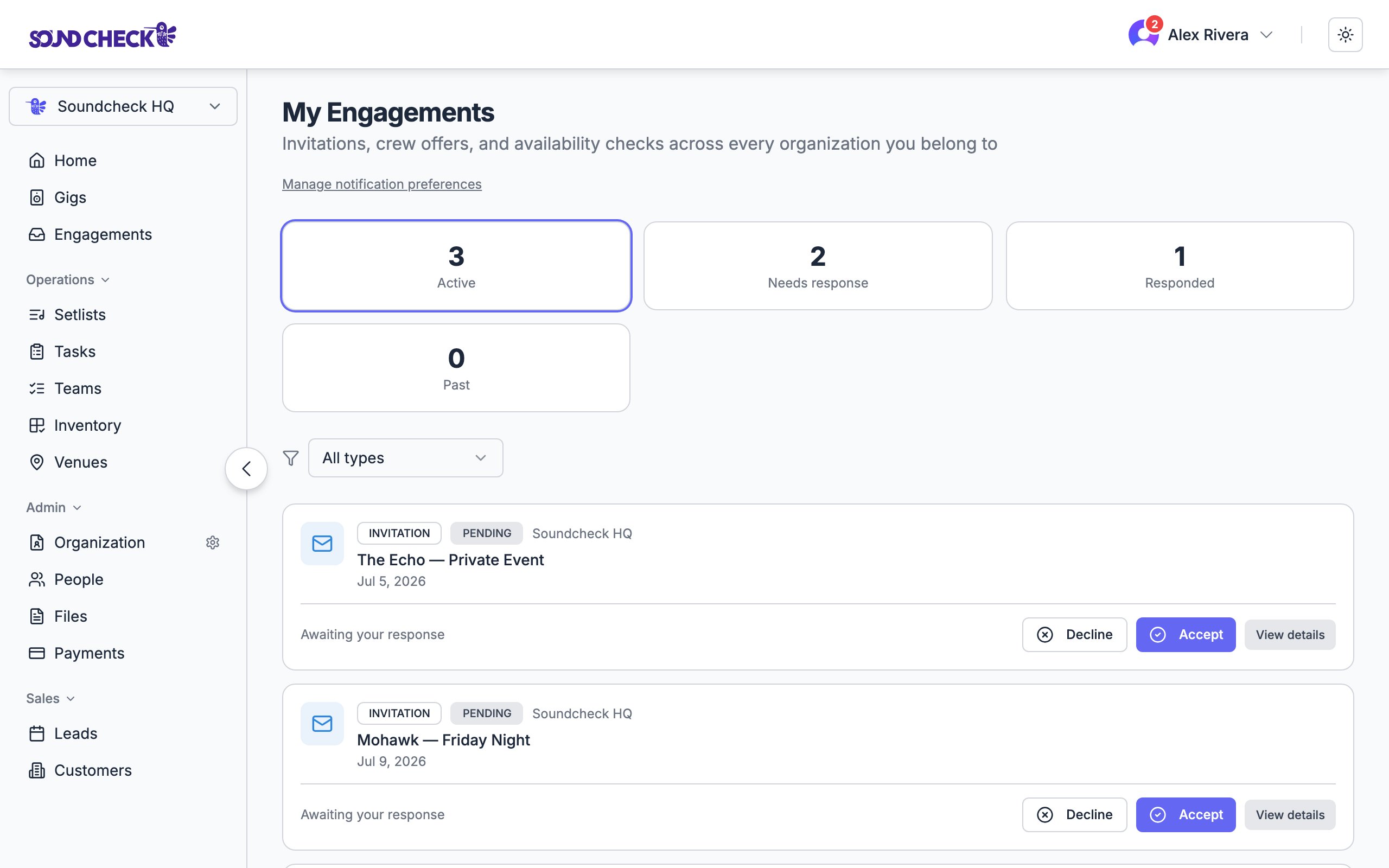
Every request from every organization, one inbox
Set this up
Mailbox
The inbox where every request lands.
Personal availability
Keep the wrong calls from coming.
Your profile
Positions, contact info, and payout setup.
Mobile app
Mailbox and profile on the road.