

CheckAI, Chat, and E-sign are Private Preview, available only to the existing beta tester group. Signup, paid plans, upgrades, support contact, and public demos do not grant access. File attachments do not require E-sign access.The lead pipeline is Team or Enterprise only. Pro does not include Leads. Customer and venue directories may stay hidden until crew availability and offers are enabled for your org. Sponsors live as a tab on Pipeline, not a sidebar item.
How a corporate & private events team runs on Soundcheck
Work the pipeline from inquiry to close. A lead captures the opportunity and moves through pipeline stages. Converting it creates the gig and the customer in one step. Attach the agreed contract to the gig; sending it for signature is a separate Private Preview feature. The client portal keeps the client informed without email ping-pong. Closeout settles the money once the show is paid out. For teams that live in HubSpot, an optional sync keeps the deal, quote, and gig in lockstep.1
Capture and qualify the lead
A lead is a potential booking: contact, event type, potential date, venue, budget, source, and notes. Move it through stages (New → Qualified → Quoted) so your pipeline stays current. Log a note after every conversation. Convert only once the details are strong enough to become a real gig. Mark Lost when it won’t.
2
Convert the lead into a gig and customer
When it’s real, use Convert to Gig. Lead conversion creates the gig from the lead details, creates or reuses a customer record with a primary contact, links that customer to the gig, and marks the lead Won (closed; shown as Completed in the pipeline). Your CRM pipeline and booked-work history stay connected in one flow. From there, staff crew, build the schedule, and add payment details on the gig itself.
3
Keep the agreement with the booking
Upload the agreed document from the gig’s Details → Attachments section; see gig attachments. For existing E-sign Private Preview testers, the Contracts flow sends to the linked customer’s primary contact as one client signer and tracks the signature status. White-label signing also depends on existing preview access and separate organization configuration; an Enterprise plan does not grant preview access.
4
Prepare the venue, crew, and show schedule
Confirm the venue contact, stage and house equipment, load-in and load-out, parking, and access arrangements. Link the venue, check show-specific exceptions, then staff the gig and build its run of show. Production companies can follow the production workflow from preparation through closeout.
5
Bring the client into the portal
Once the booking is real, invite the client’s primary contact into the client portal: a workspace for the booking information and actions enabled for that client. Available sections depend on the portal and feature configuration. Portal messages are a viewing surface without a composer. Crew Chat is separate from the portal; both Chat and E-sign remain restricted to existing Private Preview testers. See inviting clients and contracts, invoices & forms in the portal.
6
Deliver, close out, and settle
After the gig’s effective end—the later of its event date and end date—an Owner, Admin, or Gig Coordinator must explicitly mark it Completed. Passing the date alone does not complete the gig; follow How a gig completes. Work through the closeout checklist and settle the gig once completion is saved, crew payables have cleared, and any enforced checklist requirements are satisfied. Closeout is also where you capture ratings and reviews for the event, venue, and crew. That turns a finished show into a verified record of who did what and whether they were paid.
If your sales team already works deals in HubSpot, the HubSpot ↔ Flex pipeline keeps three systems in lockstep. As a deal advances in HubSpot, a matching Flex quote and the Soundcheck gig move with it. After the show Soundcheck drives the back half (Active → Completed → Settled) and propagates the close back to your CRM. Confirm the integration is configured for your organization before depending on status updates between systems.
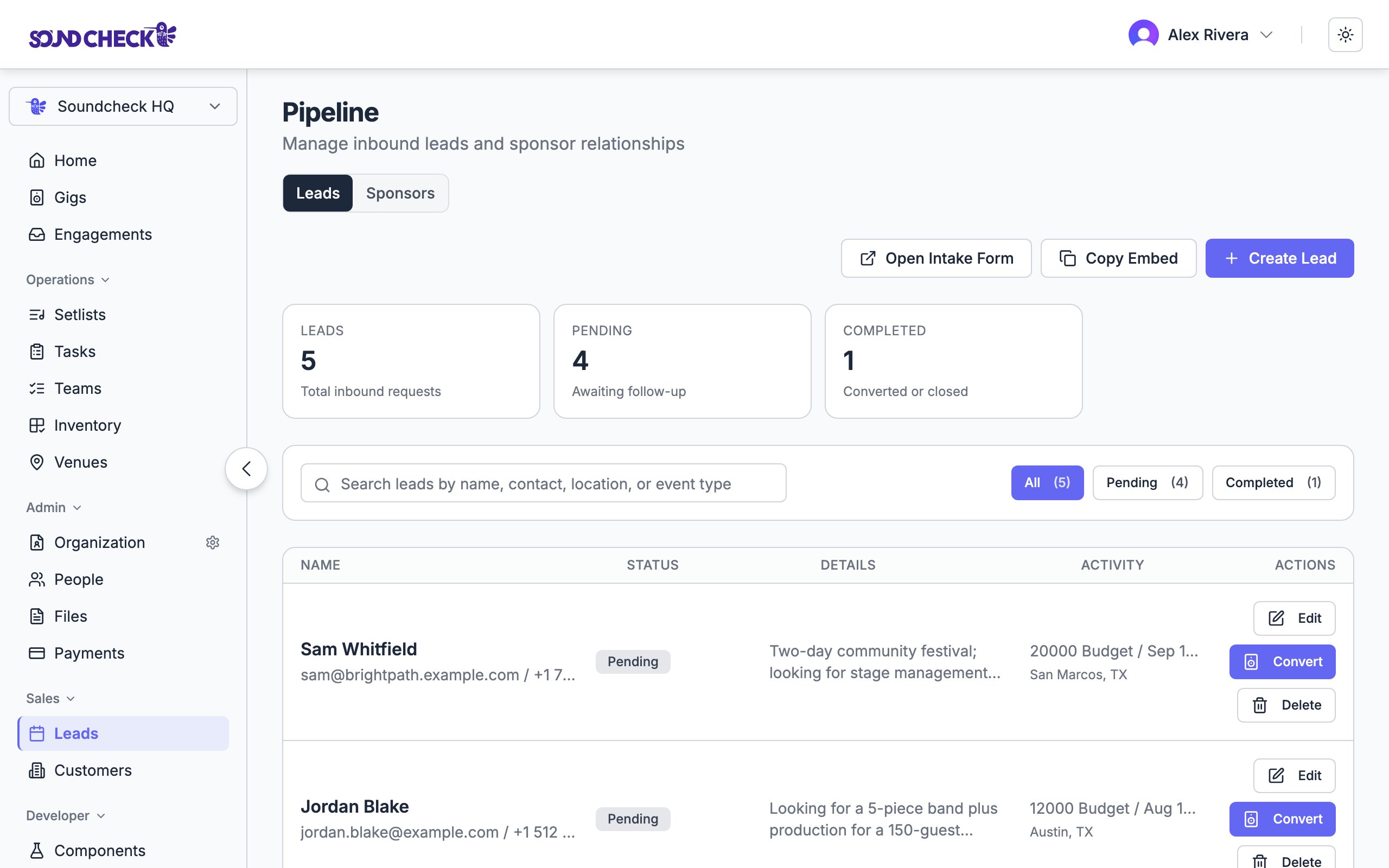
Inbound inquiries land in the lead pipeline ready to convert
Set this up
Lead tracking
Work inquiries through your pipeline.
Converting leads
Turn a qualified lead into a gig and customer.
Contracts & e-signatures
Current signing workflow for existing Private Preview testers.
Client portal
Give clients their own view of the booking.
Post-event closeout
Complete, settle, and capture reviews.