> ## Documentation Index
> Fetch the complete documentation index at: https://docs.soundchecklive.io/llms.txt
> Use this file to discover all available pages before exploring further.
# Venue operations
> How venues use Soundcheck to manage events, staff, and logistics across their calendar.
For a venue, the building is the constant and the events rotate through it — a residency every Friday, a wedding on Saturday, a corporate buyout midweek. Soundcheck lets a venue operator run that calendar from a single reusable venue record, stamp out recurring formats from templates, keep client and sponsor relationships in one CRM, and capture inbound inquiries through embedded forms.
## How a venue runs on Soundcheck
Start from the calendar as your operating picture, and let templates do the repetitive setup for formats that recur. Your venue record holds the logistics every show needs; customer and sponsor directories keep the relationships straight; and portal forms turn your website into an intake pipeline that files itself.
The [calendar](/features/calendar) gives you month, week, and list views of every booking, color-coded by status, so you can spot busy stretches and open dates at a glance. Click any date to see that day's events or create a new gig with the date pre-filled — and never double-book the room.
Most venue formats repeat. Save a set-up as a gig template and **Use template** to spin up a new **Draft** gig on a future date, or **Duplicate** an existing show — schedule times rebase to the new date automatically. Each show's [run of show](/features/gigs/run-of-show) carries the house rundown (doors, sets, strike) and exports to PDF for the crew working the night. See [templates and duplication](/features/gigs/templates-and-duplication).
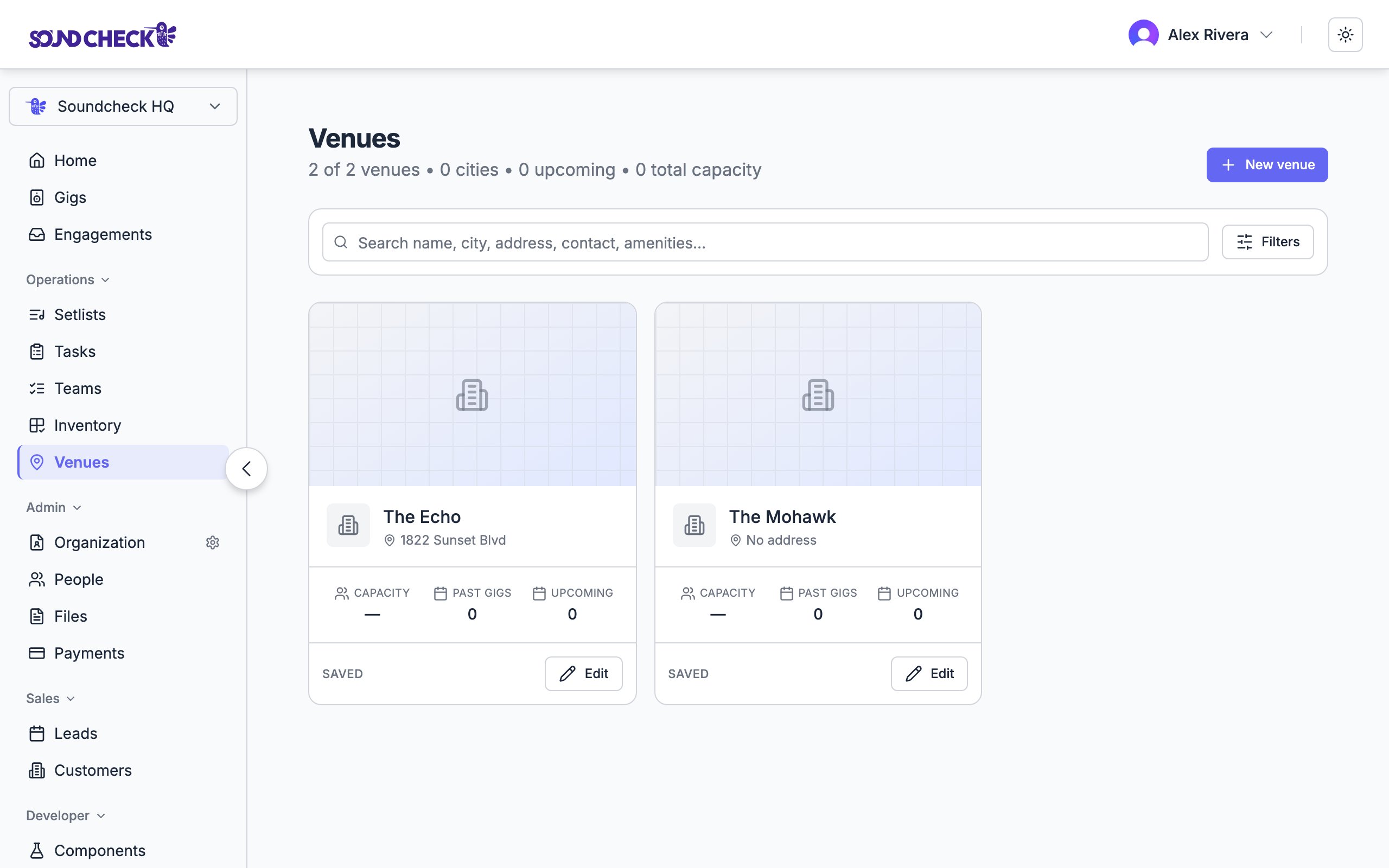
Store the building itself in the [venue directory](/crm/venues) — address, primary contact, and the **Load-in & access** logistics every show needs: dock, elevator, parking, load-in path, and the access code only your organization sees. Enter these once on the venue record and they carry to every gig at that venue; the venue's detail page also lists each gig booked there, so the room's history stays in one place. Update the record once when something about the building changes.
Keep the people who book you in the [customer directory](/crm/customers) — contact details, status, notes, and gig history in one shared record — and link a customer to each gig's **Resources**. Track the partners who help fund events in [sponsors](/crm/sponsors), including sponsor commitments for cash, in-kind gear, or a venue covering production costs.
Turn your website into a booking funnel. [Portal forms](/crm/integrations/portal-forms) embed a branded intake form built in JotForm or Form.io, and responses flow into Soundcheck over a signed webhook — matched to the right customer or event, and tagged by how confidently they matched so clean submissions file themselves and ambiguous ones get a human. A lead-intake form mirrors the built-in [lead intake](/crm/leads/lead-intake), so inquiries become pipeline records.
When a form's purpose is **lead intake**, submissions become leads exactly like the built-in public [lead intake](/crm/leads/lead-intake) form — no new record type to learn. Use **event questionnaire** forms for the details you collect from a confirmed client for a specific show, and **feedback** forms for post-event follow-up, and each response routes to the right place automatically.
 ## Set this up
Your month, week, and list views of the room.
Reuse setups for recurring formats.
Keep logistics in one reusable record.
Capture inquiries straight into your CRM.
## Set this up
Your month, week, and list views of the room.
Reuse setups for recurring formats.
Keep logistics in one reusable record.
Capture inquiries straight into your CRM.