> ## Documentation Index
> Fetch the complete documentation index at: https://docs.soundchecklive.io/llms.txt
> Use this file to discover all available pages before exploring further.
# Corporate & private events
> How teams running corporate and private events use Soundcheck to plan, staff, and deliver events.
Teams that book corporate and private events — galas, weddings, product launches, holiday parties — run a sales pipeline as much as an operations one. Every booking starts as an inquiry and has to move through qualification, a signed agreement, delivery on the day, and final settlement. Soundcheck carries that whole arc: leads become customers and gigs, contracts get signed under your brand, and the event closes out on the books.
## How a corporate & private events team runs on Soundcheck
Work the pipeline from inquiry to close. A [lead](/crm/leads/overview) captures the opportunity and moves through pipeline stages; converting it creates the gig and the customer in one step; a contract locks the agreement; the [client portal](/features/client-portal/overview) keeps the client informed without email ping-pong; and closeout settles the money once the show is paid out. For teams that live in HubSpot, an optional sync keeps the deal, quote, and gig in lockstep.
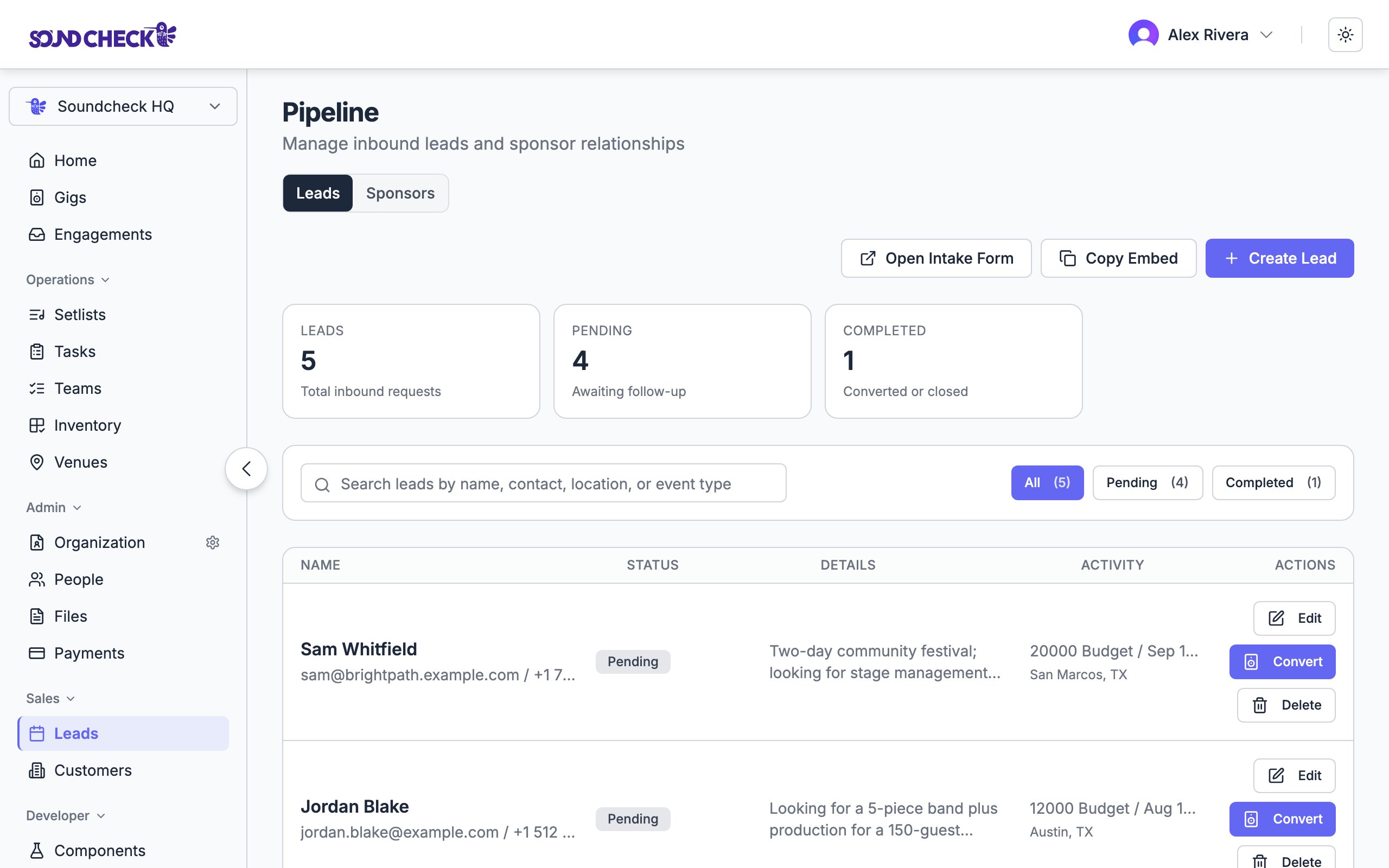
A [lead](/crm/leads/overview) is a potential booking — contact, event type, potential date, venue, budget, source, and notes. Move it through statuses (**New → Contacted → Qualified → Negotiating**) so your pipeline stays honest, and log a note after every conversation. Convert only once the details are strong enough to become a real gig.
When it's real, use **Convert to Gig**. [Lead conversion](/crm/leads/converting-leads) creates the gig from the lead details, creates or reuses a [customer](/crm/customers) record with a primary contact, links that customer to the gig, and marks the lead **Completed** — so your CRM pipeline and booked-work history stay connected in one flow. From there, staff crew, build the schedule, and add payment details on the gig itself.
Send the performance agreement for e-signature straight from the gig. [Contracts](/features/contracts/overview) move **Draft → Sent → Signed**, each signer is tracked individually, and the executed document is stored on the gig next to the roster and the money it covers. A decline routes the signer back to your portal so you can adjust terms and resend without the negotiation scattering across inboxes.
On enterprise plans, contracts can be signed under **your** brand — your logo and colors on the signing experience clients see. [White-label branding](/features/contracts/white-label-branding) is provisioned per organization by the Soundcheck team; once it's set up, every contract that organization sends carries your brand automatically.
Once the booking is real, invite the client's primary contact into the [client portal](/features/client-portal/overview) — a dedicated workspace where they see their events, contracts, invoices, questionnaires, and a message thread with your team. The "can you resend that?" emails stop, because everything they'd ask for is already in front of them. See [inviting clients](/features/client-portal/inviting-clients) and [contracts, invoices & forms in the portal](/features/client-portal/contracts-invoices-and-forms).
After the event, mark the gig **Completed**, work the close-out checklist — contract, deposit, invoice, payment, feedback — and mark it **Settled** once every crew payable has cleared. [Closeout](/features/gigs/closeout) is also where you capture ratings and reviews for the event, venue, and crew — turning a finished show into a verified record of who did what and whether they were paid.
If your sales team already works deals in HubSpot, the [HubSpot ↔ Flex pipeline](/crm/integrations/hubspot-flex-pipeline) keeps three systems in lockstep: as a deal advances in HubSpot, a matching Flex quote and the Soundcheck gig move with it, and after the show Soundcheck drives the back half — **Active → Completed → Settled** — and propagates the close back to your CRM. The sync runs through n8n, which owns every external API call, so Soundcheck stays the system of record for the gig itself.
 ## Set this up
Work inquiries through your pipeline.
Turn a qualified lead into a gig and customer.
Send agreements and track them to signed.
Give clients their own view of the booking.
Complete, settle, and capture reviews.
## Set this up
Work inquiries through your pipeline.
Turn a qualified lead into a gig and customer.
Send agreements and track them to signed.
Give clients their own view of the booking.
Complete, settle, and capture reviews.